Sophos Fusion's new look
Sophos Fusion has a new look. This page gives you a quick guide to the changes.
Can't find what you need in the new layout? See Where did my features go?.
Changes at a glance
Here are the first changes you'll see:
-
We've added a My Environment section in the main taskbar. This brings together frequently used options for managing your users, devices, account health, and more.

-
We've consolidated our Sophos Help content so that you can access help files, interactive guides, and learning content in one place. Just click the Help icon
 in the taskbar.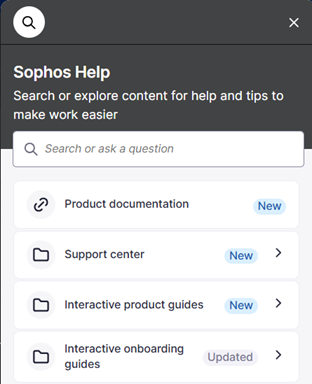
Where did my features go?
We've moved or renamed some features.
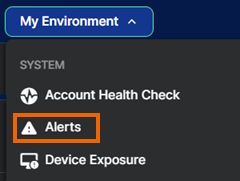
Where's Alerts?
For alerts, go to My Environment > Alerts.
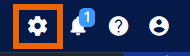
Where's Global Settings?
Global Settings is no longer under My Products. You can still access it from the icon in the taskbar.
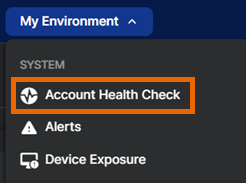
Where's Account Health Check?
Account Health Check is no longer in Dashboards or available from a taskbar icon. Go to My Environment > Account Health Check.
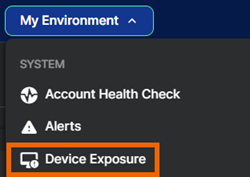
Where's Device Exposure?
Device Exposure is no longer under Threat Analysis Center. Go to My Environment > Device Exposure.
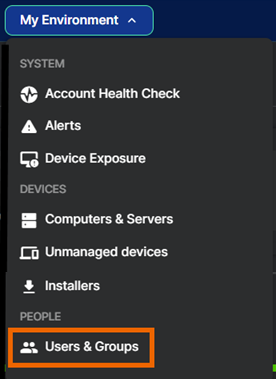
Where's People?
People is now called Users & Groups. Go to My Environment > Users & Groups.
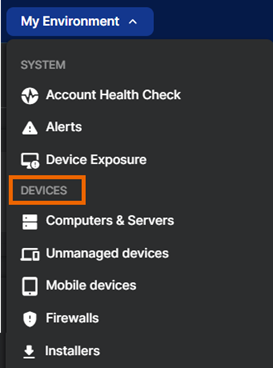
Where's Devices?
Go to My Environment > Devices. This section gives you easy access to all types of device you manage, now including firewalls, ZTNA gateways, wireless access points, and switches.
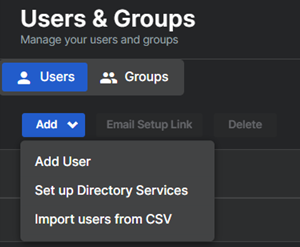
Where are the options to add or import users?
Go to My Environment > Users & Groups, make sure the Users tab is selected, and click Add.
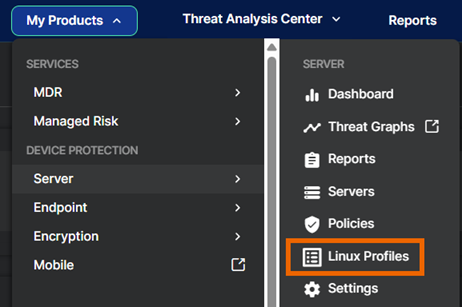
Where's Linux Profiles?
Linux profiles, which are sets of detection rules for use by Linux devices, are no longer under Native Cloud Security. Click the Global Settings icon ![Global Settings icon.] and go to Protection and Remediation > Linux Profiles. Alternatively, go to MyProducts > Server > Linux Profiles.
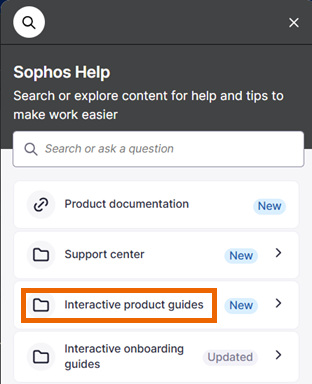
Where's Sophos Assistant?
Sophos Assistant, previously shown as a lightbulb icon on the right of the page, is now included in Sophos Help. Click the Help icon in the taskbar and look for "Interactive product guides".
Where's my Customer ID?
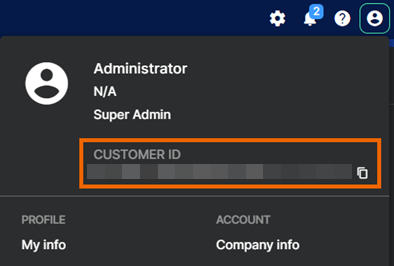
Click your Profile icon  in the upper right of the page. Your Customer ID is shown under your account name and can be copied by clicking the Copy icon
  .
.