Zero Trust Network Access dashboard
Sophos Zero Trust Network Access (ZTNA) lets you control access to resources (apps and web pages) on your network through your gateways.
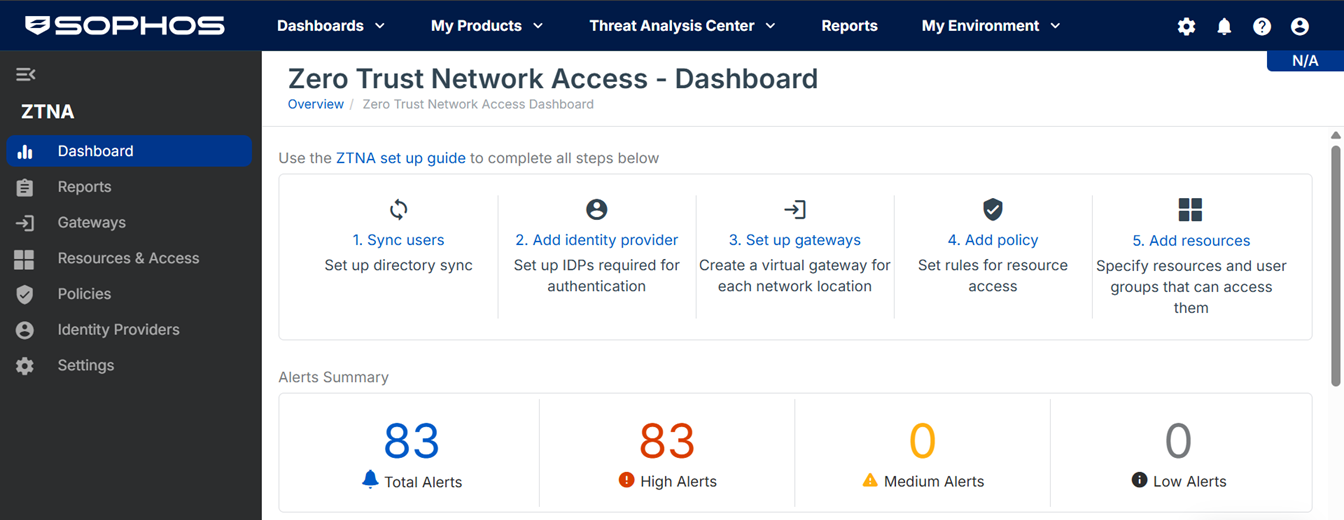
The ZTNA dashboard lets you see ZTNA activity at a glance.
Go to My Products > ZTNA > Dashboard.
You can do as follows:
- See the ZTNA setup steps, with links to the relevant pages, and a link to the ZTNA setup guide.
- See your Alerts Summary. You see the number of Total Alerts, High Alerts, Medium Alerts, and Low Alerts. When you click any of these categories, you're redirected to the Alerts page. See Alerts.
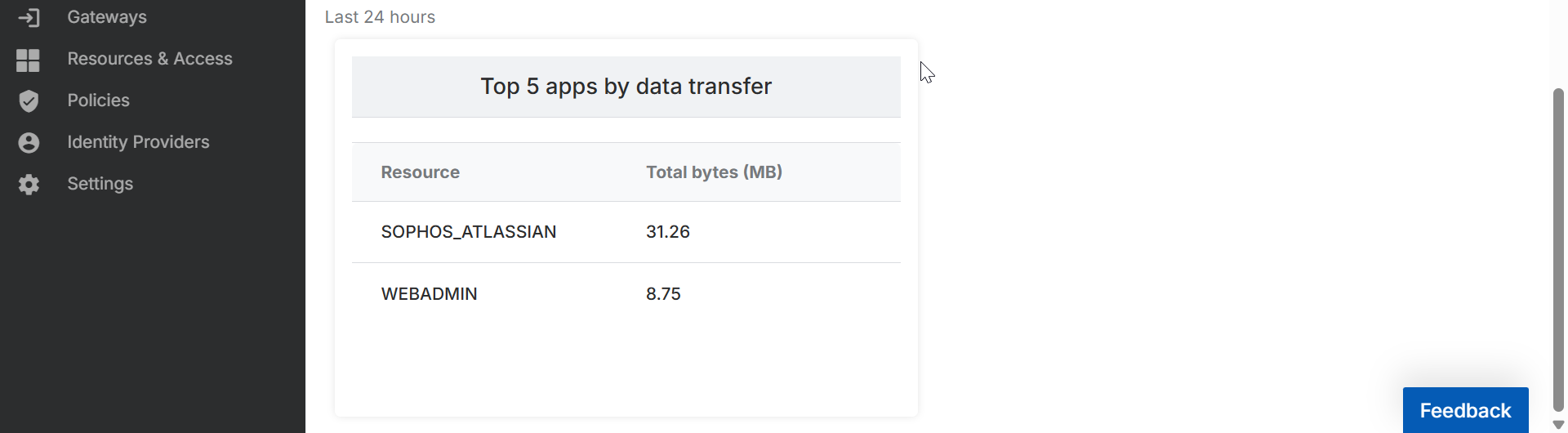
- See your Top 5 apps by data transfer. You can see the Resource name, and the Total bytes (MB) transferred in the last 24 hours.