Synchronize device
You can manually synchronize a device with Sophos Mobile to get the latest data.
Note
Sophos Mobile synchronizes automatically with devices at regular intervals and when specific events occur, for example, when Sophos Mobile Threat Defense detects a threat. To learn more about regular, event-triggered, and manual synchronizations, see Device synchronization.
To synchronize a device with Sophos Mobile, do as follows:
- Go to My Environment > Mobile Devices and click the name of the device you want to synchronize.
- On the device's details page, click Actions > Synchronize.
Sophos Mobile triggers the device to synchronize.
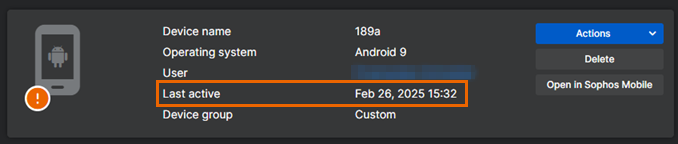
The Last active field at the top of the device's details page shows the last synchronization date.