Create policy
You create policies to configure device features. Create several policies if you want to manage different types of devices.
A policy is composed of configurations, each of which manages a different area. For example, there are configurations for restricting device features, configuring Wi-Fi connections, and adding mail accounts.
For an overview of available policies, see Policies.
The image below shows the Edit policy page with an example policy containing Restrictions, SCEP, and Wi-Fi configurations.
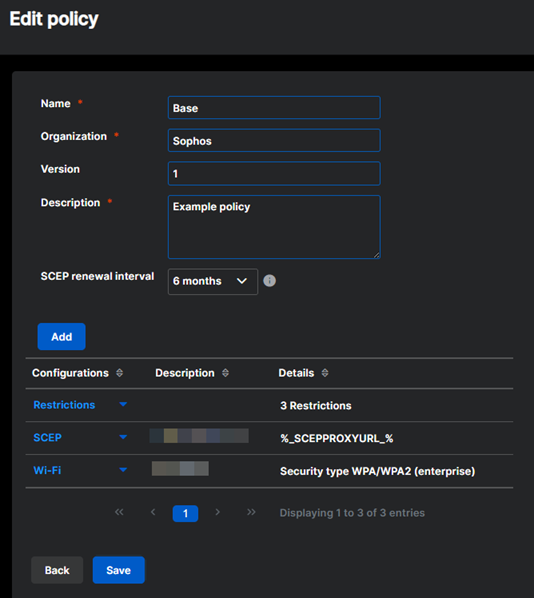
To create a policy, do as follows:
- On the menu sidebar, click Policies and select a device platform.
- Click Create and select a policy type.
- On the Edit policy page, enter a name and a description.
- For iOS, iPadOS, and macOS policies, enter your organization name.
-
Click Add configuration to add one or more configurations to the policy, then click each configuration's name to edit its settings.
Sophos Mobile adds these configurations automatically:
- For Android Enterprise policies, a Restrictions configuration.
- For Mobile Threat Defense policies, a Network configuration.
-
If you added a SCEP configuration to let devices automatically request certificates using the Simple Certificate Enrollment Protocol (SCEP), select the certificate renewal interval in SCEP renewal interval.
-
After you've added all required configurations, click Save.
You can now assign the policy to devices. See Assign a policy.