配置 Sophos Mobile Threat Defense 注册
在 Sophos Mobile Threat Defense 选项卡上的 Sophos 设置 页面中,您可以配置 Sophos Mobile Threat Defense 与 Sophos Mobile 的注册。
限制
如果您已按照 设置 Mobile Threat Defense 中的说明配置了 Intune Mobile Threat Defense,则无法配置 Sophos Mobile Threat Defense 注册。
Sophos Mobile 会创建一个连接代码。根据您的配置,使用该代码在通过第三方企业移动管理 (EMM) 软件管理的设备上注册 Sophos Mobile Threat Defense,或者使用 Sophos Mobile 注册 Android 设备、iPhone 和 iPad。请参阅 将 Sophos Mobile Threat Defense 与第三方 EMM 软件配合使用 和 使用静态二维码注册SophosMobile Threat Defense。
您以后可以根据需要停用该连接代码,以防止应用注册。
要配置 Sophos Mobile Threat Defense 注册,请执行以下操作:
- 在 Sophos Fusion 中,转到 移动。
- 点击菜单侧边栏上的“设置” > “Sophos 设置” ,然后点击“Sophos Mobile Threat Defense”选项卡。
-
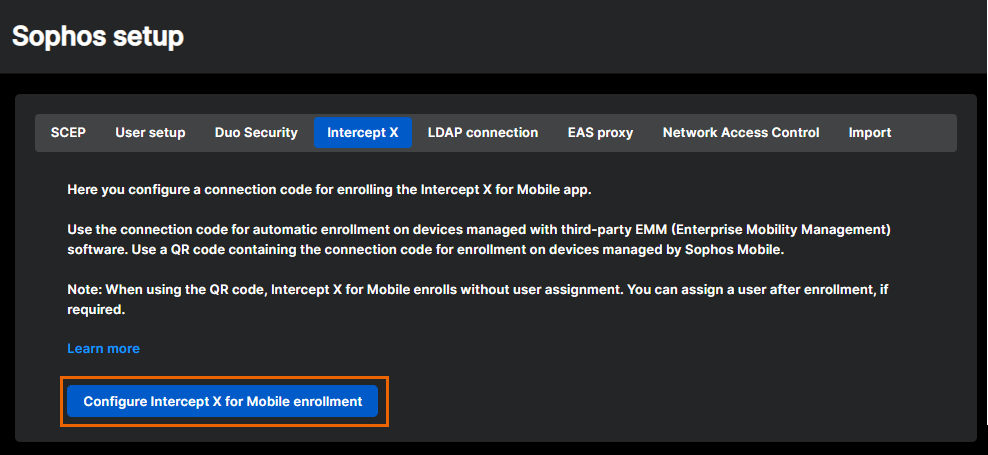
单击 配置 Sophos Mobile Threat Defense 注册。
-
Sophos Mobile 将创建注册配置。
-
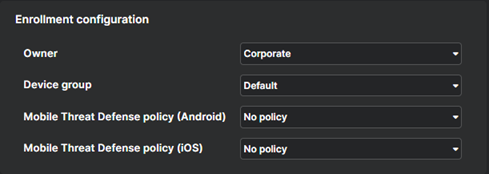
在注册配置下,检查并根据需要调整以下设置:
- 所有者:如果是组织拥有该设备,请选择公司。如果是用户拥有该设备,请选择个人。
- 设备组:Sophos Mobile 分配给设备的设备组。
- (可选) Mobile Threat Defense 策略 (Android):针对 Android 设备上的 Sophos Mobile Threat Defense 的 Sophos Mobile 策略。
- (可选) Mobile Threat Defense 策略 (iOS):针对 iPhone 和 iPad 设备上的 Sophos Mobile Threat Defense 的 Sophos Mobile 策略。
-
如果您更改了注册配置,请单击页面底部的保存。