Query switch data using Live Discover
You can query device data from Sophos Switches managed in Sophos Fusion using Live Discover in the Threat Analysis Center. Live Discover lets you use SQL queries to get more granular data than the data on the Switch management page. For example, you can query all devices connected to a specific switch.
To use Live Discover for Sophos Switch, go to Threat Analysis Center > Live Discover and click Switch. Live Discover has some built-in Data Lake queries for Sophos Switch. You can use these queries, edit them, or create new ones. To edit these queries or create new ones, turn on Designer Mode.
Note
If you're creating a new query for Sophos Switch, select Data Lake as the Source.
For information about how to use Live Discover, see Live Discover.
Data Lake schema
To see the available tables and data, open the Data Lake schema in the schema viewer.
To open the schema viewer, do as follows:
- Go to Threat Analysis Center > Live Discover and click Switch.
- Make sure Designer Mode is turned on.
-
In the Query section, you can do as follows:
- To edit a query, select the query you want to edit and click Edit.
- To create a query, click Create new query.
-
In the upper-right corner of the SQL dialog, click Schema.

The schema viewer opens in a new tab.
-
For AP6 access points, select NSG Cswitch from the Data Lake drop-down list.
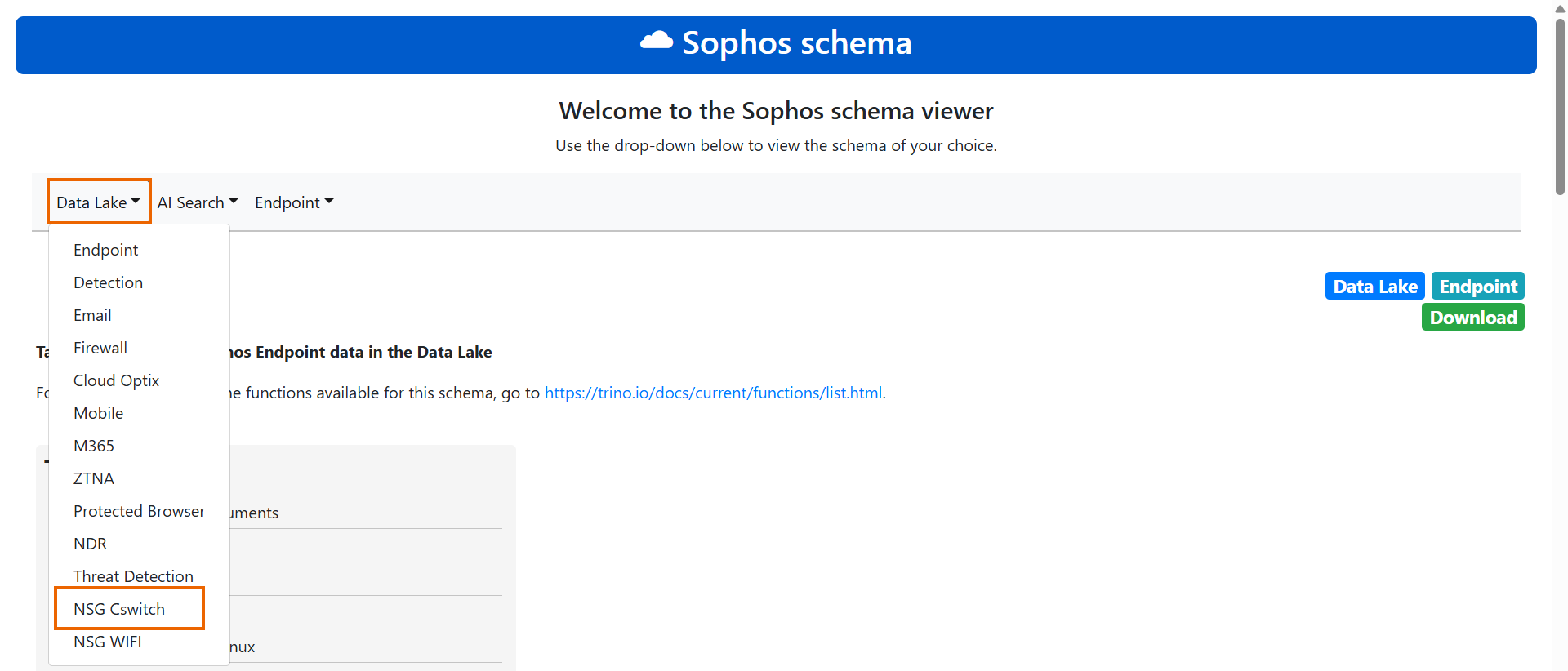
-
Select nsg_cswitch_data.
Cswitch field names
The following table describes the Cswitch field names in the Data Lake:
| Name | Description |
|---|---|
| message_identifier | Unique Identifier created by the ingestion pipeline |
| ingest_date | Date when the data was ingested |
| ingestion_timestamp | The epoch second when the data was ingested |
| schema_version | The Data Lake Schema version |
| record_size | The size of the data |
| customer_id | The customer ID |
| type_of_data | The data sent in the stream, such as client and log data |
| is_full_set | Whether the data sent is a full set or incremental |
| timestamp | The timestamp at which the event is generated |
| device_id | The unique ID of the switch |
| device_name | The name of the switch |
| device_model | The model of the switch |
| device_firmware | The switch's firmware version |
| device_serial_id | The serial number of the switch |
| client_mac | The MAC address of the connected device |
| client_ip | The IP address of the connected device |
| client_hostname | The hostname of the connected device |
| client_event_timestamp | The timestamp when the device connected |
| client_conn_status | The device's connection status |
| log_id | The log ID |
| log_subtype | The log subtype |
| log_component | The log component |
| log_message | The log message |
| log_severity | The log severity |
| device_ip | The IP address of the switch |
| device_port | The port on the switch where the client is connected |
| client_vlan | The VLAN the connected device is assigned to |
| direct_end_device | Whether the device is directly connected to the switch |