External senders or recipients
Data Control policies let you specify which external email addresses or domains the policy applies to. You can define these addresses or domains at two levels: the policy level and the rule level.
At the policy level, you configure the external email addresses or domains that the Data Control policy applies to. At the rule level, you can further define which external senders or recipients the rule applies to.
When you add or edit a Data Control rule, the dialog that appears depends on the rule direction. For inbound rules, the External senders dialog appears. For outbound rules, the External recipients dialog appears.
This rule-level setting gives you more granular control.
When we analyze senders and recipients of messages, we use their SMTP envelope sender and recipient addresses, not the "From" and "To" header fields.
External senders
This setting appears only for inbound rules.
Use External senders to specify which external senders an inbound Data Control rule applies to.
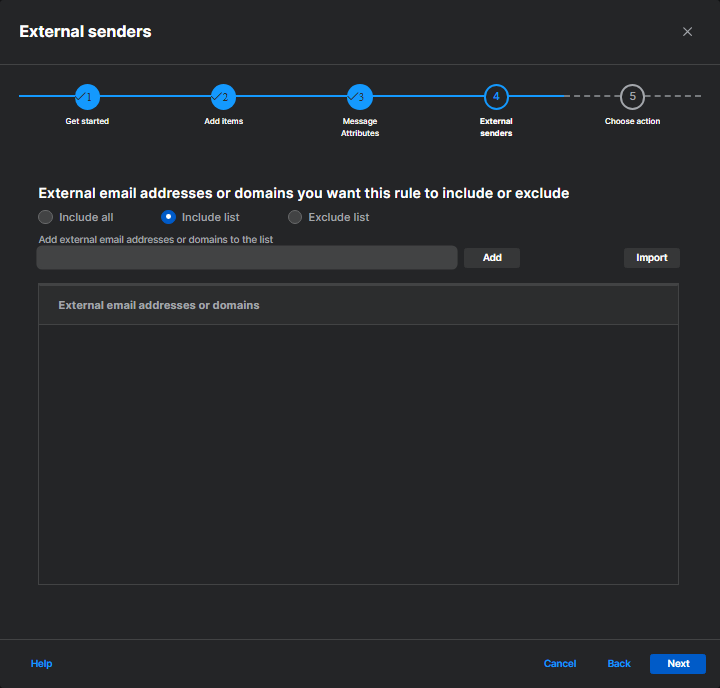
You can select one of the following options:
- Include all: The rule applies to all external senders.
- Include list: The rule applies only to the email addresses or domains you add to the list.
- Exclude list: The rule applies to all external senders except for the email addresses or domains you add to the list.
You can add individual entries or import them from a CSV or TXT file.
When you import a file, note the following requirements:
- The file must be a CSV or TXT file.
- Each entry must be on its own row.
- The file must not contain more than 100 entries in total, including existing entries in the list.
Optionally, you can select Replace all existing entries with this import to replace the current list with the entries in the imported file.
External recipients
This setting appears only for outbound rules.
Use External recipients to specify which external recipients an outbound Data Control rule applies to.
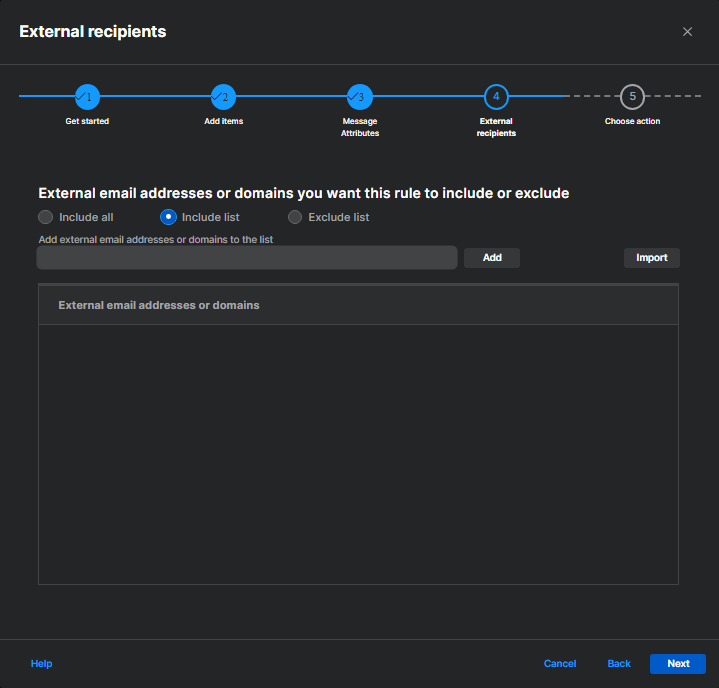
You can select one of the following options:
- Include all: The rule applies to all external recipients.
- Include list: The rule applies only to the email addresses or domains you add to the list.
- Exclude list: The rule applies to all external recipients except for the email addresses or domains you add to the list.
You can add individual entries or import them from a CSV or TXT file.
When you import a file, note the following requirements:
- The file must be a CSV or TXT file.
- Each entry must be on its own row.
- The file must not contain more than 100 entries in total, including existing entries in the list.
Optionally, you can select Replace all existing entries with this import to replace the current list with the entries in the imported file.