Give feedback
You can give feedback about the AI assistant to help us improve its accuracy and usefulness.
We provide pre-defined feedback tags that you can use to tell us which features you like or dislike.
Submit feedback
To submit feedback, do as follows:
-
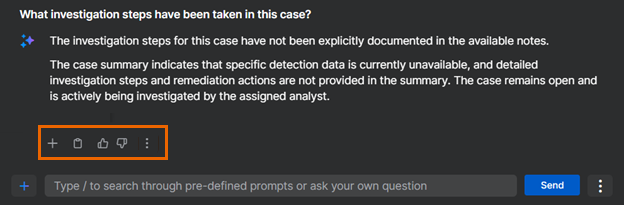
Find the action icons under the chat.
-
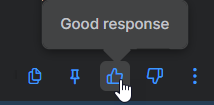
Click thumbs-up for positive feedback or thumbs-down for negative feedback.
-
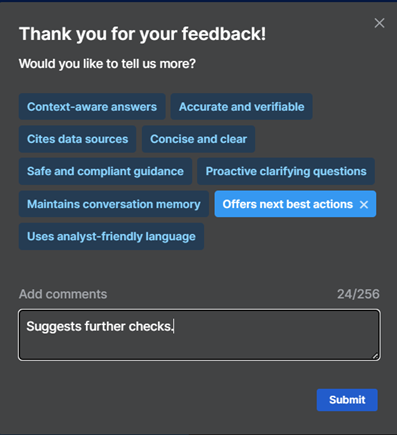
(Optional) Select a tag or tags to give reasons for your feedback. For example, "Uses analyst-friendly language".
You can use multiple tags in a single feedback submission.
-
(Optional) In Add comments, tell us more about your experience of the AI assistant.
- Click Submit.