About Endpoint policy
You can use an Endpoint policy to protect your devices with Sophos Endpoint. When configured, Sophos Endpoint intercepts DNS traffic and securely redirects it over HTTPS to DNS Protection. It automatically configures devices in the policy to use DNS Protection, so no manual setup is required. You must turn on Use Sophos DNS Protection in the policy.
DNS Protection uses locations to group devices and networks. You can assign your devices to locations by selecting a location in the policy. The devices associated with this policy are now controlled by the filtering policies in DNS Protection. In DNS Protection, each location can have a different filtering policy that controls which domains are allowed or blocked. You can also enforce features such as Google Safe Search in the policy.
How DNS Protection works with Sophos Endpoint
If you use DNS Protection with Sophos Endpoint, DNS Protection resolves DNS requests as follows:
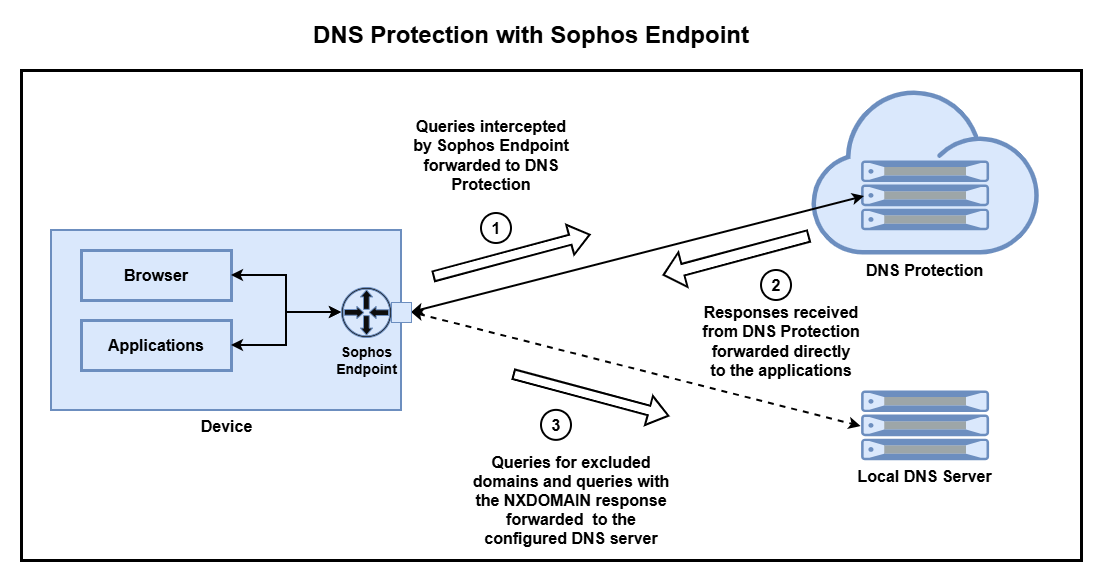
- Sophos Endpoint intercepts and forwards all DNS traffic, except for the excluded domains, to DNS Protection.
- It forwards all responses from DNS Protection directly to the applications.
- It forwards queries for excluded domains to your local DNS server. If DNS Protection returns an
NXDOMAINresponse, you can choose to retry such queries using your local DNS server.
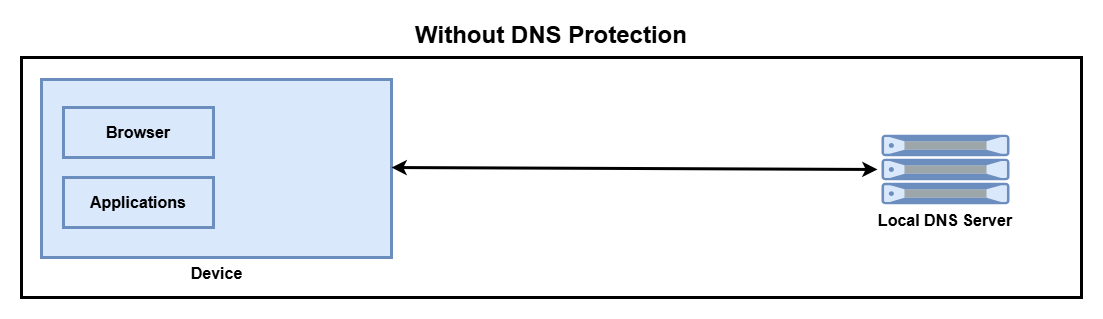
Your local DNS server handles all DNS queries if you don't use DNS Protection.