Dashboard
The dashboard shows the Protected Browser setup guide, along with charts that show user statistics by device and the number of blocked risky browsing attempts.
To see these details, go to My Products > Protected Browser > Dashboard.
Set up Protected Browser
The Set up Protected Browser guide shows the steps required to configure the browser and provides links for each step.

For details, see Set up Protected Browser.
Protected Browser users
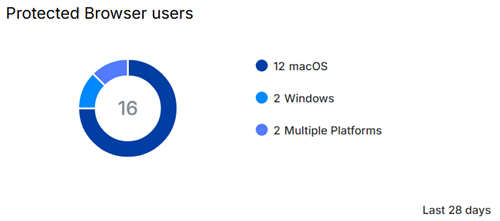
This chart shows the number of Protected Browser users on Windows and macOS devices over the last 28 days. Multiple Platforms shows the number of users on both Windows and macOS devices.
Risky browsing attempts blocked
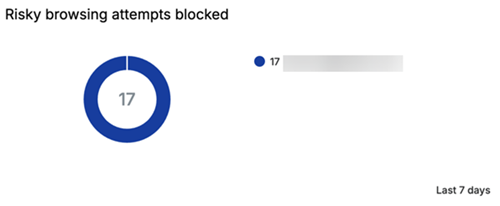
This chart shows the number of blocked risky browsing attempts for the user over the last 7 days, along with the user's email address.
DNS usage from protected computers
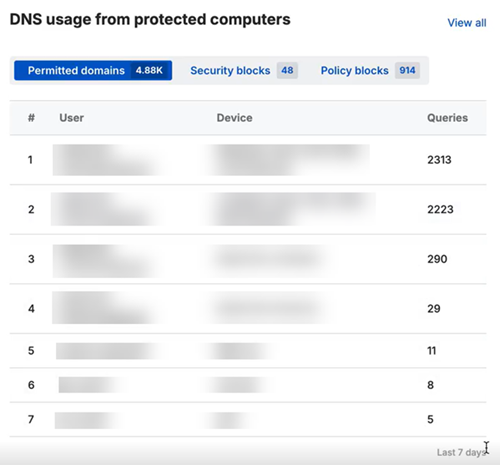
You can see this report if you're using DNS Protection with Sophos Endpoint. It lists the top seven protected computers with the most DNS requests in the last seven days. For each computer, you can see the username, device name or ID, and number of DNS requests served or blocked. The report categorizes the DNS usage as follows:
- Permitted domains: Shows the number of DNS requests served for permitted domains. Click View all to see the report generated from the DNS usage by source template.
- Security blocks: Shows the number of DNS requests blocked for security reasons. Click View all to see the report generated from the High risk devices template.
-
Policy blocks: Shows the number of DNS requests blocked by your policies. Click View all to see the report generated from the DNS usage by source template.