Remove managed Google Play app
When you remove an app from managed Google Play, users can no longer install it.
Removing an app doesn’t uninstall it from devices. To uninstall an app, see Uninstall managed Google Play app.
Restriction
You can’t remove an app that you use in a task bundle.
To remove a managed Google Play app:
- On the menu sidebar, click Apps > Android.
-
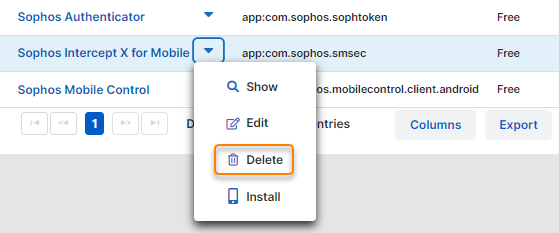
On the Apps - Android Enterprise page, click the arrow next to the app you want to remove and then click Delete.
-
Click Yes in the confirmation dialog.
The app is removed from your users’ managed Play Store app the next time devices synchronize with Sophos Mobile.