Edit user assignment
You can assign a different user to a device or remove the user to manage the device without user assignment.
Restriction
The following devices have a fixed user assigned, which you can’t change while the device is enrolled:
- Android Enterprise devices
- Apple User Enrollment devices
To edit the user assignment of a device, do as follows:
- On the menu sidebar, click Devices.
-
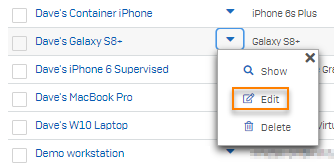
On the Devices page, click the down arrow next to the device and then click Edit.
-
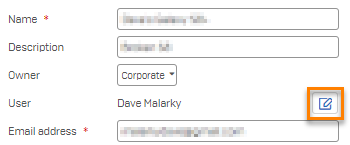
On the Edit device page, click Edit user assignment
 next to User.
-
Select the required action:
- To assign a different user, click Reassign user to device and select the new user.
- To remove the user assignment, click Unassign user from device.
-
In the confirmation dialog, click Yes.
- On the Edit device page, click Save.