Sophos Fusion Partner's new look
Sophos Fusion Partner has a new look. This page gives you a quick guide to the changes.
Can't find what you need in the new layout? See Where did my features go?
Changes at a glance
Here are the first changes you'll see:
-
We've added a My Environment section in the main taskbar. This gives you access to alerts and installers.

-
We've removed the Configure section from the taskbar. Most of its settings are now accessed from the Global Settings taskbar icon.

-
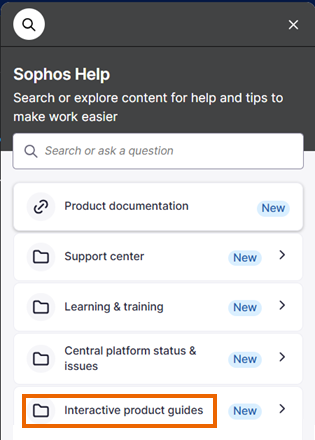
We've consolidated our Sophos Help content so that you can access interactive guides, product documentation, and learning content in one place. Just click the Help icon
 in the taskbar.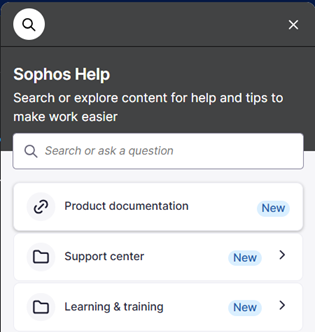
Where did my features go?
We've moved or renamed some features.
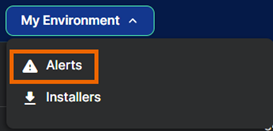
Where's Alerts?
For alerts, go to My Environment > Alerts.
Where's Settings & Policies?
Settings & Policies is now called Global Settings and is no longer in the Configure section. Instead, click the Global Settings icon in the taskbar to manage administrators, sign-in settings, PSA integration, and more.

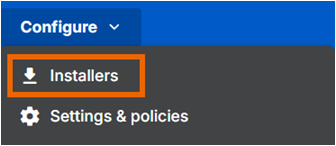
Where's Installers?
For installers, go to My Environment > Installers.
Where's Sophos Assistant?
The Sophos Assistant, previously shown as a lightbulb icon on the right of the page, is now included in Sophos Help. Click the Help icon in the taskbar and look for "Interactive product guides".
Where's my Partner ID?
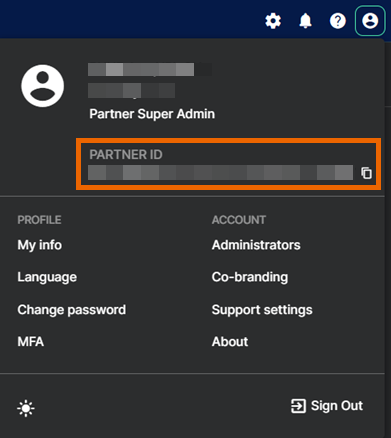
Click your Profile icon  in the upper right of the page. Your Partner ID is shown under your account name and can be copied by clicking the Copy icon
  .
.