Status
This page is for modern Windows only. On macOS and legacy Windows platforms, users see the same health status details in the Endpoint Self Help tool.
The Status page shows the current health status of your device and the Sophos software installed on it.
If bad health is shown on any of the tabs, see the linked knowledge base article at the bottom of that tab.
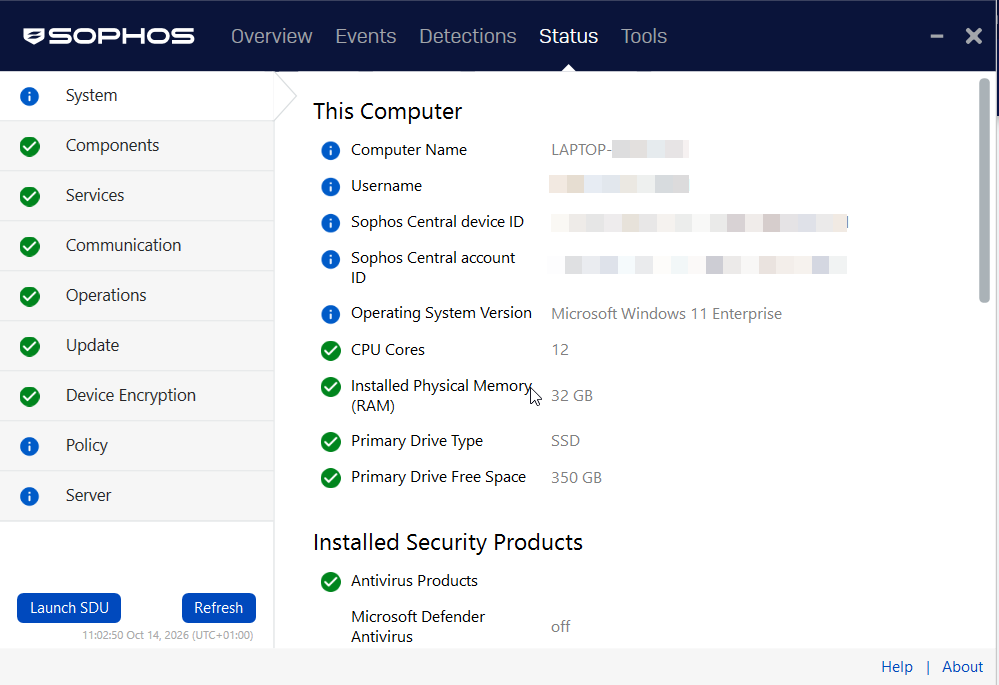
System
System shows details of your device, the Sophos security products installed on it, and recent Windows updates.
Components
Components lists all the Sophos components installed on the device together with version numbers.
Services
Services lists all the Sophos services, drivers, and processes on the device and shows whether they're running or stopped.
Communication
Communication shows the health of the management servers that handle communications between the device and Sophos Fusion.
Operations
Operations shows whether the device is correctly configured to work with the following security features: Sophos Data Lake, Security Heartbeat, and Sophos File Scanner.
Update
Update shows where the device gets Sophos updates from. It also shows update health, when the device last checked for updates, and whether a restart is pending.
Device Encryption
Device Encryption shows whether the device has encryption installed, whether there's an active encryption policy, and which volumes are encrypted.
Policy
The Policy page shows the last time that the device received a policy update from Sophos Fusion.
It also shows whether policy override is on or off. Admins can override the settings in the policy to troubleshoot your device.
A list shows when each policy type was last modified.
Server
The Server page shows the health status of the update cache and message relay, if you have them installed on the device.
ZTNA
The ZTNA page shows any events indicating an issue with ZTNA that have occurred in the last 24 hours.