AI Defense dashboard
To see the AI Defense dashboard, do as follows:
- Go to My Products > AI Defense and click Dashboard.
-
Click the calendar icon
 in the upper right of the page to set the time range you want to view.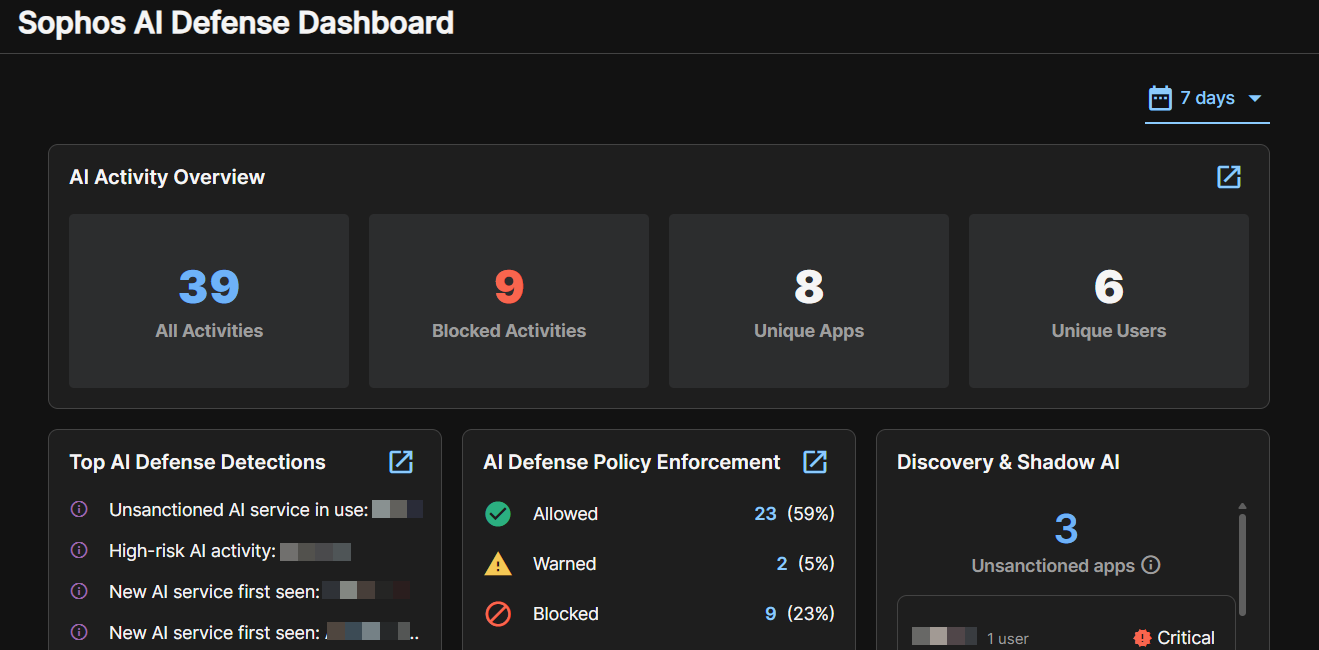
AI Activity Overview
In AI Activity Overview, the widgets show these statistics:
- Total AI activities
- Blocked AI activities
- Number of unique AI apps in use
- Number of unique users
Click a widget to see details of those activities. apps, or users in a pre-filtered list.
Click the View all icon  to see all activities.
Top AI Defense Detections
Top AI Defense Detections lists the most frequently detected activities.
AI Defense Policy Enforecment
AI Defence Policy Enforcement shows a breakdown of enforcement actions (allow, block, or warn).
Effective enforcement shows the percentage of activities controlled by AI Defense policies. The remainder are "unsanctioned". An unsanctioned app is one that is in use but not explicitly allowed by any policy.
Discovery and Shadow AI
Discovery and Shadow AI shows the number of unsanctioned apps detected. An unsanctioned app is one that is in use but not explicitly allowed by any policy.
Top AI Apps
Top AI Apps shows the most frequently used AI apps, with the number of activities for each.
Top AI users
Top AI Users shows the users who most frequently used AI apps. It also shows the number of policy violations by that user, if any. Policy violations are activities that AI Defense blocks or warns about.
AI Defense Risk Breakdown
AI Defense Risk Breakdown shows the number of AI apps and activities in each risk category, and the number of users using them.
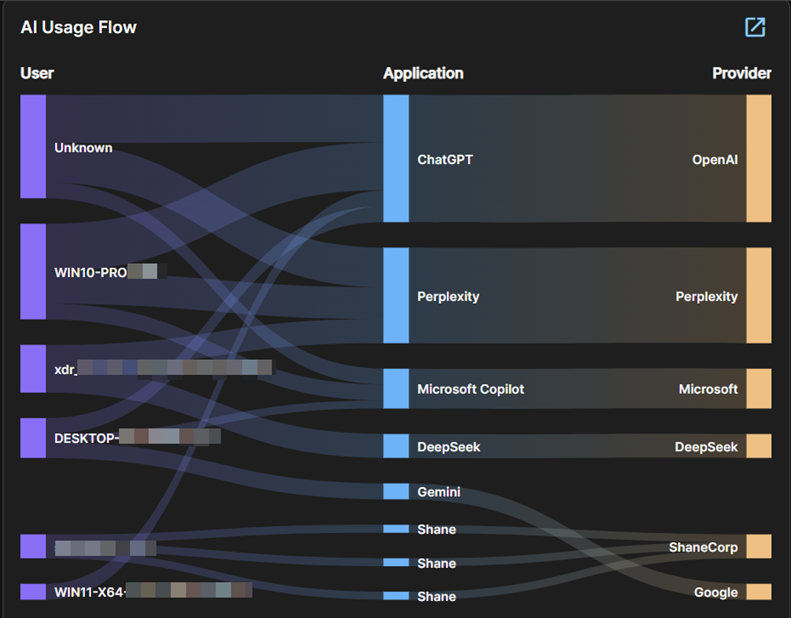
AI Usage Flow
AI Usage Flow is a graphic representation of which AI apps are used by each user.
The thickness of each flow line lets you see at a glance which apps are most used and which users make most use of them.
AI Defense Security Posture
AI Defense Security Posture rates your AI Defense posture as a score out of a hundred. The score is based on sensor coverage, policy maturity, and how risky your AI usage is. The higher the score, the stronger your posture.
Sensor Coverage measures how much of your organization is monitored by Sophos sensors, such as Sophos Endpoint and Sophos Firewall.
Policy Maturity measures how well your policies control AI usage, especially usage of higher-risk AI apps.
Usage risk measures how risky your organization's AI usage is, based on the use of unsanctioned or higher-risk apps.
Activity Trend
The Activity Trend graph shows the level of AI activity each day, broken down into total activities and blocked activities.
Hover over a line on the chart to see the number of activities for that day.