Manage an HA pair in Sophos Fusion
Follow these instructions to add and manage an high availability (HA) pair in Sophos Fusion.
How you upgrade depends on how your firewalls are set up. Your firewalls can be set up in either of the following ways:
- You are managing your firewalls in Sophos Fusion but they aren't in an HA pair.
-
Your firewalls are in an HA pair but you aren't managing them in Sophos Fusion.
Restriction
If the firewalls in your HA pair are on an earlier version and are registered with Sophos Fusion, you must deregister them and upgrade them to 18.0 MR4 or later. When you've upgraded them, you must register the HA pair with Sophos Fusion. See Manage your HA pair in Sophos Fusion.
Create an HA pair from your centrally managed firewalls
You have two standalone firewalls running 18.0 MR3 managed from Sophos Fusion. You want to import the configuration from one of them and manage them as an HA pair.
-
Upgrade both firewalls to 18.0 MR4. For more information, see Move to a different firmware version.
The image below shows two separate firewalls managed in Sophos Fusion.

-
On your Sophos Firewall, create the HA pair. For more information, see High availability configure the auxiliary Sophos Firewall.
You can form an Active-Active or Active-Passive HA pair.
Once the HA pair is created, a single HA pair is displayed in Sophos Fusion.

You can now manage the firewalls as an HA pair in Sophos Fusion.
Manage your HA pair in Sophos Fusion
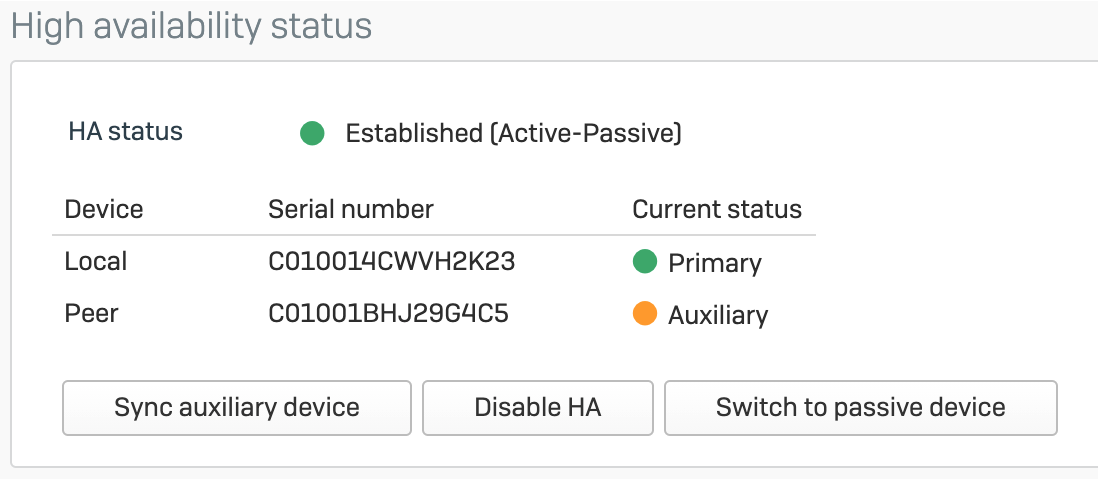
You have two Sophos firewalls in an HA pair. You want to manage them as an HA pair in Sophos Fusion.
The image below shows an Active-Passive HA pair.
-
Upgrade the primary firewall to 18.0 MR4. For more information, see Move to a different firmware version.
This automatically upgrades the auxiliary firewall.
-
On the primary Sophos Firewall, go to Central synchronization and click Register both HA devices to register the HA pair.
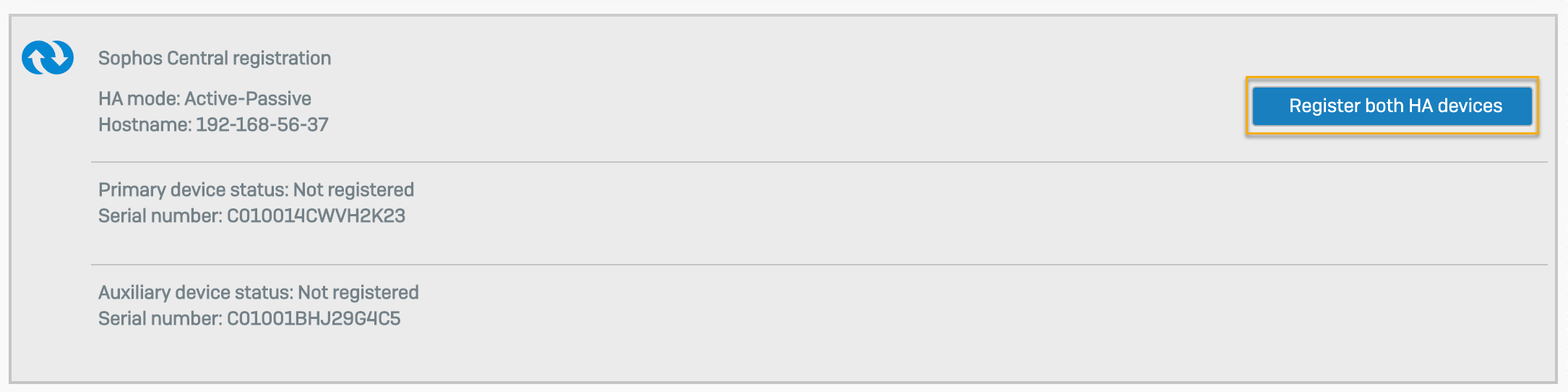
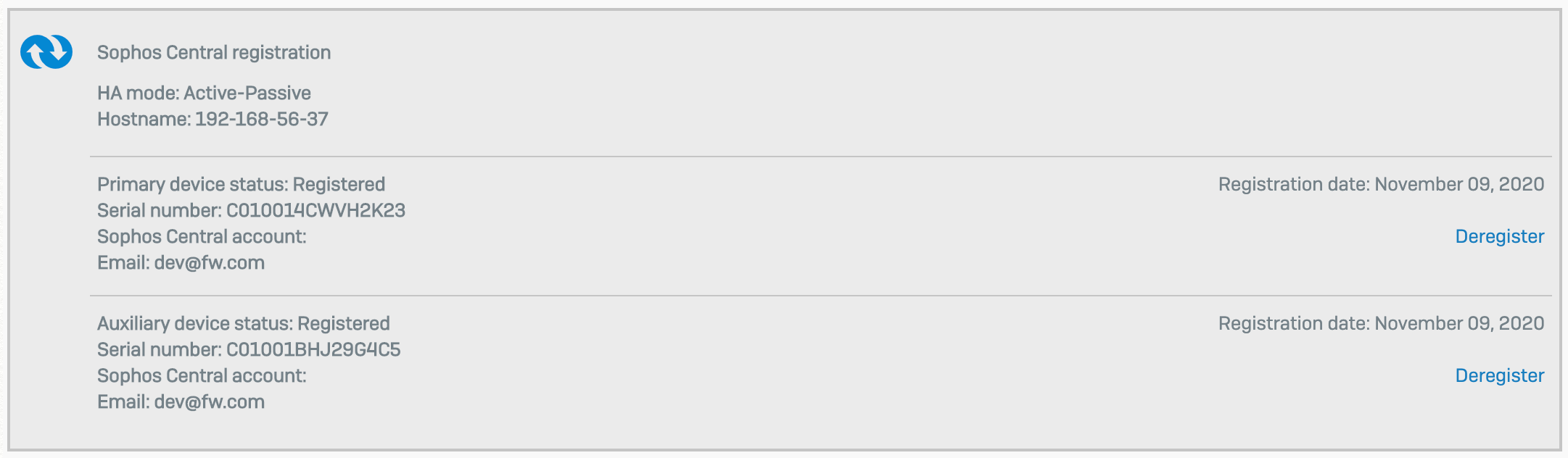
The registration information is updated, as shown below.
-
Once registration is complete, enable central management.
For more information, see Enable Sophos Fusion management of Sophos Firewall.
-
In Sophos Fusion, next to the primary firewall, click the Approval Pending icon
 , then click accept-services.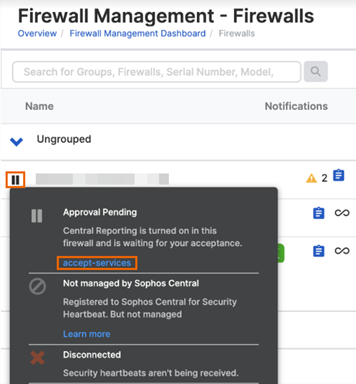
After a few minutes, the firewalls are displayed as a single HA pair.
You can now manage the HA pair in Sophos Fusion. Any configuration changes you make in Sophos Fusion apply to both firewalls.