Turn on firewall reporting
You can view the report dashboard and the reports page for a Sophos Firewall if you register it with Sophos Fusion and turn on firewall reporting.
To turn on firewall reporting, do the following:
- In the web admin console of the Sophos Firewall for which you want to turn on firewall reporting, on the Central synchronization page, ensure that the firewall has been registered with Sophos Fusion. If not, click Register and enter your Sophos Fusion account credentials.
- If Sophos Central services is turned off, turn it on. If it is already turned on, click Configure.
- In the Firewall Management and Reporting from Sophos Central dialog box, select Use Sophos Central reporting and click Apply.
-
In Sophos Fusion, go to Firewall Management > Firewalls, click the Approval Pending icon
 , then click accept-services.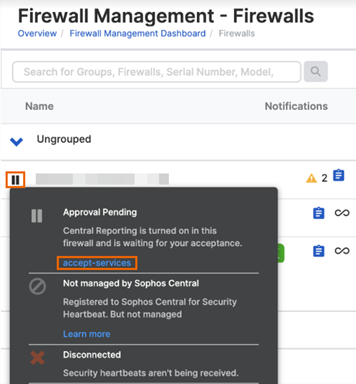
Within five minutes, the firewall sends data to Sophos Fusion. Sophos Fusion then inserts the data into its database, which can take between five and thirty minutes. Then Sophos Fusion displays the data in the reports. The firewall sends data at least every five minutes.