MDR weekly reports
MDR reports are deprecated in the new Sophos MDR. You can continue to use the Report History page to download copies of old reports until they expire after one year.
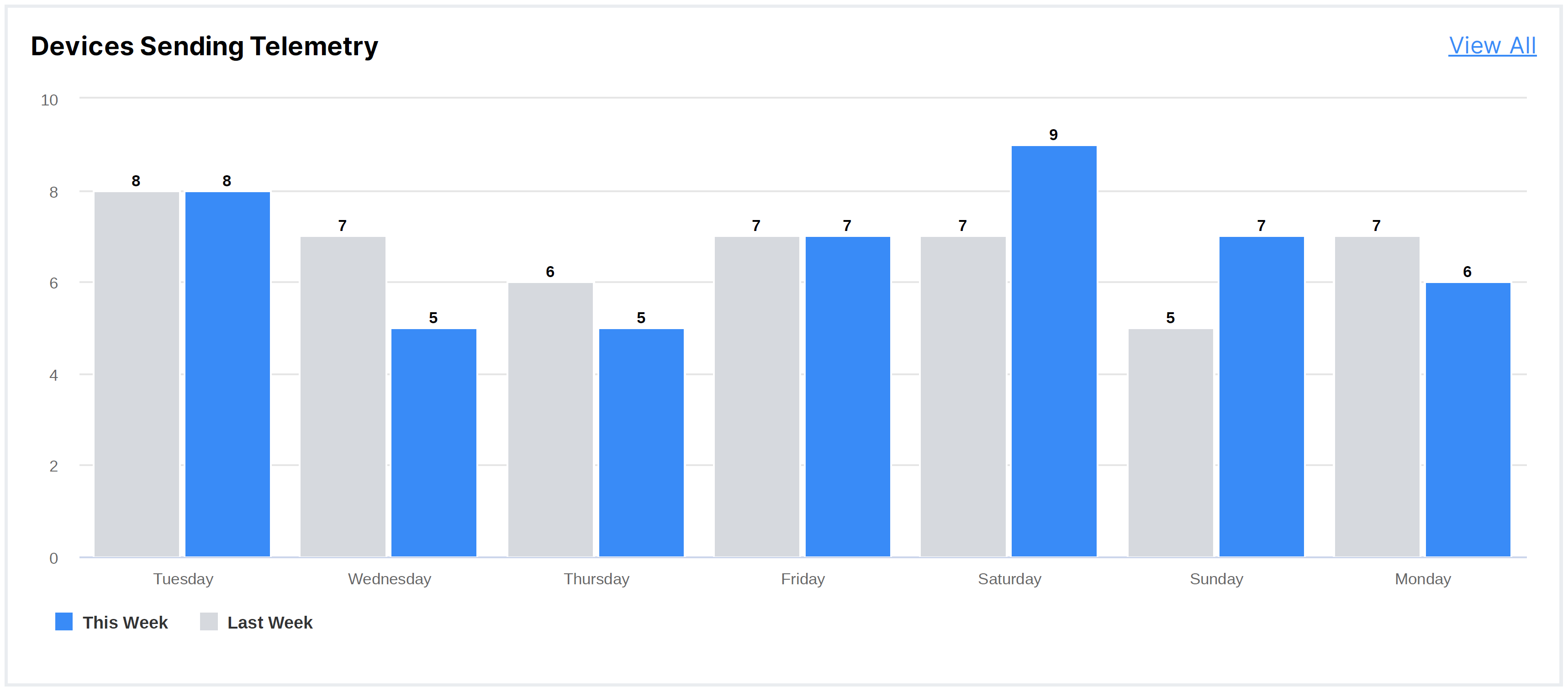
The Weekly Report includes a Devices Sending Telemetry section, which compares the number of active devices per day for the current and previous week. This provides visualization to help determine if there’s a large number of devices that may have stopped communicating and sending telemetry data.
Case activity
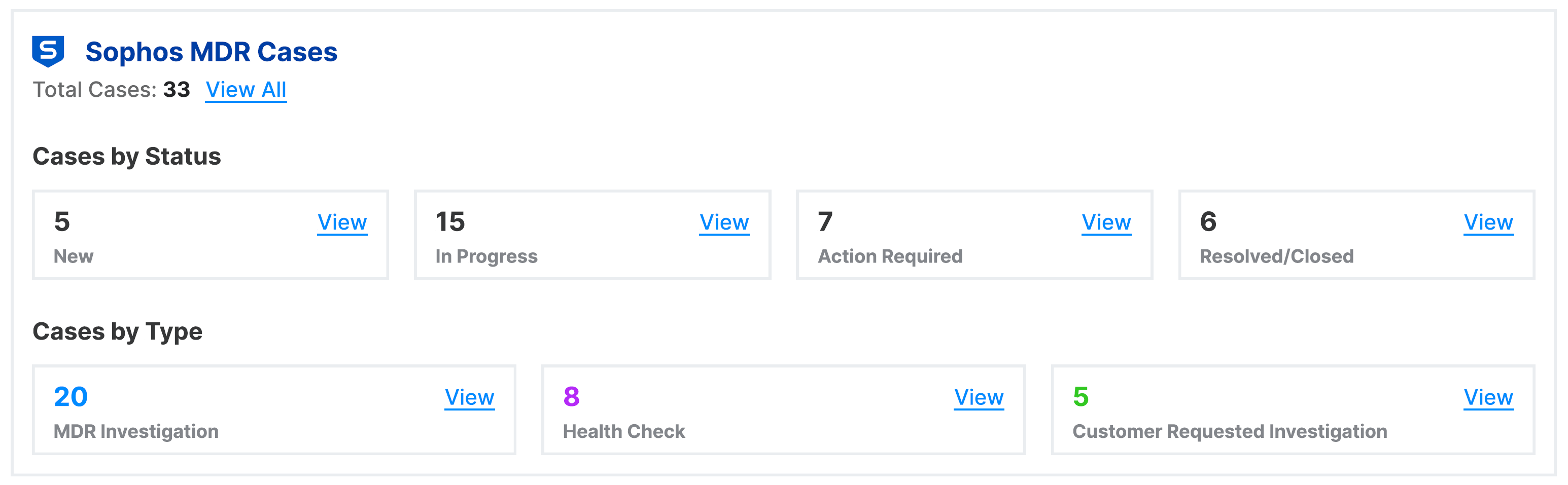
A detailed account of weekly cases is shown. Status includes In Progress, indicating that the case is still being investigated, Resolved, indicating that the case is now closed, and Action Required, indicating that additional information is being requested before the case can be resolved. If action is required, please contact the MDR team as soon as possible.
The case metrics also have a breakdown of cases by type.
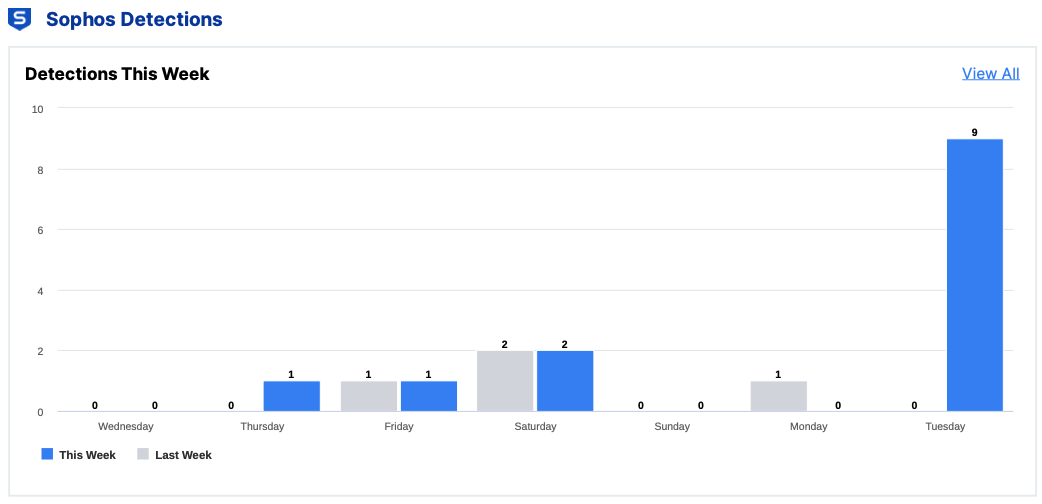
The Weekly Report highlights the number of detections for the week, broken out by day and compared to the previous week.
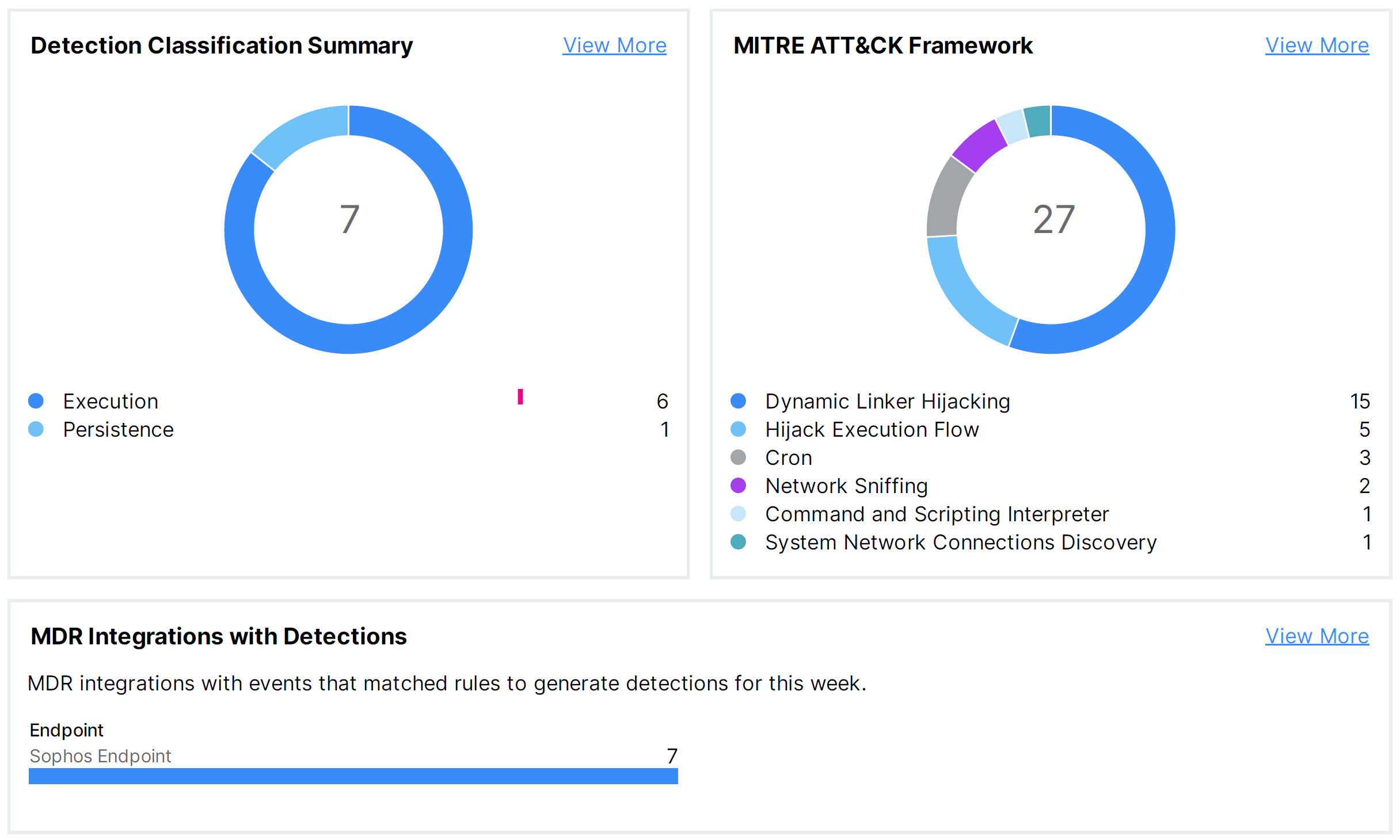
The Weekly Report also provides the total number of cases and escalations, and provides a breakdown of detections by integration source, classification type, and MITRE Techniques and Tactics.
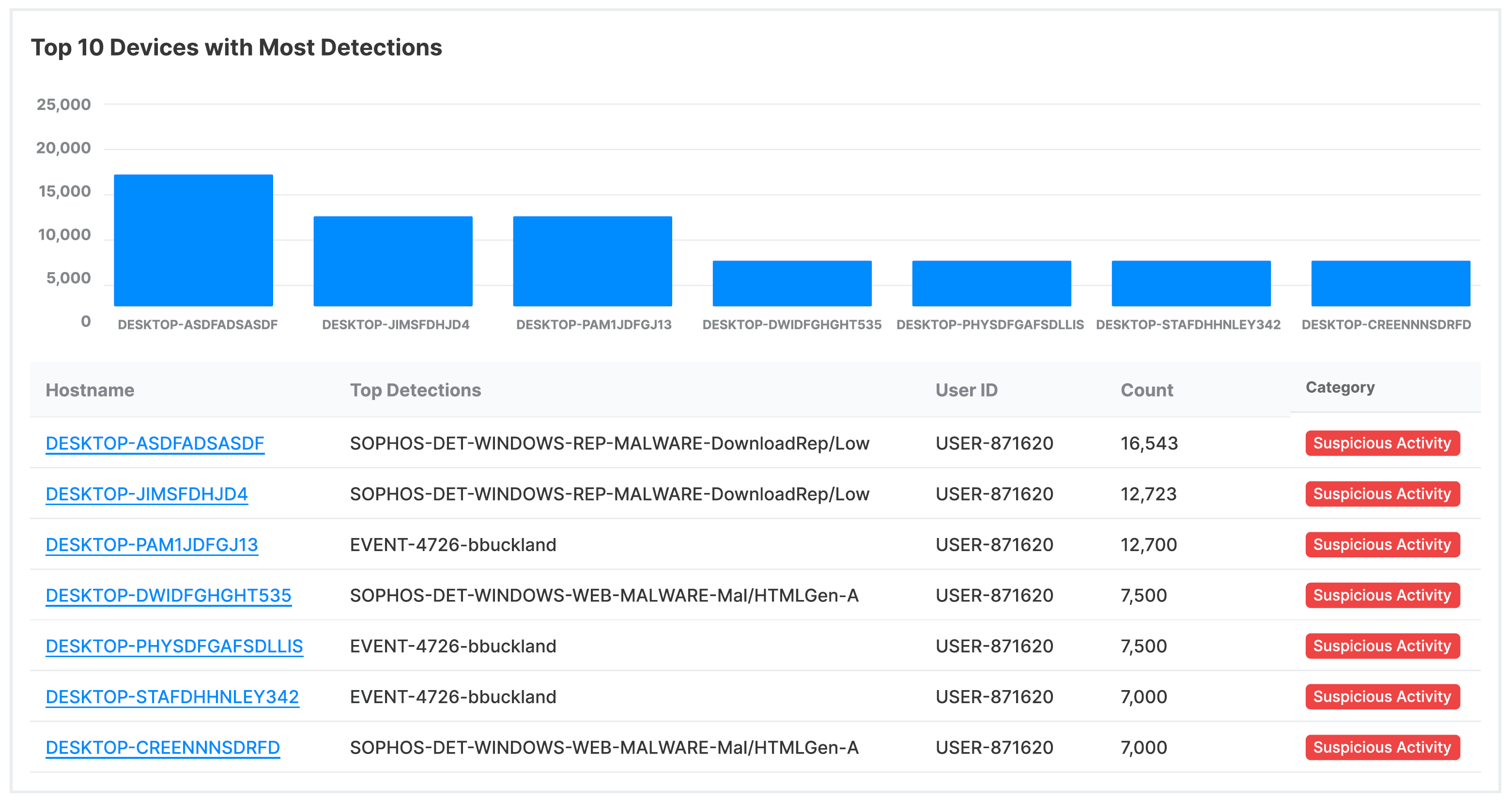
An additional view shows the top 10 devices with the most detections.
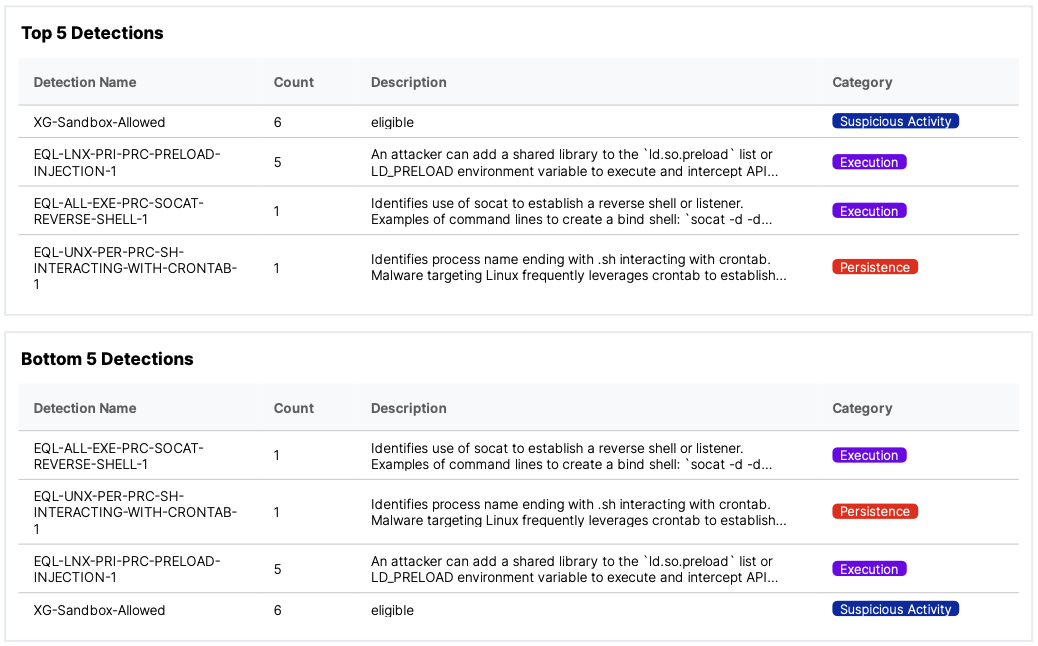
Top 5 and Bottom 5 Detections
This list shows the most and least frequently seen detections for the report week date range, along with the number of times each was seen.
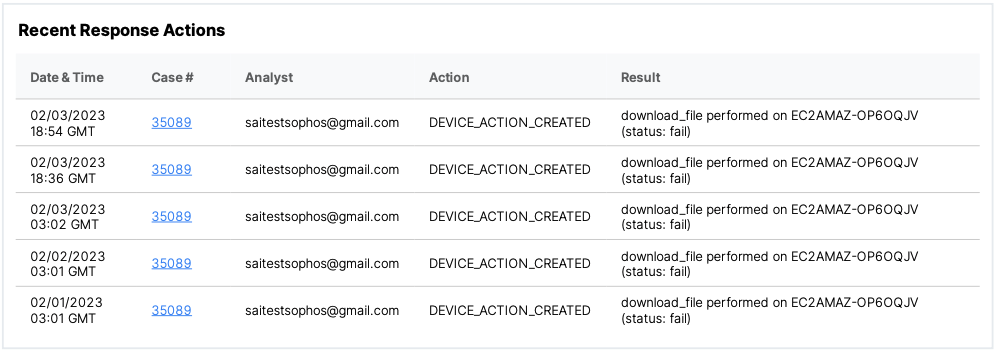
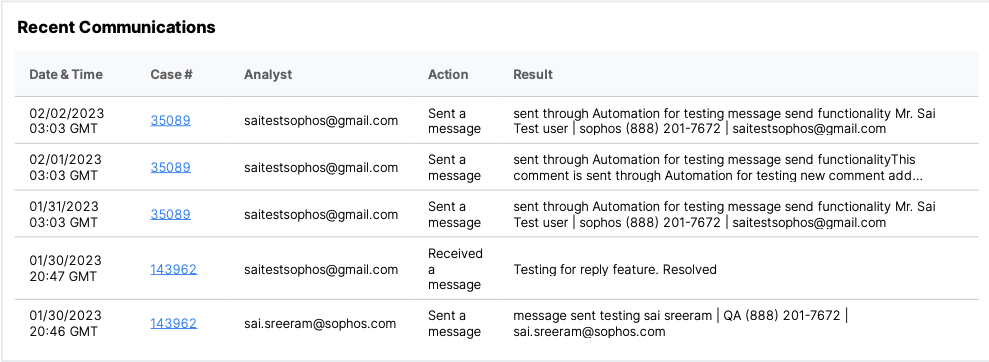
Additional Sophos MDR Efforts have lists of the most recent response action taken and communications with your account contact(s).