Generate NDR detections from the command-line interface
If your appliance mode includes NDR detection engines, you can generate test detections to check that Sophos NDR is correctly set up and working. For details on appliance modes, see NDR appliance modes.
The test isn't malicious. It triggers a detection by simulating an event with features typical of an attack. The event is a client downloading a file from a server with suspicious domain and certificate details.
You can run the test from the command-line interface (CLI).
Requirements
Download the NDR test file from Network Security Tests.
Configure your firewall to allow TCP traffic to the domain and IP address in the region you want to connect to.
| Domain name | IP address | TCP port | AWS region |
|---|---|---|---|
| plrqkxqwvmtkm.xyz | 13.56.99.184 | 2222 | us-west-2 (California, US) |
| erqcmuydfkzzw.org | 16.62.124.9 | 2222 | eu-central-2 (Zurich, Switzerland) |
| lypwmxbnctosa.net | 18.142.20.211 | 2222 | ap-southeast-1 (Singapore) |
| xbmwsfgbphzvn.com | 18.167.138.38 | 2222 | ap-east-1 (Hong Kong, China) |
| qwpoklsdvxbmy.com | 177.71.144.35 | 2222 | sa-east-1 (São Paulo, South America) |
Make sure you've included your network traffic in the current port mirroring setup. For help, see the NDR setup pages in Deploy Sophos NDR.
Generate a detection
Note
You must run the command on a device on the same network as Sophos NDR.
In the following example, we'll show you how to generate a detection using the Windows command prompt, with the default options.
- Run Command Prompt as administrator.
-
Type the following command:
NdrEicarClient.exe.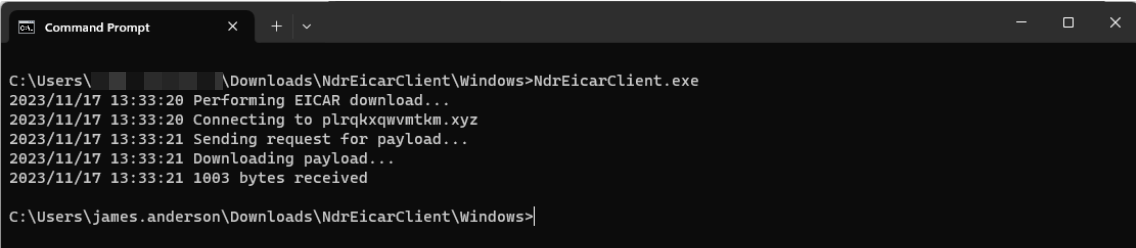
Note
If you generate a detection using the default options, the client will connect to the us-west-1 server and perform the file download one time.
A detection will be generated.
-
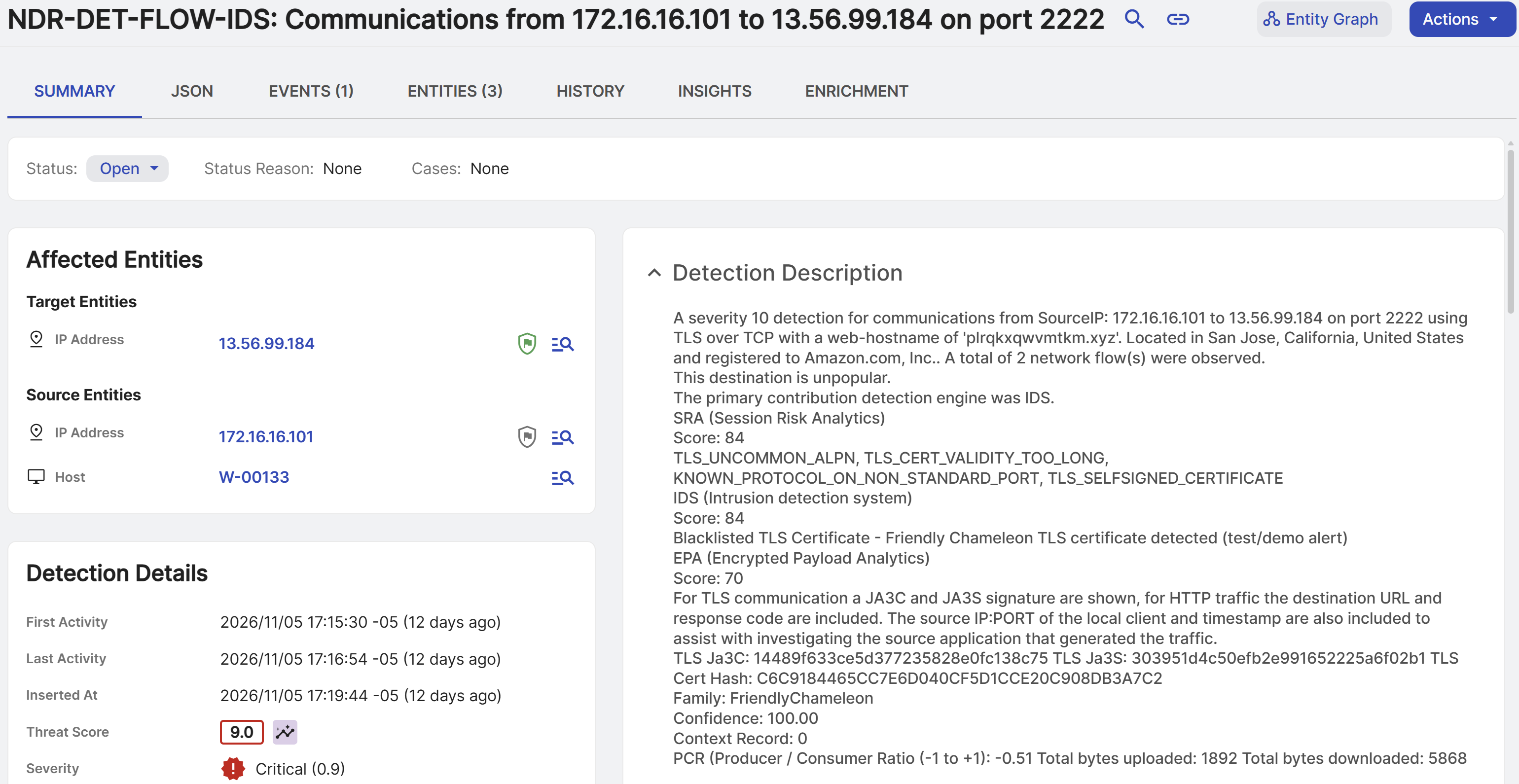
In Sophos Fusion, go to Security Operations > Detections.
- On the Detections page, you should see a recent detection named
NDR-DET-FLOW-IDSin the list. -
Click
NDR-DET-FLOW-IDSto open its details.The full detection name shows a source and destination IP communicating on port 2222.
-
Expand the Detection Description section to see the following details:
- Known protocol on a non-standard port
- Self-signed certificate
- Uncommon Application-Layer Protocol Negotiation (ALPN)
- Blacklisted certificate
- High probability that the server domain is generated by algorithm (DGA)
- Indications of a threat belonging to the Friendly Chameleon family.
Eicar test command-line options
You can enter the following command-line options after the NdrEicarClient.exe command:
- Type
--helpto show the available options. - Type
--regionfollowed by the name of the region you want to connect to. -
Type
--extrato generate traffic around the detection.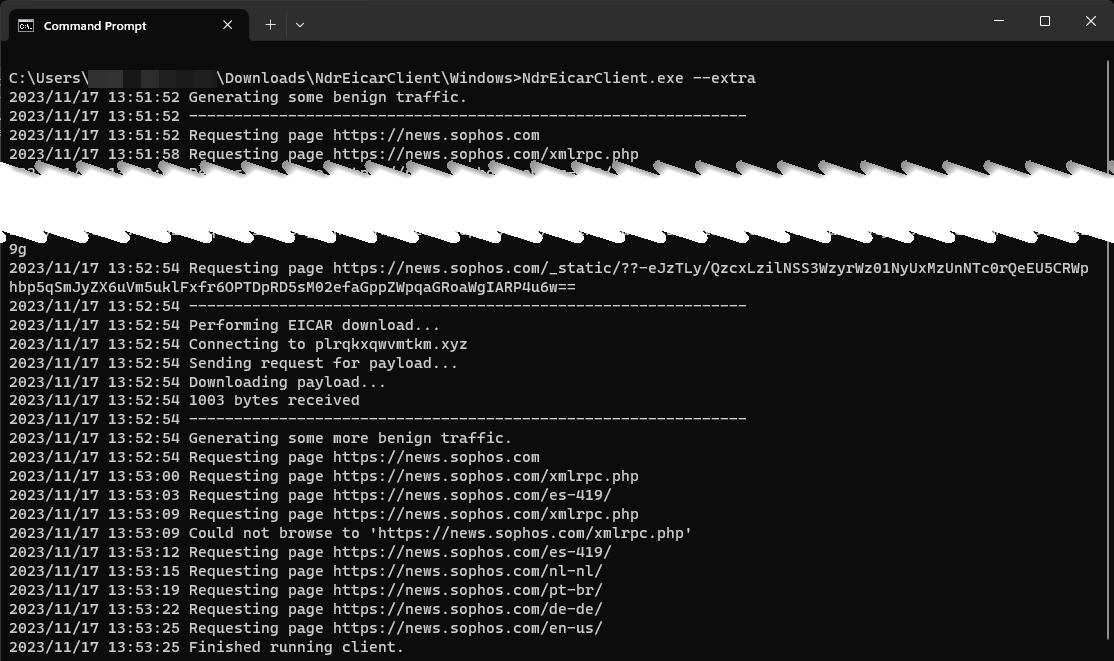
The test file includes a web crawling capability to generate traffic. By default, the web crawler starts with the news.sophos.com website and analyses all *.sophos.com web pages reachable from there. If your firewall or web proxy doesn't allow this, you can specify a different website to start with. The default run time for the web crawler is one minute before the EICAR traffic and 30 seconds afterward. You can use the --runtime CLI option to change this. The time you provide in seconds will run before the EICAR traffic, and then it'll run for half that time afterwards.
Note
We included a pause between web pages, so this tool can't be used for a denial-of-service (DoS) attack on a website.