Detection enrichment
There are two ways to see threat intelligence enrichment data for detections. Both methods gather all known entities from a detection and provide additional threat intelligence enrichment data from the Counter Threat Unit™ (CTU), VirusTotal, APIVoid, Sophos Intelix, and custom enrichments.
For more information on custom enrichments, see Enrichments.
Enrichment in detection details
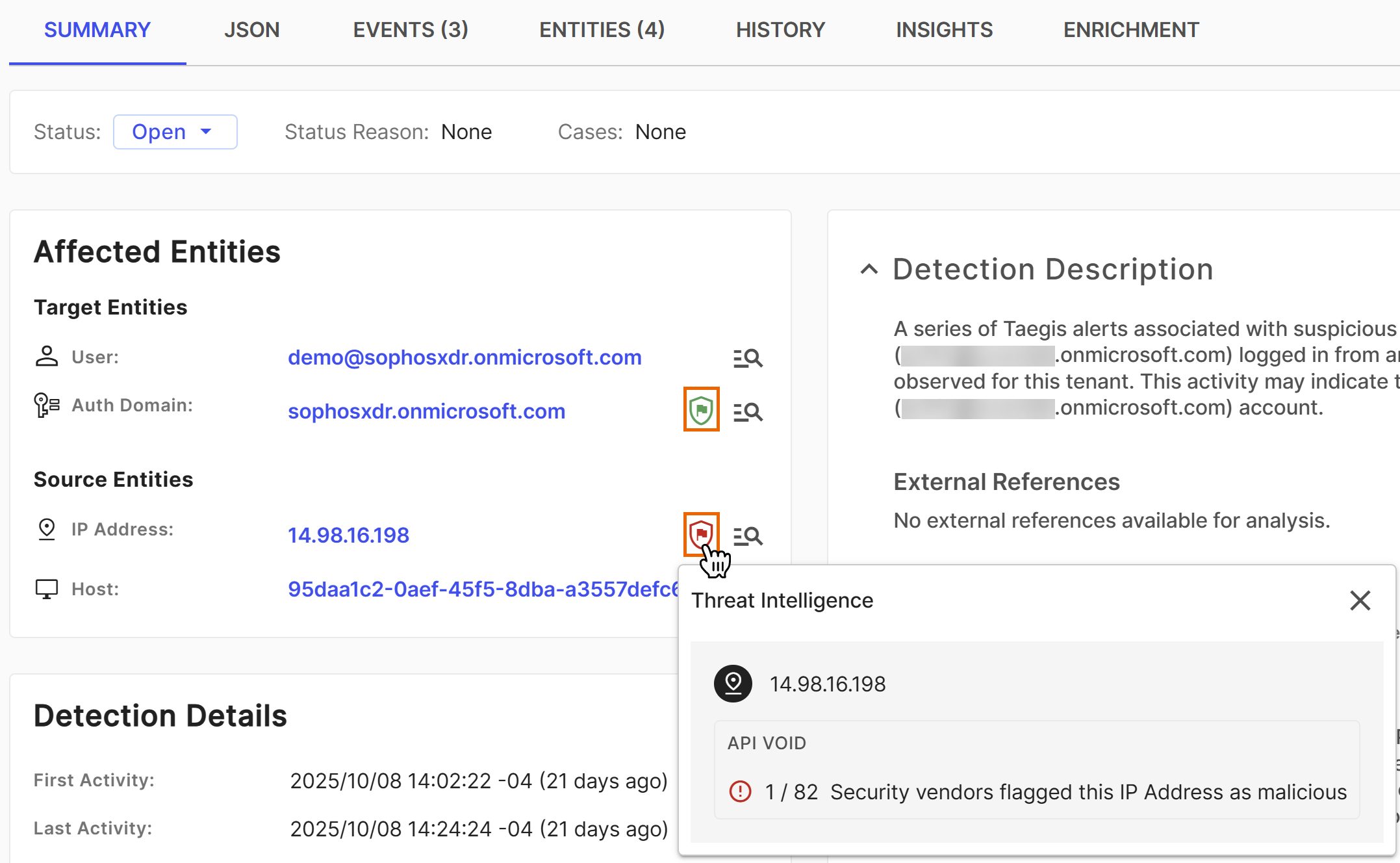
Click a Shield icon in detection details to open a modal with threat intelligence context for entities within the detection. From the modal, you can go to Sophos Intelix static and dynamic reports for SHA256 hashes, go to VirusTotal and APIVoid detail pages when available, and go to any third party configured by custom enrichments.
Enrichment in Entities tab
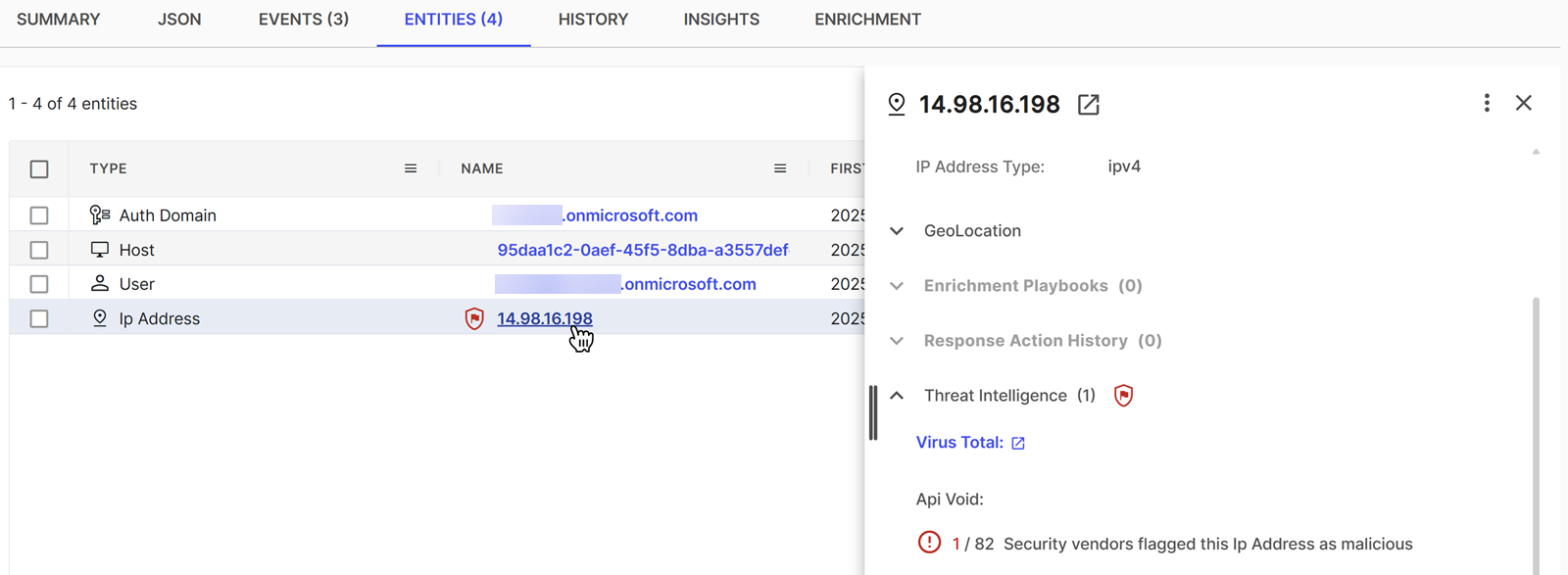
Click an entity name in detections or cases to open the entity details. Go to the Threat Intelligence section of the details to see enrichment data.
Hash enrichment process
When a detection contains file hashes in the affected entities, we automatically query the following threat intelligence sources:
- Sophos Intelix for SHA256 hashes only. For details, see Sophos Intelix.
- VirusTotal for MD5 and SHA hashes. For details, see VirusTotal and APIVoid enrichment data.
- APIVoid for MD5 and SHA hashes. For details, see VirusTotal and APIVoid enrichment data.
Hash enrichment visual indicator
When the threat intelligence sources provide a verdict on the file hash, a Shield icon shows in one of the following colors:
- Green: File hash is clean.
- Yellow: File hash is suspicious.
- Red: File is a PUA (potentially unwanted application) or is malicious.
- No badge shown: No threat intelligence information is available for the hash.
Available enrichment data
The following threat intelligence enrichment shows for entities when available.
VirusTotal and APIVoid enrichment data
You can see full enrichment data from VirusTotal and APIVoid in the Threat Intelligence section of entity details. For more information, see Entities.
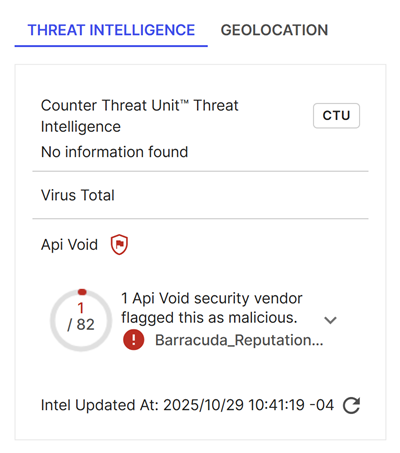
The VirusTotal and APIVoid metrics show the number of security vendors that flagged the selected threat indicator as malicious. Vendors that have flagged the entity as malicious are marked with a red warning icon and are listed first. Vendors that haven't flagged the entity are indicated with a green check mark.
The latest update time shows at the bottom. To refresh the results, select the Refresh icon .
Collapse or expand the list of vendors by selecting the arrow.
Sophos Intelix
A Sophos Intelix verdict for file SHA256 hashes shows in detection details as a Shield icon .
Intelix tries to determine the origin, workings, and possible impact of suspect or malicious files.
Intelix applies two different methods of analysis:
- Static analysis uses machine learning, file scanning, and reputation to assess suspicious files.
- Dynamic analysis runs suspicious files in a sandboxed environment to observe their behavior.
Each analysis gives a verdict on the risk level of the file. Intelix combines them to give an overall verdict. Click the Shield icon in detection details to see all available verdicts. Click View Report in the modal to go to the full report.
External resources
The External Resources section shows links to any third-party tools you configured in custom enrichments that apply to the entity. For more information, see Enrichments.