Resolve detections
After you've reviewed detections in Sophos XDR, resolve them by setting the detection status to one of the following:
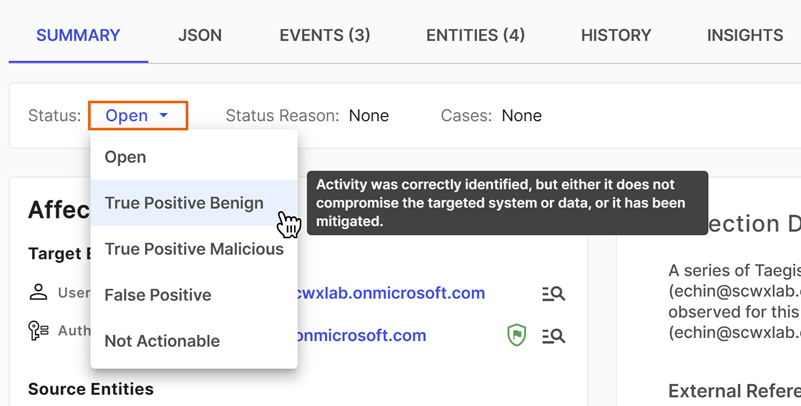
- True Positive: Benign: Activity was correctly identified, but it either doesn't compromise the targeted system or data, or it has been mitigated.
- True Positive: Malicious: A confirmed security incident. Activity indicates that your organization's systems or data have been compromised or that measures put in place to protect them have failed.
- False Positive: Activity that is misidentified and non-malicious.
- Not Actionable: Activity might be valid, but remediation actions might not be possible.
- Open: The detection hasn't been reviewed or assessed.
Once detections are resolved, they no longer appear by default on the Detections page. Turn on the Triaged Detections filter to show them in the table.
Note
Resolving detections accurately helps the system learn which detection types and information within those detections are valuable to your organization. As the system learns, this influences the severity, confidence, and suggested prioritization of similar activity.
Resolve individual detections
When viewing a detection, do as follows to resolve it:
-
Click the Status menu and choose a status.
-
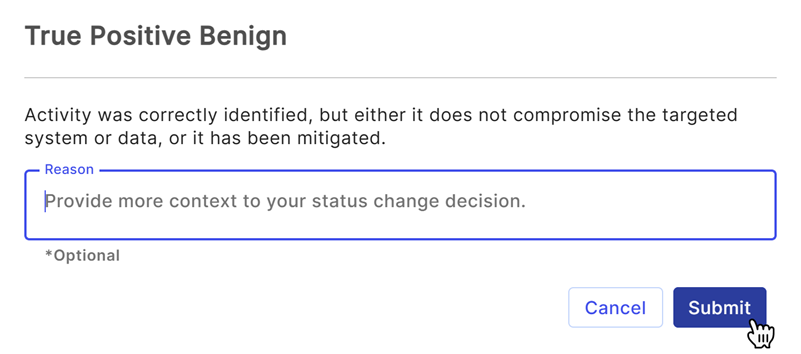
Optional: Enter a reason for the status change.
-
Click Submit.
Resolve multiple detections
When viewing a table of detections, such as on the Detections page or in search results, do as follows to resolve them:
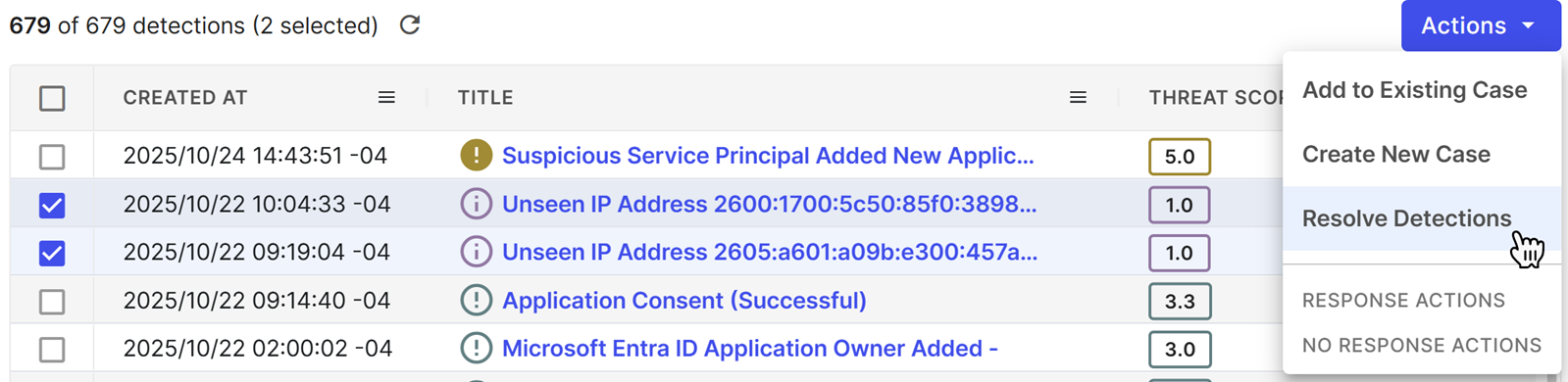
- Select one or more detections using the checkboxes.
-
Click Actions and choose Resolve Detections.
-
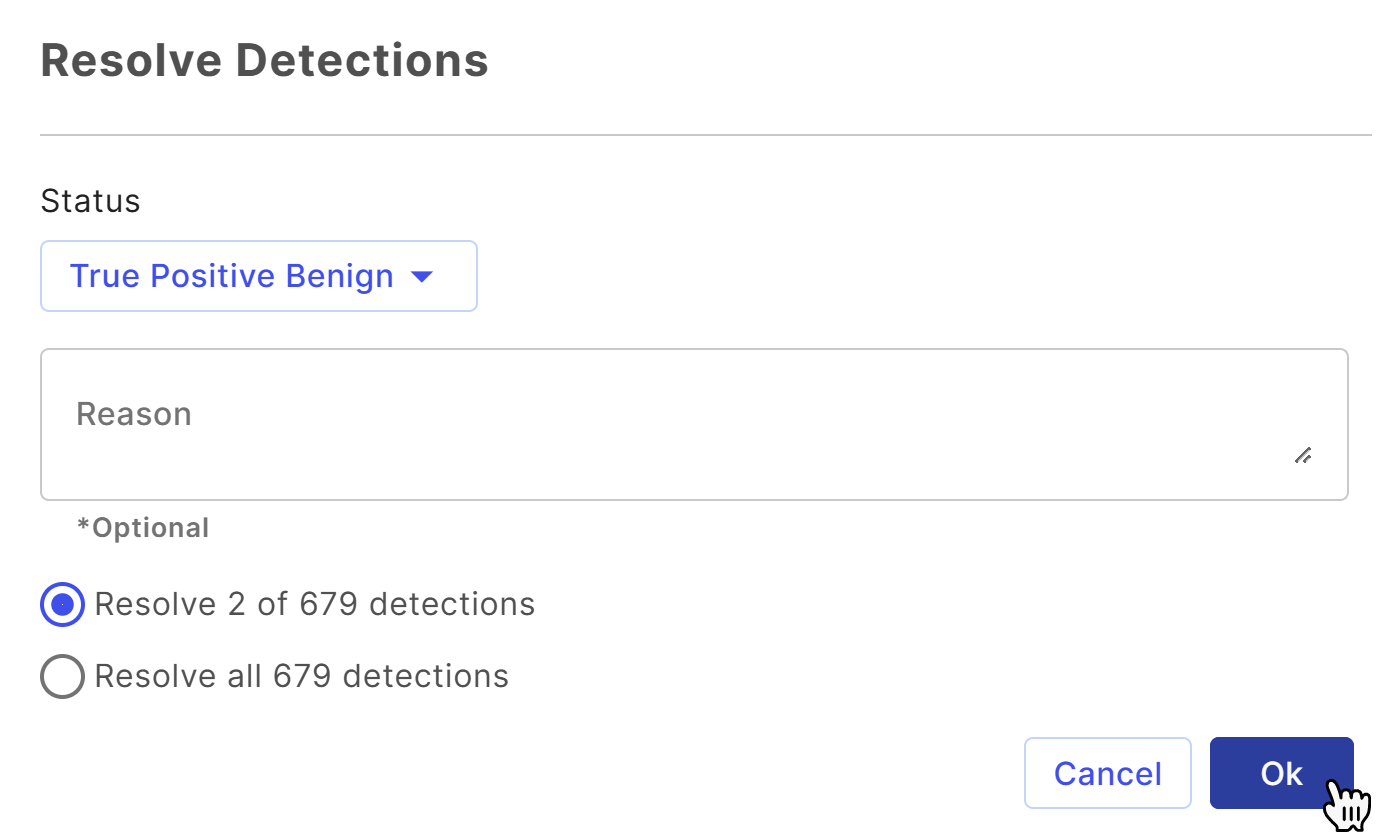
In Resolve Detections, click the Status menu and choose a status.
- Optional: Enter a reason for the status change.
- Choose whether to resolve only the detections you selected or all detections from the table.
-
Click OK.
Resolve detections by closing a case
When you close a case, its related detections are automatically resolved and labeled according to the case closed status. For more information, see Close cases.
Difference between a false positive and a true positive
To understand how detections are classified, what decisions you may have to make, and what comes next, it helps to think about security events and detections like a building's fire alarm.
| POSITIVE | NEGATIVE | |
|---|---|---|
| TRUE | The building catches fire, and the alarm sounds. | The building isn't on fire, and the alarm doesn't sound. |
| FALSE | There is no fire, but the alarm sounds. | The building is on fire, but the alarm doesn't sound. |
The analogies in the following table help explain how to accurately label detections when resolving them in Sophos XDR.
| Label | Fire alarm analogy | Detection examples |
|---|---|---|
| False Positive | A prankster pulls the fire alarm even though there's no danger. | Domain or file classified as malicious when it isn't |
| True Positive: Benign | The fire department tests the alarms, or someone smokes in the bathroom. There's no danger, even though the alarm is triggered. | Administrative commands that are also used by threat actors Legitimate applications registering persistence Internal penetration test |
| True Positive: Malicious | A fire starts in the kitchen and the alarm sounds. The fire will be put out. | Malware infection Successful exploit Account compromise |
| Not Actionable | The fire alarm is malfunctioning in the neighbor's house. | Malware infection identified on a guest wireless network Activity identified on unowned assets |