Entities
An entity is the data extracted from an event, including but not limited to usernames, hostnames, IP addresses, and files. Entity detail pages provide deeper context around an entity by showing threat intelligence data, geolocation, prevalence information, and related detections, cases, and events. This comprehensive view helps you understand the significance of an entity and its involvement in security incidents.
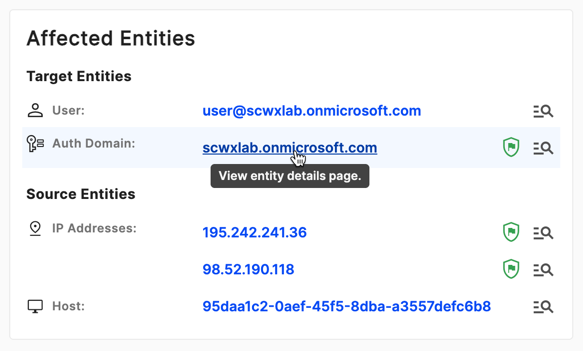
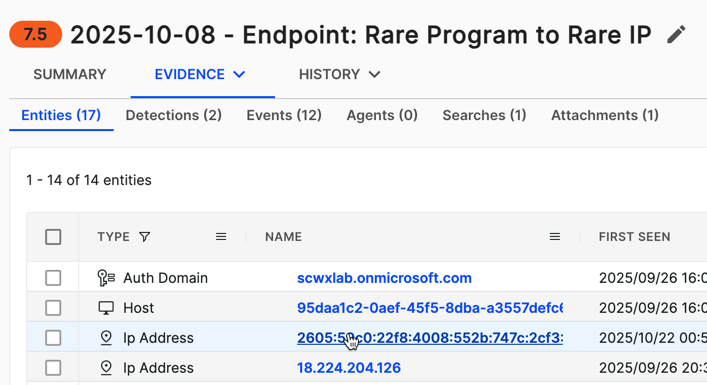
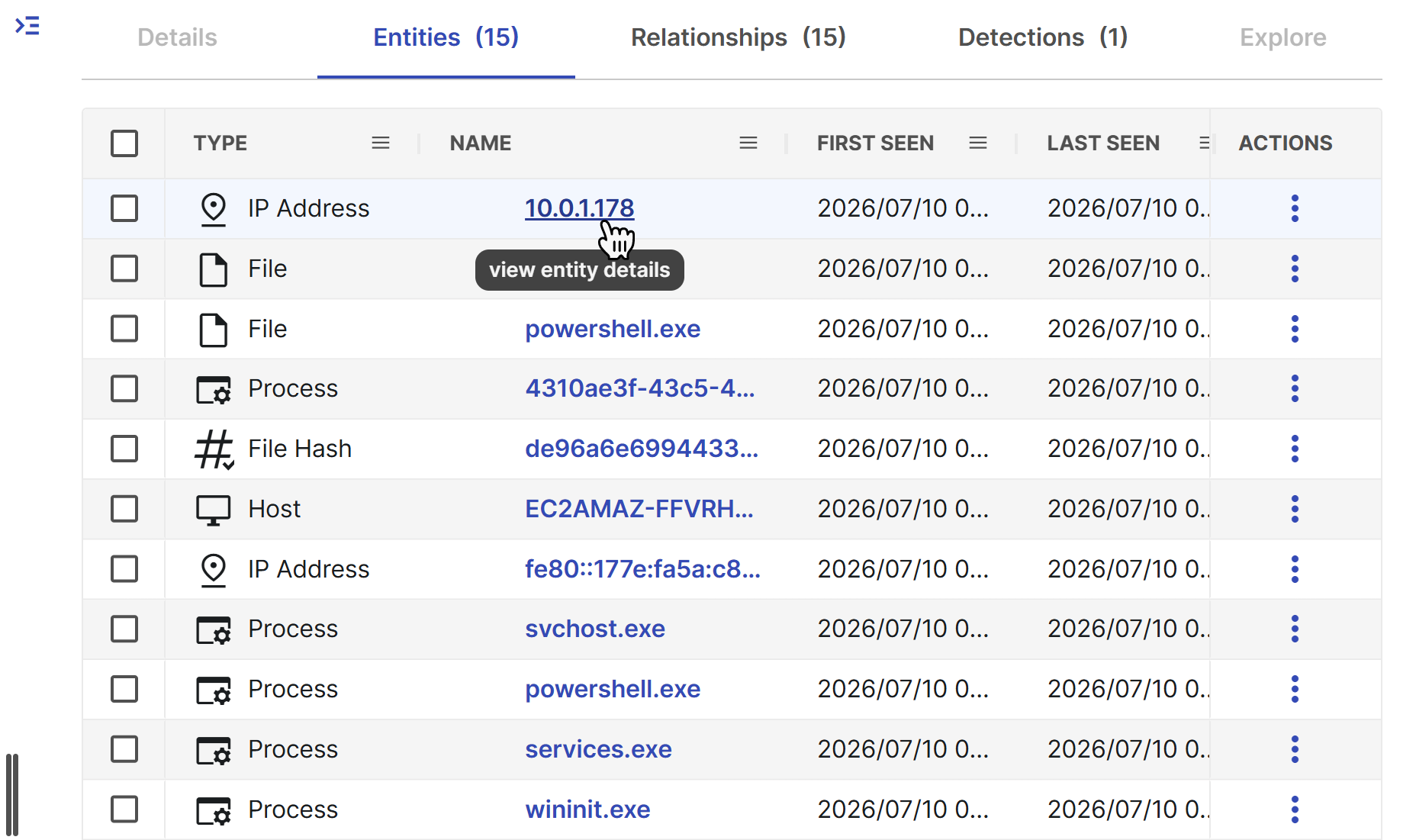
You can find links to entity details in detections, cases, and Entity Graph. Click a name to open the details.
Best practices
When using entity details pages, consider the following best practices:
- Review multiple sections: Don't rely on a single data point. Review all available sections within the details to get a comprehensive understanding of the entity.
- Use time windows effectively: Adjust time windows in Pivot Search to balance finding relevant data and avoiding information overload.
- Leverage enrichment playbooks: Configure and use enrichment playbooks to automatically gather additional context from external sources.
- Switch between layouts: For sections that support it, switch between card and table layouts depending on your analysis needs.
- Follow the investigation trail: Use Associated Entities and Related Detections to expand your investigation scope.
- Monitor for anomalies: Pay special attention to entities with threat intelligence indicators or unusual patterns in authentication and communication data.
Entity details
All entity types have a details page that shows the following core components.
Summary
The Summary section of entity details shows data directly tied to the entity. This includes the following:
- The type of entity
- When it was last seen
- Entity-specific attributes, such as whether a user is an admin
- Other contextual information relevant to the entity type
Associated entities
The Associated Entities section shows other entities that this entity directly relates to in the context of a detection or case, depending on the origin of the navigation to the details page.
- If you access an entity details page for an IP address from a detection page, this section shows all entities related to this IP address in the context of that detection.
- If accessed from a case, it shows all directly related entities to that IP address in the case context.
Enrichment playbooks and response action history
The Enrichment Playbooks and Response Action History sections show the system-run internal playbooks that enrich the entity context to help with security decisions and show user-executed response actions.
Related detections, cases, and events
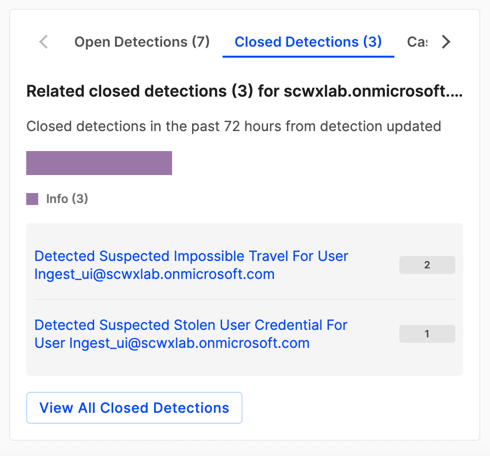
This section shows the number of open and closed detections, cases, and events related to the entity.
- Detections are aggregated by title.
- Events are aggregated by event type.
- Click View All at the bottom of this section to be redirected to the Pivot Search tab, which shows complete results.
Pivot search
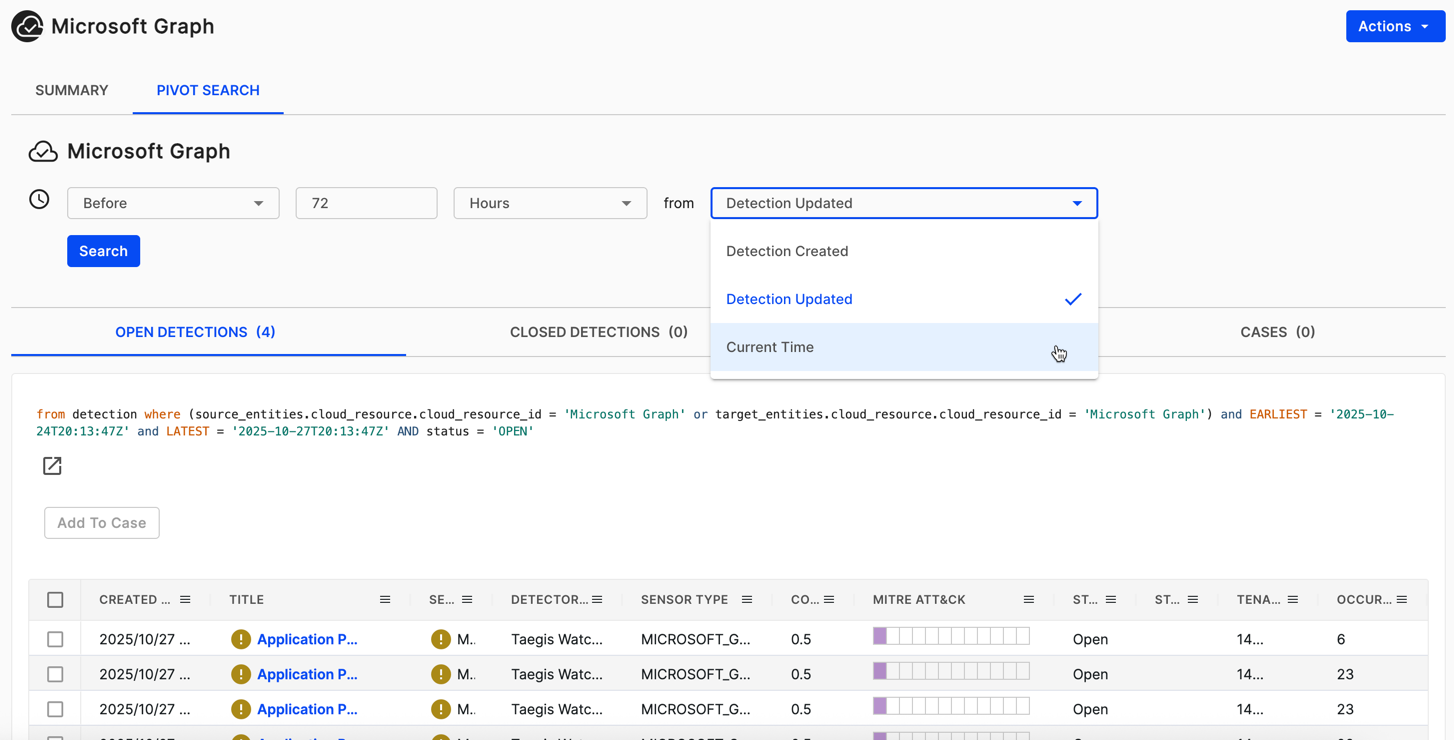
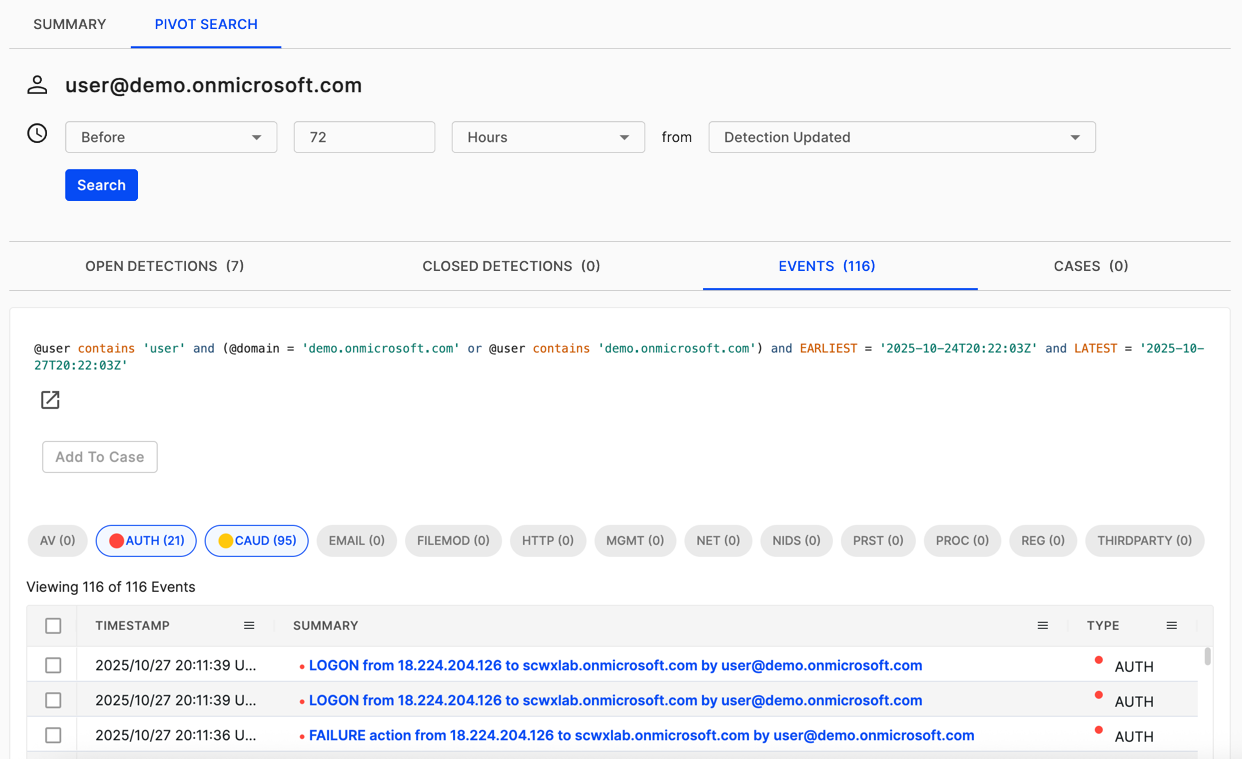
The Pivot Search tab lets you search for related telemetry across detections, events, and cases from the entity with a configurable time window.
Use Pivot Search to do the following:
- Investigate entity activity across different data sources.
- Adjust the time window to expand or narrow your search scope.
- Quickly identify patterns and anomalies related to the entity.
Actions menu
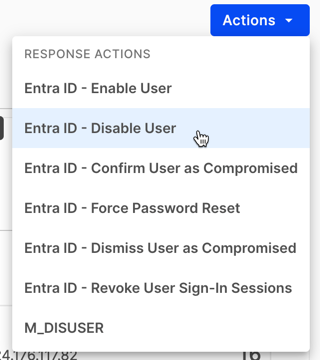
The Actions menu lets you trigger configured response actions on the entity.
Note
Available actions depend on your automation configuration and user permissions. For more information, see Configuring actions.
Entity-specific detail sections
Some entity types have customized sections that show additional information relevant to that type. Some of these are listed below.
User entity
User entities provide comprehensive authentication and activity information to help identify anomalous behavior.
Latest authentications from private IP addresses
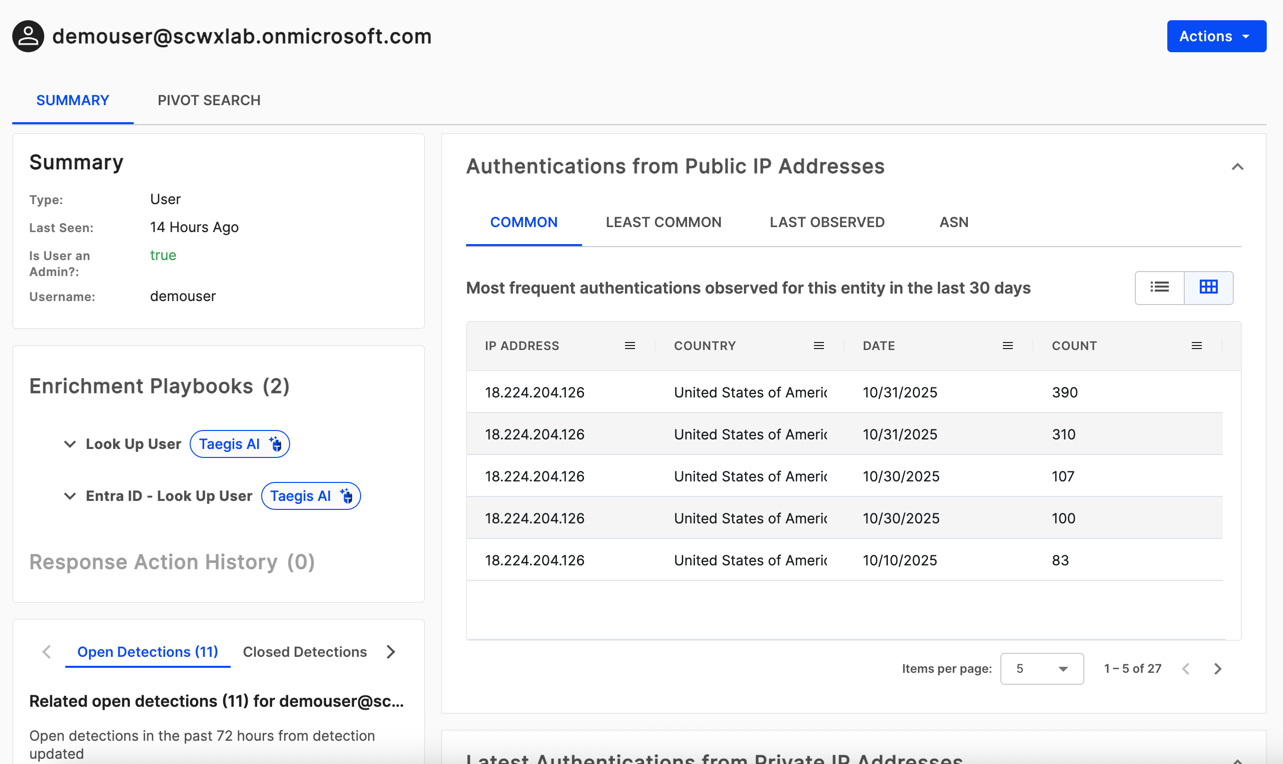
This section shows the latest IP addresses involved in a user's authentication coming from private IP ranges. It's available in both table layout and card layout . Select the icons at the top right to switch between layouts.
Authentication from public IP addresses
This section shows IP addresses involved in a user's authentication coming from public IP ranges. It contains the following four sub-tabs.
-
Common: Shows the most common IP addresses involved in a user's authentication over 30 days.
-
Least Common: Shows the least common IP addresses involved in a user's authentication over 30 days.
-
Last Observed: Shows the latest IP addresses involved in a user's authentication over 30 days.
-
ASN: Shows the most common Autonomous System Numbers (ASNs) for IP addresses involved in a user's authentication over 30 days.
Tip
The table view contains all IP addresses involved for over 30 days.
Hosts
This section shows the latest and most commonly used hosts a user authenticated to or from. It's available in both table layout and card layout .
Logins
This section shows a histogram of login attempts for the user over the last 30 days.
Use this histogram to identify the following:
- Unusual spikes in authentication activity.
- Periods of inactivity.
- Login patterns that deviate from normal behavior.
Domain and auth domain entity
Domain and auth domain entities provide threat intelligence and communication telemetry.
Threat intelligence
This section shows available threat intelligence for the domain from CTU, VirusTotal, or APIVoid.
Tip
A threat intelligence shield icon appears for entities that have threat intelligence available, indicating they're potentially malicious.
HTTP communications to domain
This section shows if there's any HTTP telemetry involving this domain as a target.
Source IPs for DNS lookups on domain
This section shows if there's any DNS telemetry involving this domain and where it originates from.
File entity
File entities provide prevalence information and related event data.
File hash prevalence in hosts
If a file has a file hash associated with it, this section shows which hosts reported telemetry for this hash. Use this to do the following:
- Determine how widespread a file is across your environment.
- Identify potentially compromised hosts.
- Assess the scope of an incident.
Other events
This section shows related event types that contain this file.
File hash entity
File hash entities provide information similar to File entities, but focus on the hash value.
File hash prevalence in hosts
This section shows which hosts reported telemetry for this file hash.
Other events
This section shows related event types that contain this file hash.
Host entity
Host entities provide comprehensive endpoint information and agent details.
Agent details
This section shows about the agent running on the endpoint, including the agent status, agent health, agent version, and last active timestamp.
Endpoint details
This section shows information about the endpoint, including the operating system, hardware specifications, and network configuration.
Command history
This section shows a list of actions taken for the endpoint, including the user that initiated the action and the reason they supplied for doing so.
Endpoint history
This section shows a table of the recent hostnames, IP addresses, and MAC addresses used by the endpoint, including when they were first and last seen.
IP address entity
IP address entities provide geolocation, threat intelligence, and network communication data.
Threat intelligence
This section shows available threat intelligence for the IP address from the CTU, VirusTotal, or APIVoid.
Geolocation
This section shows geolocation information for the IP address, including:
- Country
- Region/State
- City
- Coordinates
- Organization/ISP
Outgoing communications by destination port
This section shows netflow telemetry for this IP address and aggregates the destination IP addresses and ports. Use this to do the following:
- Identify unusual outbound connections.
- Detect potential data exfiltration.
- Understand normal communication patterns.
Incoming communications by destination port
This section shows netflow telemetry for this IP address and aggregates the source IP addresses and ports. Use this to do the following:
- Identify connection attempts from external sources.
- Detect potential scanning or attack activity.
- Monitor inbound traffic patterns.
Users associated with IP address
This section shows any users related to this IP address through authentication or HTTP events.
Other events
This section shows related event types that contain this IP address.