Allow Sophos IPs
Some security products only permit access for administrative actions, including API calls, to specified IP addresses.
If you're integrating one of these products with Sophos XDR, you might need to add Sophos IP addresses to the allow lists in your network infrastructure.
The Sophos IP addresses you need depend on your Sophos XDR region.
Find your region
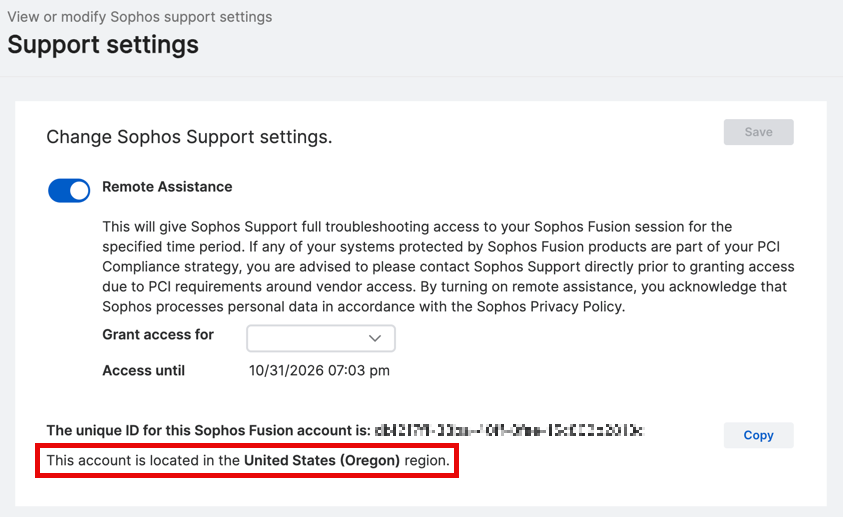
To find your region, do as follows:
- In Sophos Fusion, click your Profile icon , then click Support settings.
-
The geographic region for this account is displayed.
In the screenshot below, the geographic region is United States (Oregon).
IP addresses to allow
Allow the corresponding IP address range for your region.
| Geographic region | Sophos XDR region | Region code | IP address range |
|---|---|---|---|
| US East (Ohio) | Charlie | us-east-2 | 216.9.204.0/24 |
| US East (Ohio) | Delta | us-east-2 | 216.9.204.0/24 |
| Europe (Frankfurt) | Echo | eu-central-1 | 216.9.205.0/24 |
| US West (Oregon) | Foxtrot | us-west-2 | 216.9.206.0/24 |
| Europe (Ireland) | Golf | eu-west-1 | 216.9.207.0/24 |
| Asia Pacific (Sydney) | Hotel | ap-southeast-2 | 208.89.40.0/24 |
| Asia Pacific (Mumbai) | India | ap-south-1 | 208.89.42.0/24 |
| Asia Pacific (Tokyo) | Juliet | ap-northeast-1 | 208.89.41.0/24 |
| South America (São Paulo) | Kilo | sa-east-1 | 208.89.43.0/24 |
| Canada (Central) | Quebec | ca-central-1 | 208.89.44.0/24 |