Manage appliances
You can monitor and manage integration appliances with Sophos Appliance Manager.
When you create a new appliance, we set up the account you need to use Appliance Manager.
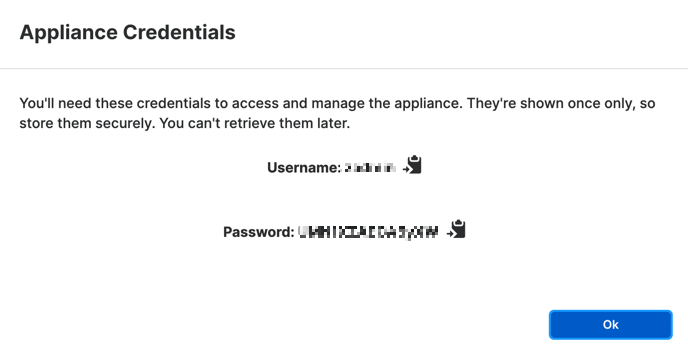
We show you the account details when you save your settings. The username is zadmin, and the password is displayed in a pop-up message.
Store the password safely. It's only shown once.
Note
We also set up accounts for existing appliances. The username is zadmin, and you'll be able to set the password the first time you open Appliance Manager.
Open Appliance Manager
After you deploy your appliance on a VM, go back to Sophos Fusion and access it as follows:
- In Sophos Fusion, go to Security Operations > Threat Analysis Center > Integrations > Configured.
- Go to the Integration Appliances tab.
-
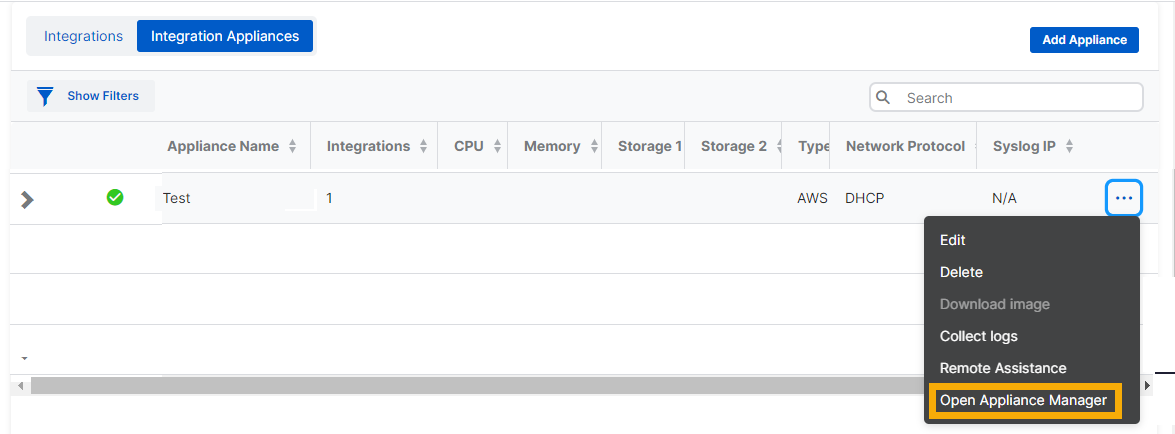
Find your new appliance. In the rightmost column, click the ellipsis (three dots) and select Open Appliance Manager.
-
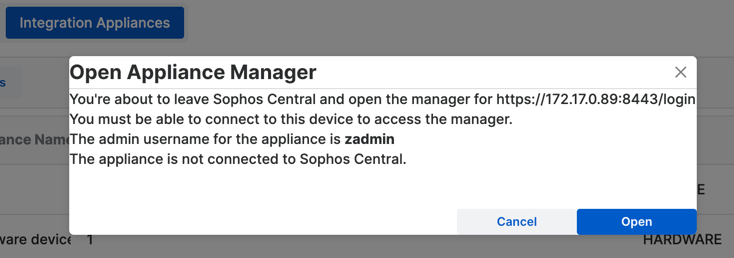
In the confirmation dialog, do as follows:
- If you're managing a pre-existing appliance, or you've forgotten the password, click Reset it in the last line to set a password for Appliance Manager.
- Click Open.
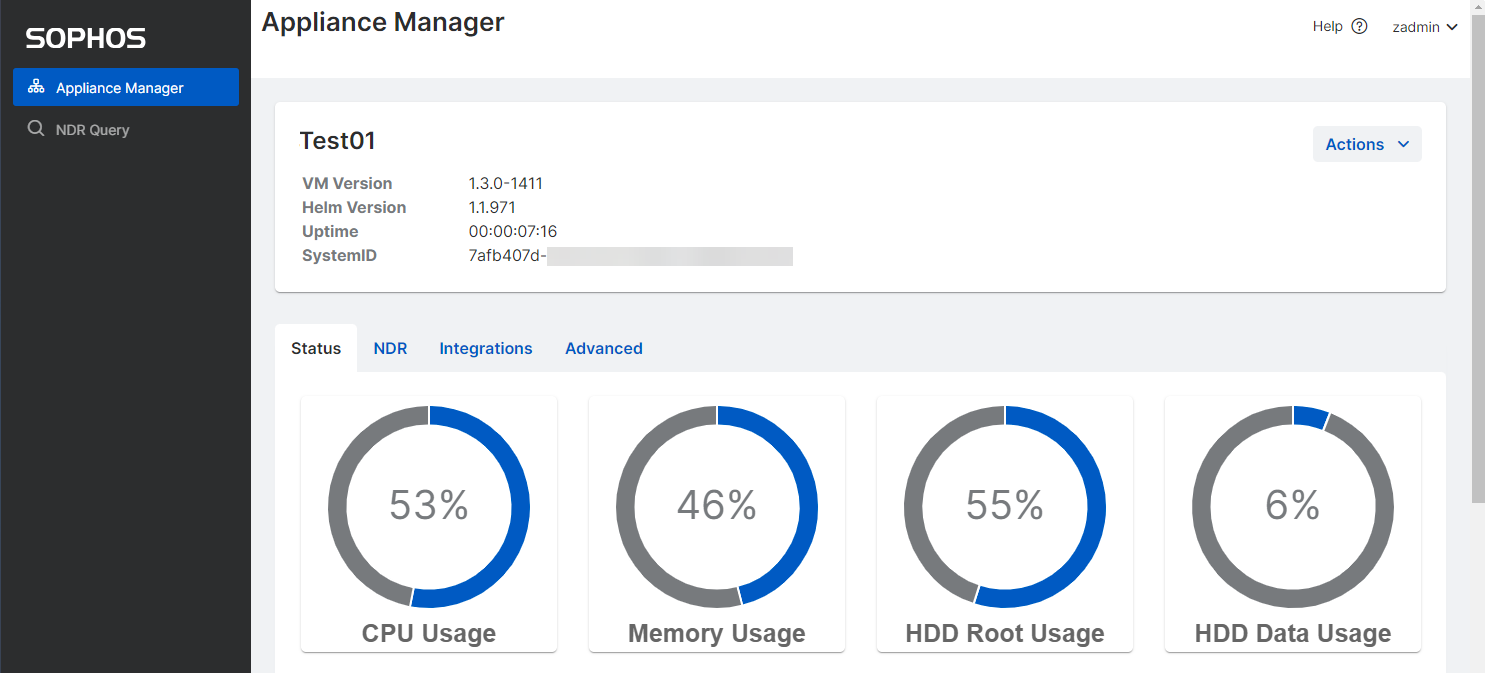
Appliance Manager opens in a new window.
More information
For help using Appliance Manager, see Sophos Appliance Manager for MDR and NDR.