Remote assistance for appliances
Sophos Support can help to troubleshoot Sophos appliances used by Sophos NDR or third-party integrations.
In some cases Sophos Support needs to access the appliance remotely. You can give them access for up to seven days as follows.
The appliance must be online.
-
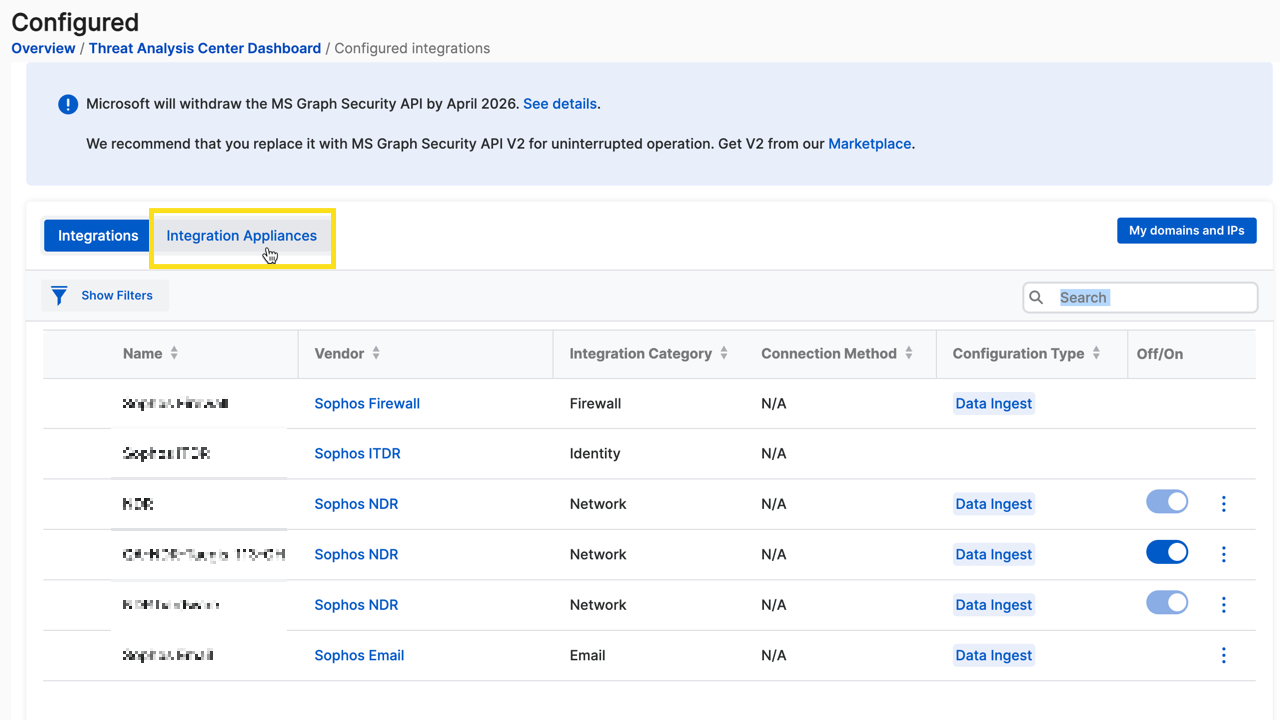
In Sophos Fusion, go to Security Operations > Threat Analysis Center > Integrations > Configured, then click the Integration Appliances tab.
-
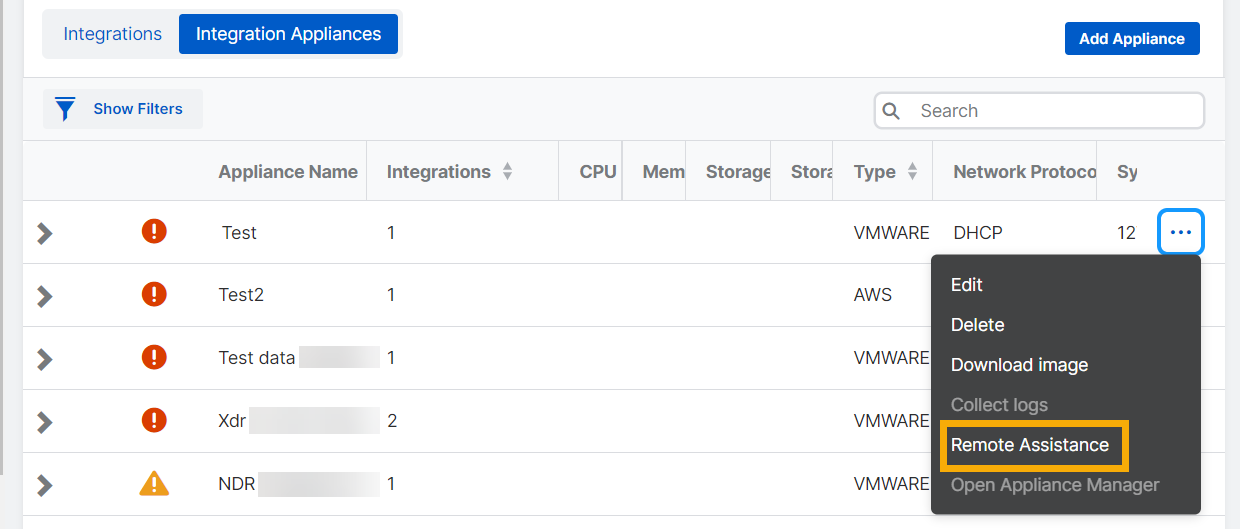
Find the appliance. In the rightmost column, click the ellipsis (three dots) and select Remote Assistance.
-
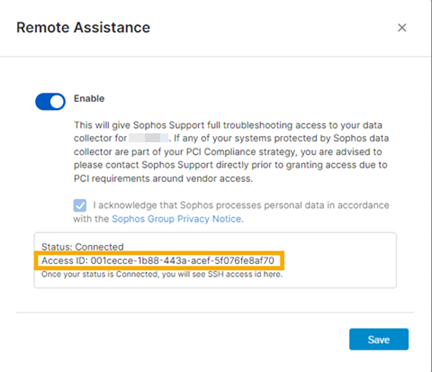
In the Remote Assistance dialog:
- Select Enable.
- Select the checkbox to acknowledge the Sophos Group Privacy Notice.
- Click Save.
Sophos Fusion requests an Access ID from the appliance. When it's available, it's shown in the dialog.
-
Copy the Access ID and send it to Sophos Support. They use it to access your appliance.
Remote assistance automatically turns off after seven days. Alternatively, to turn it off manually, go back to the Remote Assistance dialog and turn off Enable.