Integration appliances
A Sophos NDR integration uses a log collector hosted on a virtual machine (VM) or on hardware. Together they're called an integration appliance. The appliance receives data and forwards it to the Sophos Data Lake.
The following pages provide steps for creating and managing appliances.
- Appliance requirements
- Add appliances
- Manage appliances
- Appliance logs
- Remote assistance for appliances
- Appliance hardening
View your integration appliances
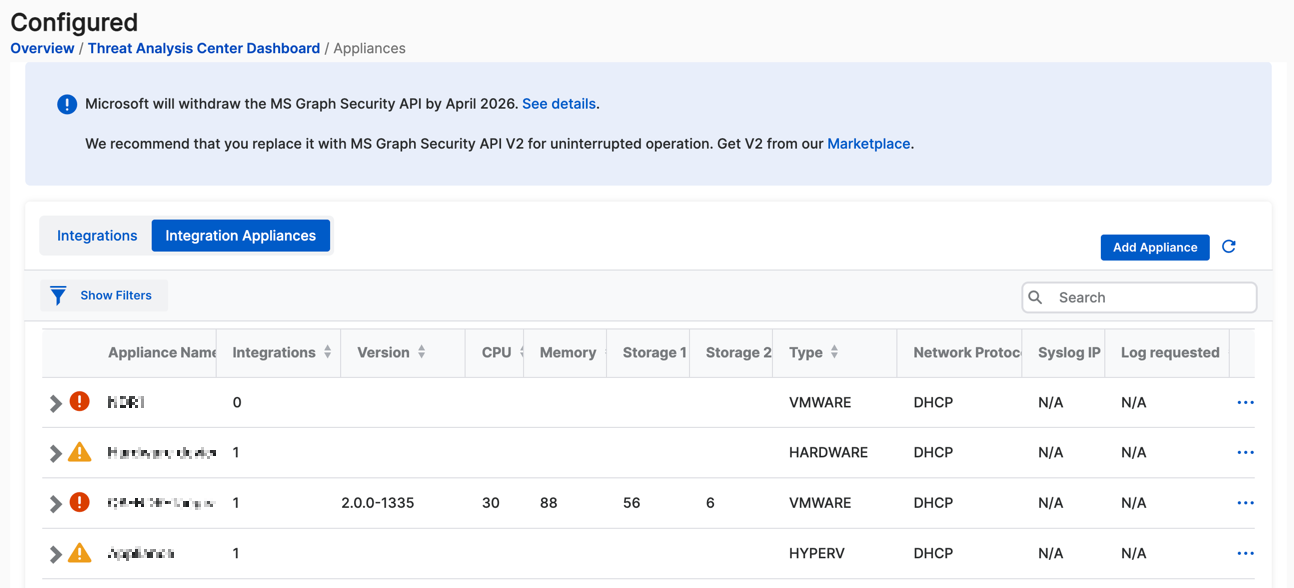
To see your appliances in Sophos Fusion, go to Security Operations > Threat Analysis Center > Configured, then click the Integration Appliances tab.
The list shows all your integration appliances and the following details:
- Integrations: Number of NDR integrations using the appliance.
- CPU: CPU usage.
- Memory: Memory usage.
- Storage 1: The main drive.
- Storage 2: The data drive.
- Type: Virtual platform.
- Network protocol: Internet-facing network settings. DHCP or Manual.
- Syslog IP: Syslog server IP address.
- Log requested: Indicates whether you've sent a Collect Logs request.
View the integrations
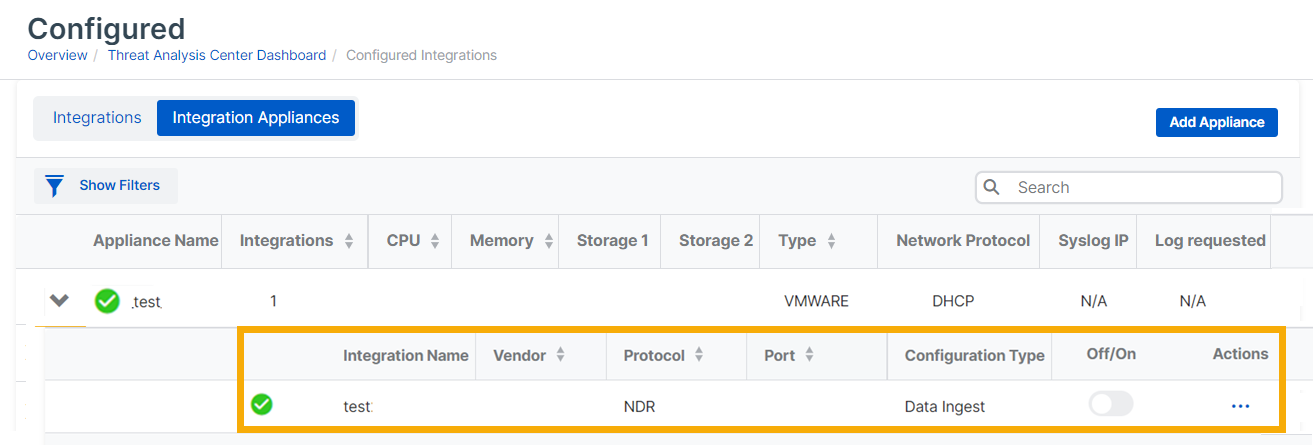
You can view the integrations hosted on each appliance.
In the Integration Appliances list, click the arrow next to an appliance name. The integrations hosted on that appliance are then listed with their details. The example below shows an NDR appliance.
- Integration name
- Vendor
- Protocol: NDR.
- Port
- Configuration Type: The integration type you configured. Data Ingest or Response Actions.
- Off/On
To edit or delete the integration, click the three dots in the Actions column.