Maintenance windows for data collectors
On a Sophos XDR data collector's details page, the Maintenance tab provides information about upcoming and completed service maintenance and lets you configure a maintenance window that fits your schedule for future maintenance.
Service maintenance involves changes that extend beyond the usual continuous software delivery and updates and often includes substantial OS or kernel upgrades that require a device restart upon completion. The system includes safety measures, such as preflight checks and automated rollbacks for scheduled service maintenance.
We recommend you choose a maintenance window during a minimally disruptive period and at a time you're available to handle potential issues.
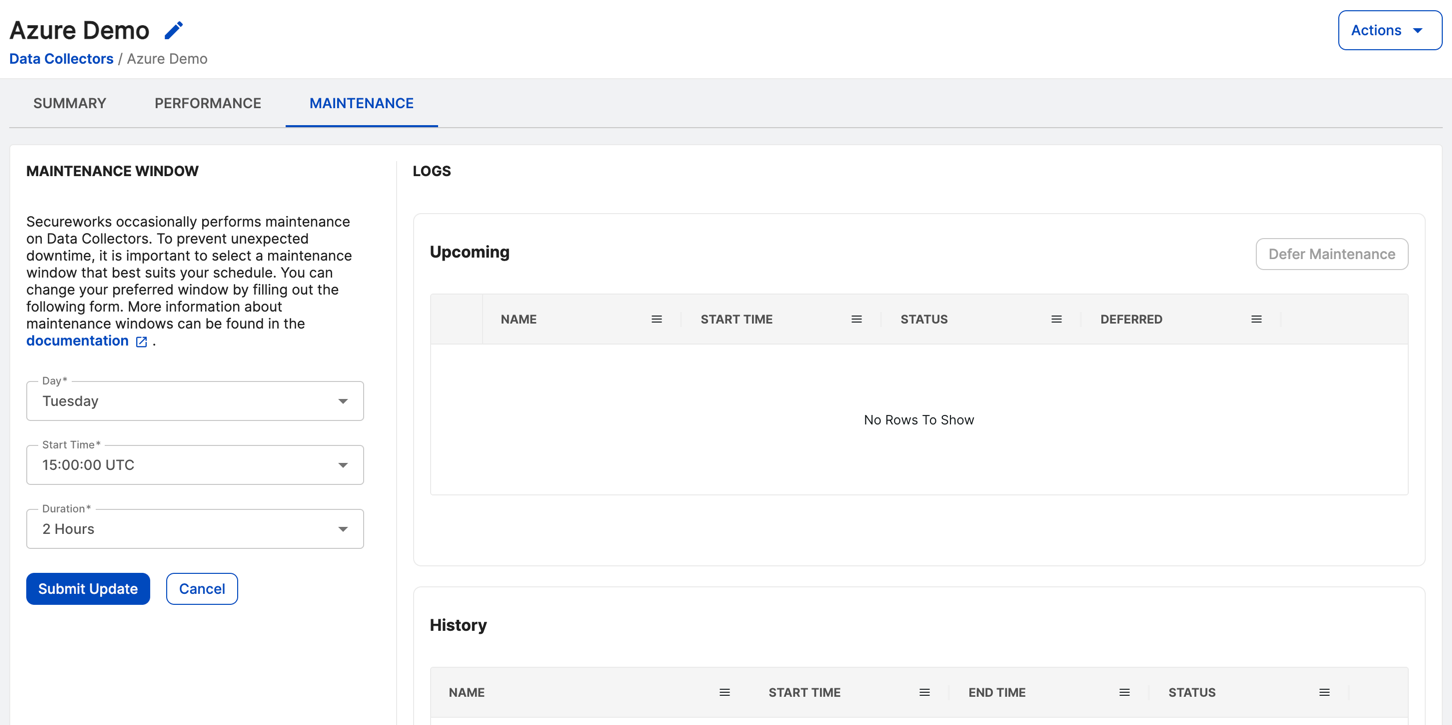
Set a preferred service maintenance window
The Maintenance Window pane on the left side of the Maintenance tab shows your current preferred service maintenance window. In the screenshot above, for example, it's set to Tuesdays at 15:00:00 UTC for 2 hours. To specify a new preferred service maintenance window, do as follows:
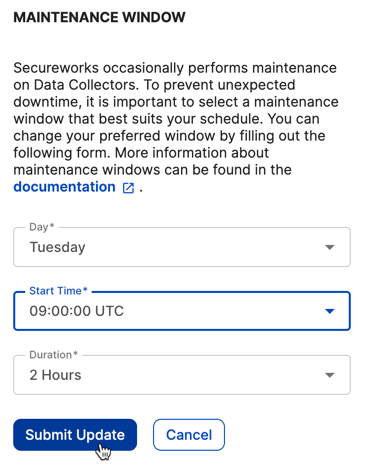
- Select the day of the week for service maintenance from the drop-down menu.
- Select the start time in UTC.
- Select the duration (from two to six hours).
- Choose Submit Update. Sophos receives the updated preference, and the new window is now shown by default in this form.
Note
Alterations to these settings can be made at any time. However, note that this only applies to changes not yet scheduled. Once maintenance is scheduled, updating the maintenance window won't affect it. If the device is unhealthy or inaccessible during the scheduled maintenance period, the maintenance operation won't proceed.
View upcoming and past service maintenance
The Logs pane on the right side of the Maintenance tab lists upcoming and past device service maintenance.
In the Upcoming table, see details such as the name, start time, status, and the deferred status of upcoming service maintenance. Each upcoming maintenance can be deferred once by selecting the checkbox for the row and clicking Defer Maintenance, which delays the start time to the following week.
The status of Upcoming maintenance may be one of the following:
- Pending: Maintenance has been scheduled.
- Download Ready: Files for the upgrade are being downloaded and staged before maintenance.
- Upgrade Ready: Downloaded files have been successfully staged.
- Upgrade Running: Maintenance is currently in progress.
- Upgrade Running Rebooting: The device is rebooting after maintenance file installation.
If devices don't regain access within 30 minutes after a restart, users should contact our Product Support for assistance.
In the History table, view records of previous device service maintenance, including information on the maintenance name, start time, end time, and status. Possible statuses for maintenance history include:
- Complete: The maintenance was completed successfully.
- Failed: The maintenance wasn't successful, and the device has been restored to its previous status.
Sophos monitors failed maintenance, and any impediments to successful maintenance are remedied before rescheduling.
Frequently asked questions
What qualifies as service maintenance?
Service maintenance involves significant updates and changes that extend beyond regular software updates. This may include major operating system or kernel upgrades that require a device reboot to complete the process. Our system incorporates safety features, such as preflight checks and automated rollback, to ensure a smooth and secure maintenance experience.
How often does service maintenance occur, and why is the maintenance window set every week?
Service maintenance isn't a weekly occurrence. The weekly maintenance window is established to provide a consistent timeframe that minimizes disruption when maintenance is necessary. This does not imply that maintenance is conducted every week, but rather that there's a designated time slot available for when it's required.
Is there a risk of losing any logs or events during service maintenance?
The maintenance process may include a reboot, which could interrupt log transmission. If logs are sent without a reliable delivery method, there's a risk of loss during this time. However, if logs are transmitted using a reliable protocol (such as TCP), it's up to the sending application to retransmit the logs after the device is back online. The persistence of logs during maintenance largely depends on the delivery mechanism and the behavior of the sending application.
What are the safeguards in place if an issue arises during scheduled service maintenance?
Our system is designed with multiple safety measures to mitigate risks during scheduled service maintenance. Before initiating an upgrade, the data collector undergoes preflight checks to ensure it's in a healthy status. If the system proceeds with the maintenance and encounters any critical issues, it's designed to perform an automatic rollback, rebooting into the prior stable version. In the rare case that the device becomes unresponsive, you'll be notified of the device's status in the same manner as you would in any other situation where the device encounters an issue.