Integrate Dragos Platform
You can integrate the Dragos Platform with Sophos XDR so that it sends data to Sophos for analysis. The integration uses a data collector, which receives third-party data and sends it to the Sophos Data Lake.
Key steps
The key steps in a Dragos Platform integration are as follows:
- Install and configure a data collector if you haven't already done so.
- Configure Dragos Platform to send data to the data collector.
Requirements
The following is required for Dragos Platform configuration:
- Check the requirements for the data collector you're using by reviewing the guides at Data collectors.
Add a Dragos Platform integration
To integrate Dragos Platform, you must first install a Sophos XDR data collector, then configure Dragos to send logs to it.
Install and configure a data collector
Dragos Platform must be configured to send logs to the Sophos XDR data collector. Logs are filtered and correlated in real-time for various security event observations. Go to Data collectors and follow the guide for creating a data collector if you haven't already done so.
Configure logging and turn on monitoring
When the data collector is ready, you can configure Dragos Platform to send us data.
There are three possible configurations for sending logs via syslog from the Dragos Platform: TCP, UDP, and TLS.
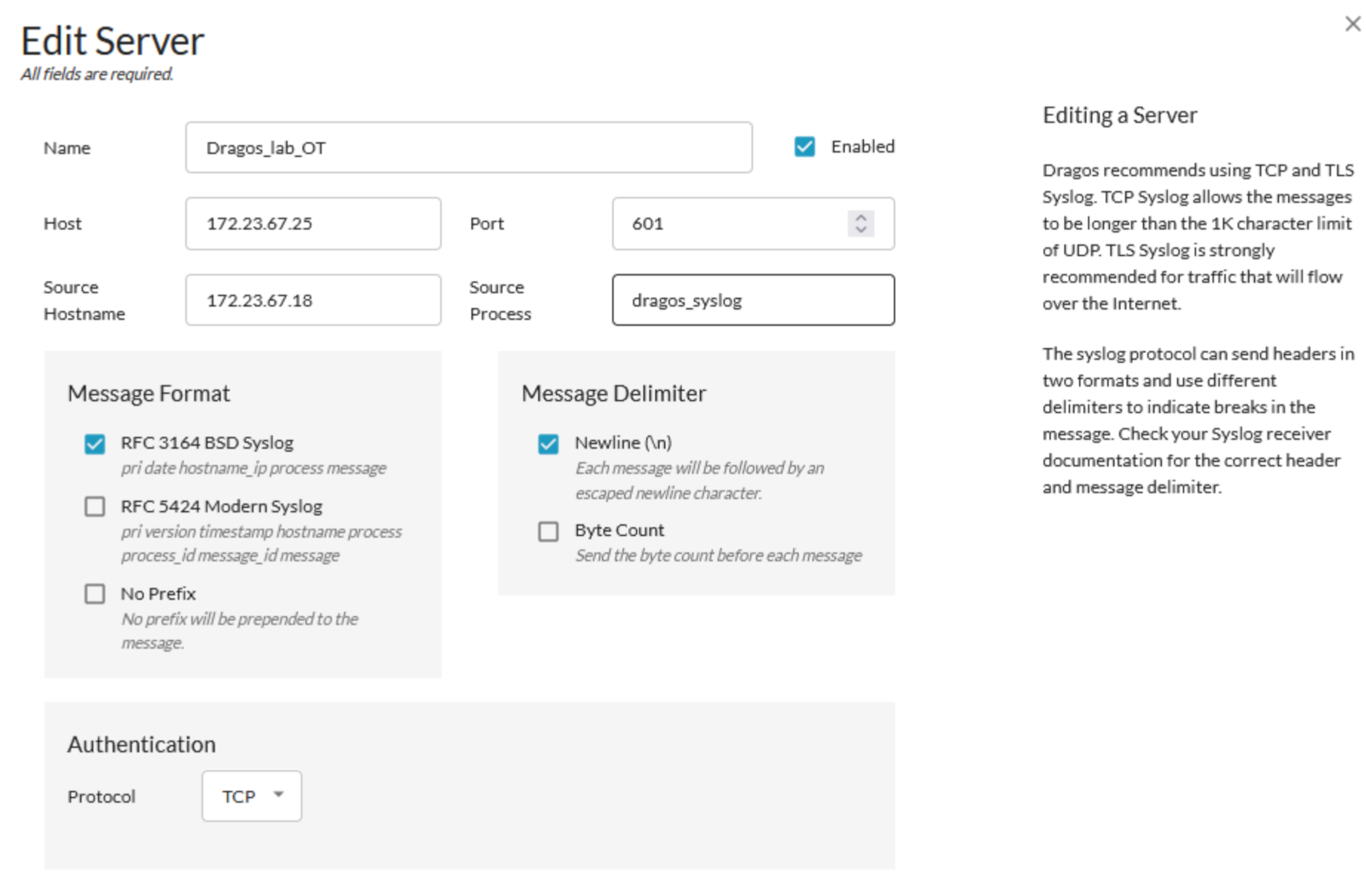
Click a tab below for forwarding steps.
To set up TCP event forwarding via syslog, configure the following parameters:
- Name: Any string
- Hostname/IP: The Sophos XDR data collector's IP address
- Port:
601 - Protocol:
TCP - Source Hostname: The hostname or IP address of the Dragos Platform
- Source Process: Any string
- Message Format:
RFC 3164 BSD Syslog - Message Delimiter:
Newline (\n)
To set up UDP event forwarding via syslog, configure the following parameters:
- Name: Any string
- Hostname/IP: The Sophos XDR data collector's IP address
- Port:
514 - Protocol:
UDP - Source Hostname: The hostname or IP address of the Dragos Platform
- Source Process: Any string
- Message Format:
RFC 3164 BSD Syslog - Message Delimiter:
Newline (\n)
- Name: Any string
- Hostname/IP: The Sophos XDR data collector's IP address
- Port:
514,6514, or1470 - Protocol:
TLS - Source Hostname: The hostname or IP address of the Dragos Platform
- Source Process: Any string
- Message Format:
RFC 3164 BSD Syslog - Message Delimiter:
Newline (\n)
Your Dragos Platform data should now appear in the Sophos Data Lake after validation.