Sophos Firewall
Sophos Firewall integrates with Sophos XDR to detect threats based on events logged by ATP, IDP, Antivirus, Antispam, Sandbox, and others.
Sophos Firewall is included with your Sophos XDR subscription by default.
See Firewall licenses for more information.
Turn on Sophos Firewall response actions
If you use Sophos XDR Powered by Secureworks or Sophos MDR with Sophos Firewall, you can block malicious IP addresses, domains, and URLs directly from a case. Sophos MDR analysts can also take these actions on your behalf. For more information, see Actions.
Check whether the actions are already turned on
To check whether Sophos Firewall response actions are turned on, you can do one of the following:
- Open an existing case and check whether the response actions are available.
- Open the Sophos Firewall Actions card in the Integrations Marketplace to see if there are any actions listed in the Configured Integrations table.
If the actions are available, no further steps are required.
If the actions aren't available, follow the steps in the next section.
Turn on Sophos Firewall response actions
To turn on Sophos Firewall response actions, do as follows:
- In Sophos Fusion, go to Security Operations > Integrations > Marketplace.
- Select the Sophos Firewall Actions card.
- In the Configured Integrations table, click Add new connection to open the Add a Connection slide-out.
- Select the response actions you want to turn on.
- Click Save.
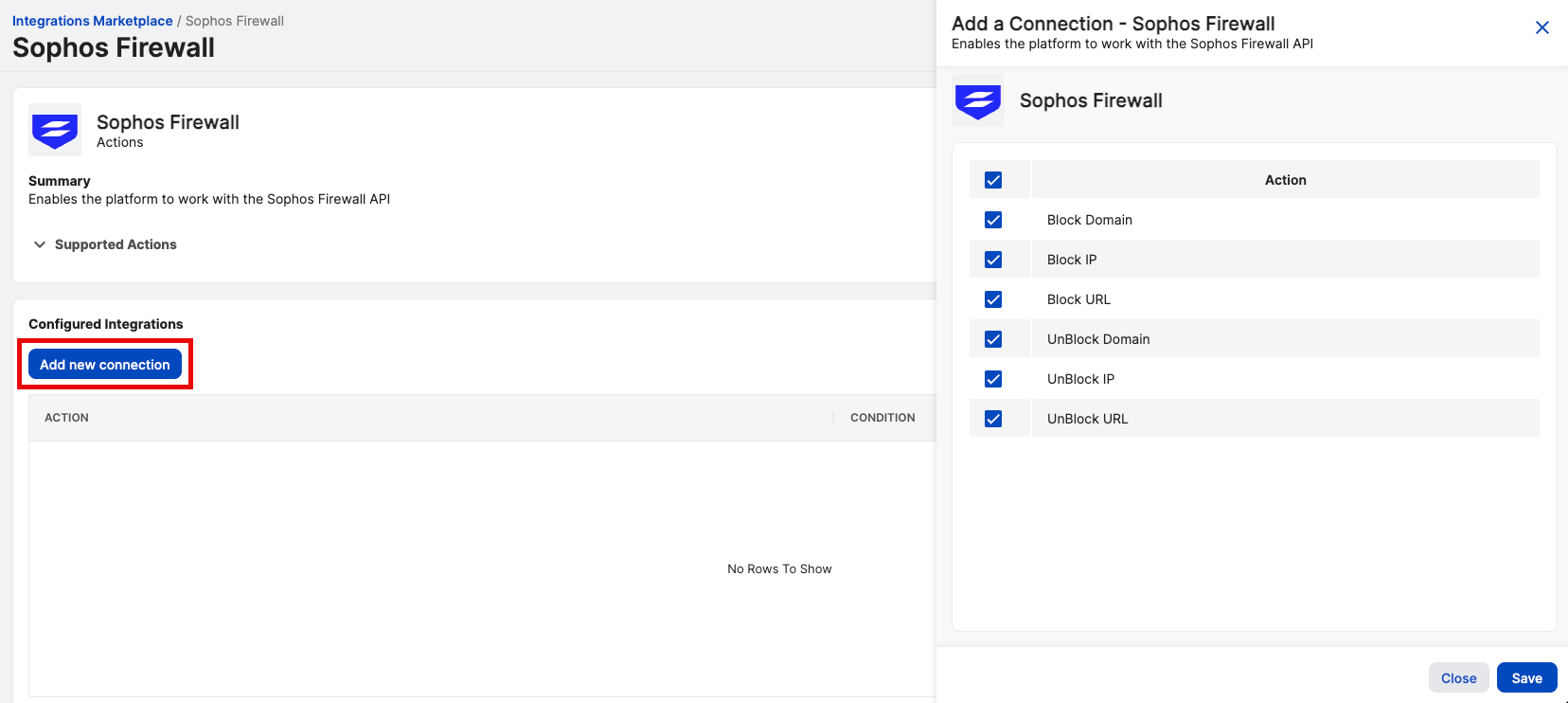
The actions are enabled and appear in the Configured Integrations table on the Sophos Firewall actions page.
No credentials are required. After you save the connection, Sophos Firewall response actions are available from your cases. Sophos MDR analysts can use them on your behalf, and Sophos XDR Powered by Secureworks users can run them directly.