Enrichments
You can create custom external threat intelligence configurations to enrich certain types of entities.
You must have administrator rights to configure an enrichment.
When configured, enrichments add links to third-party websites to look up information about an entity. These links show where other enrichment data appears in Sophos XDR. For more information, see Detection enrichment.
We provide predefined enrichments, and you can also add your own.
Add a custom enrichment
You can add an enrichment as follows:
- Go to Security Operations > Integrations > Enrichments.
-
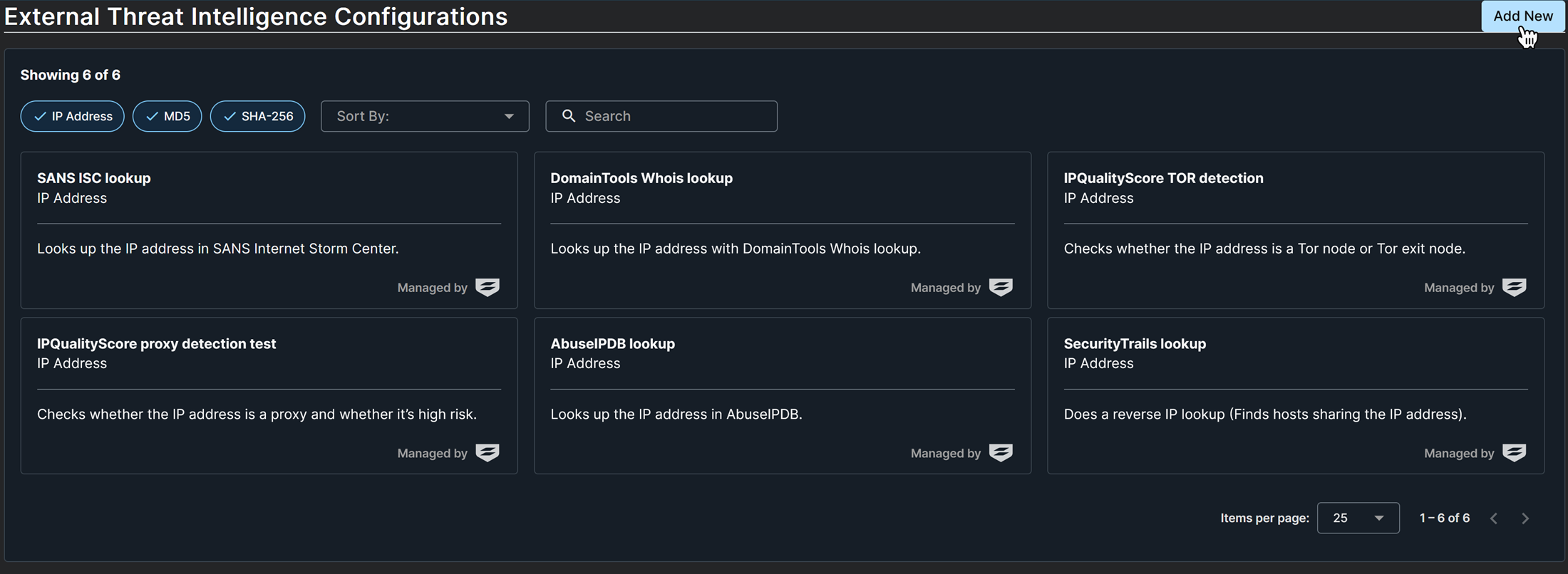
On the External Threat Intelligence Configurations page, all enrichments are shown, whether created by Sophos or by an administrator. Click Add New.
-
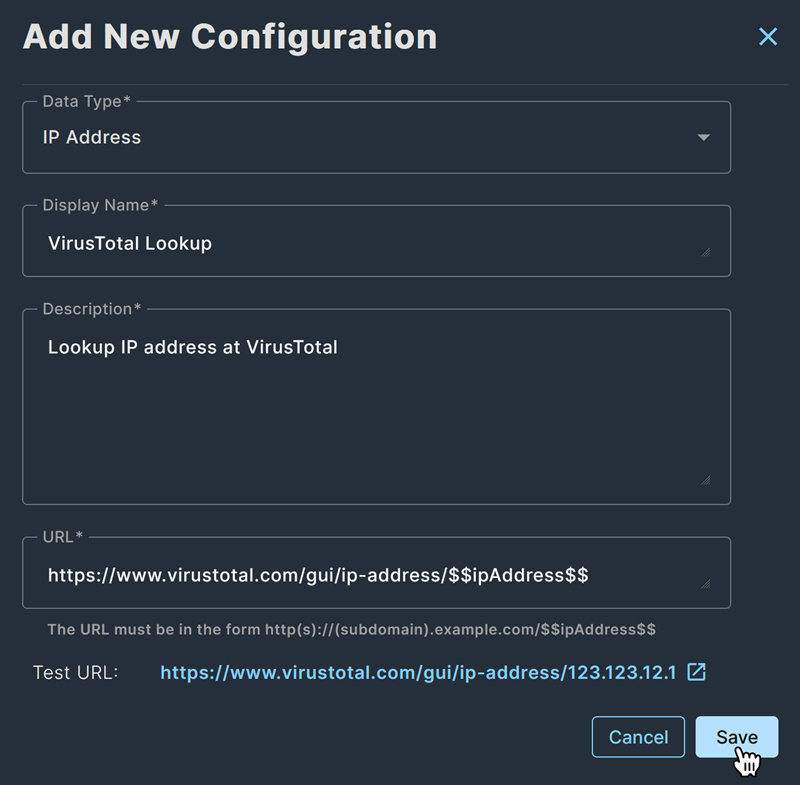
In the Add New Configuration dialog, complete the configuration as follows:
Field What to enter Data Type The entity type to enrich, such as IP Address, MD5, or SHA-256 Display Name The label shown when you click the Shield icon next to an entity and in the Threat Intelligence section of entity details Description Description of the configuration URL The URL of the web page you want to open for more information about the entity Example
URL:
https://www.virustotal.com/gui/ip-address/$$ipAddress$$https://www.virustotal.com/is the website.gui/ip-address/is the IP address lookup page.$$ipAddress$$is the variable that is replaced with the selected entity’s IP address. We show you this variable in the example URL below the URL field.
-
Click the test URL to verify.
- Click Save.
Your enrichment now shows on the External Threat Intelligence Configurations page.
Edit or delete a custom enrichment
You can only edit or delete enrichments that you or another administrator created. You can't modify the predefined enrichments that we provide.
To edit an enrichment, do as follows:
- Go to Security Operations > Integrations > Enrichments.
-
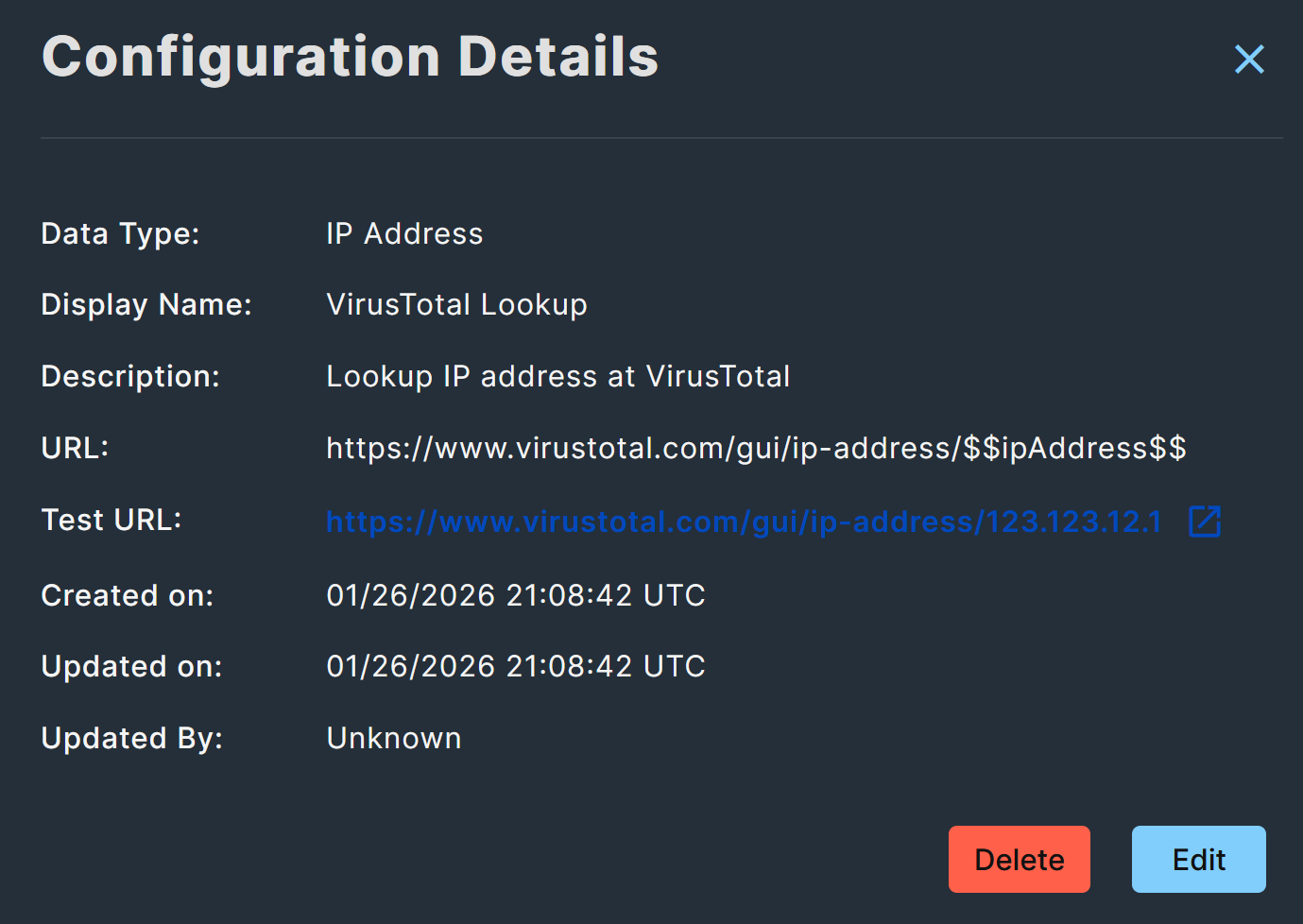
On the External Threat Intelligence Configurations page, click the card for the enrichment you want to edit.
-
In the Configuration Details, click Delete to delete the enrichment, or Edit to edit the settings described in the preceding Add a custom enrichment section.