Threat Intelligence Explorer
The Sophos Counter Threat Unit™ (CTU) maintains one of the industry's most comprehensive threat intelligence databases, continuously updated with insights from the following:
- Over 1,000 incident response engagements annually
- Real-time monitoring of global threat activities
- Deep technical analysis of malware and attack campaigns
- Collaboration with industry partners and government agencies
The Threat Intelligence Explorer provides access to this threat intelligence gathered by the Sophos CTU. This tool enables you to explore and investigate malware families, threat reports, and threat groups to enhance your understanding of the current threat landscape.
Threat Intelligence Explorer is only available to customers with XDR or Enterprise licenses.
See Threat Intelligence Explorer
To see the Threat Intelligence Explorer, go to Security Operations > Threat Intelligence and choose one of the following options:
- Malware: Information about malware families and variants.
- Threat Report: Sophos CTU-published reports and analyses.
- Threat Group: Known threat actor groups and their activities.
Search Threat Intelligence Explorer
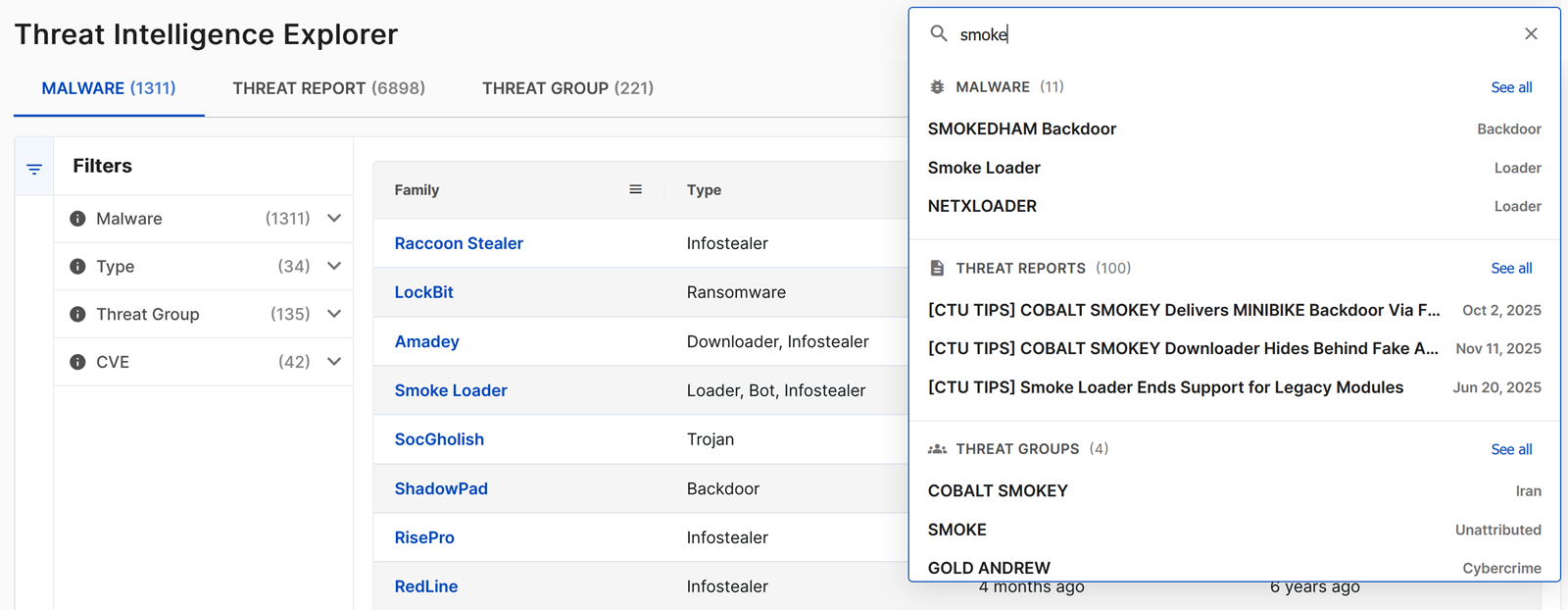
You can search through all malware, threat reports, and threat groups using the search bar at the top right of the page. To do so, enter a search term and then take one of the following actions:
- Click a specific malware, threat report, or threat group from the results to view the details.
- Click View in table or See all to go to the Malware, Threat Report, or Threat Group table filtered to the results of your search.
- Click the X at the right of the search field to clear your search and reset any filters in the tables.
Malware
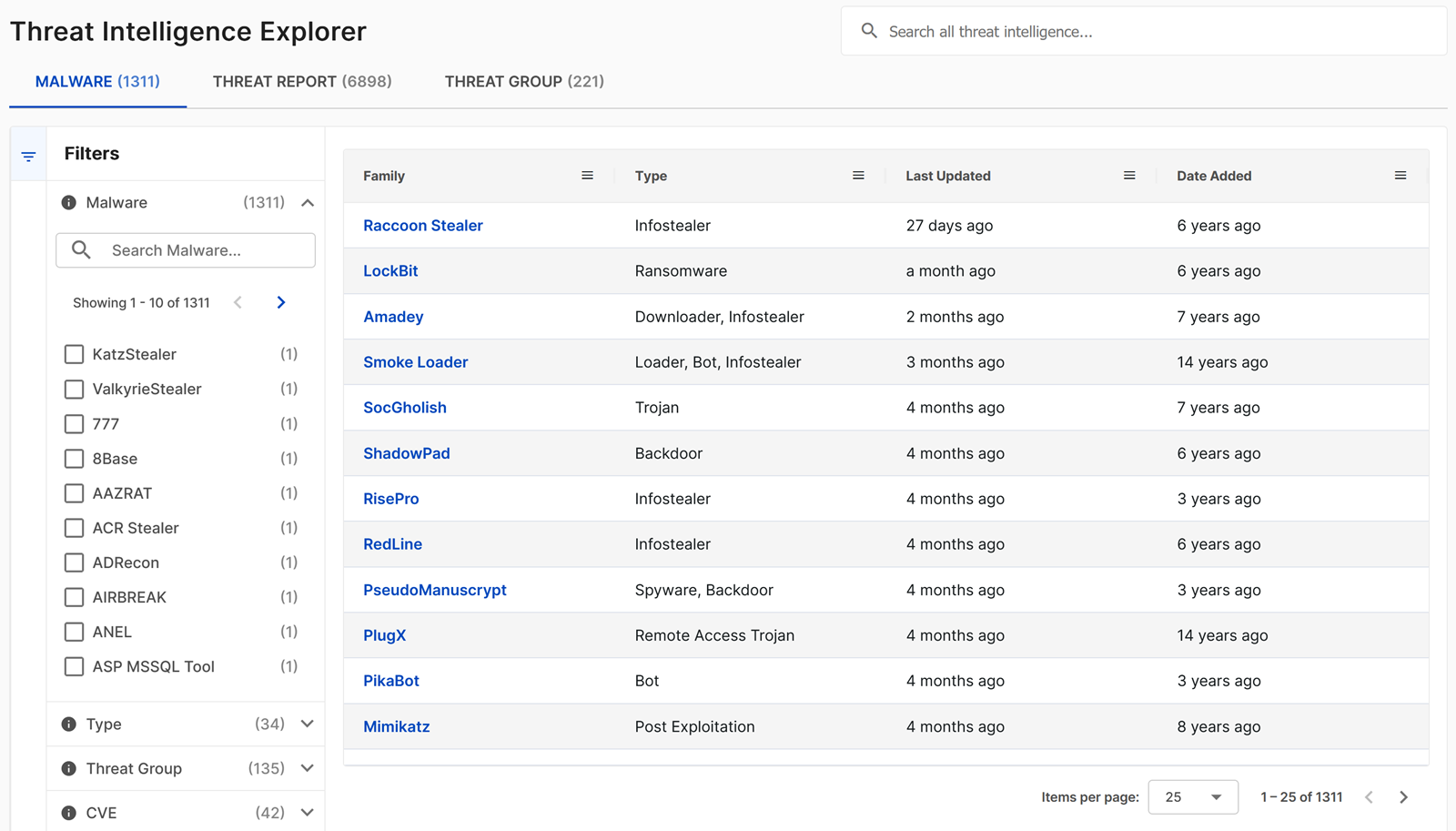
Malware shows detailed information about known malware families, including technical analysis, indicators of compromise, and associated threat actors.
By default, the table is sorted first by the threat priority set by the Sophos CTU for the malware families that are key or current threats to customers, and second by the last updated time.
Filter malware information
Use the filters in the following table to find specific malware information.
| Filter | Description | Examples |
|---|---|---|
| Malware | Search by malware family name | "Emotet", "TrickBot" |
| Type | Filter by malware classification | Trojan, Ransomware, Backdoor |
| Threat Group | Malware associated with specific threat groups | GOLD MYSTIC, BRONZE BUTLER |
| CVE | Malware exploiting specific vulnerabilities | CVE-2021-34527, CVE-2021-44228 |
Malware family details
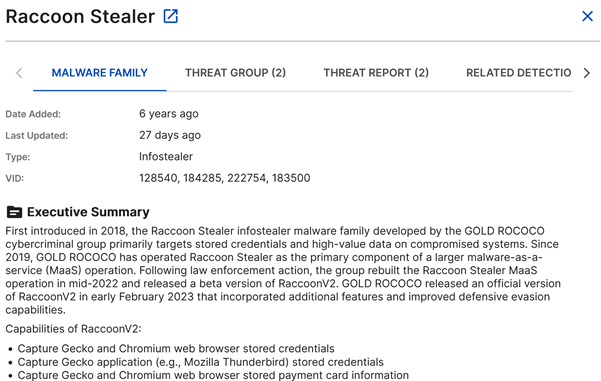
Click a malware family name to open a slide-out that contains the following information. Click the New Tab icon in the slide-out to view the details in a new tab. From there, you can copy the URL to link directly to the malware details.
- Malware family overview: Description and classification.
- Technical details: Behavior, capabilities, and indicators.
- Solution and mitigation: Recommended protective measures.
Associated intelligence
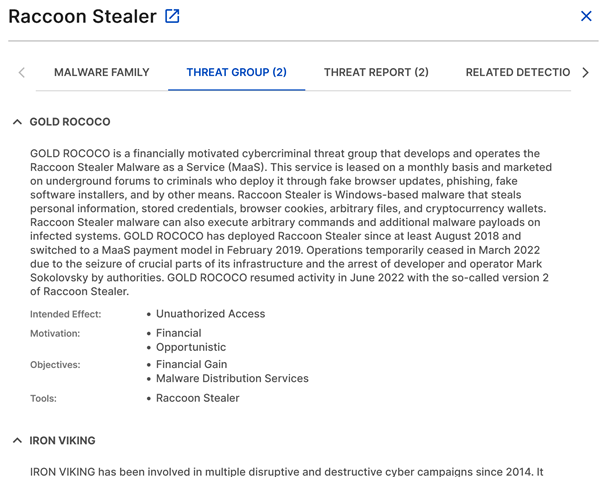
The following tabs show any available additional intelligence associated with the family.
-
Threat Group: Groups known to use this malware. For details, see Threat groups.
-
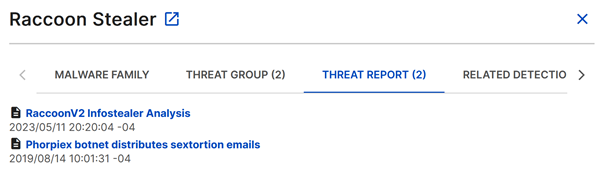
Threat Report: Related Sophos CTU reports. For details, see Threat reports.
-
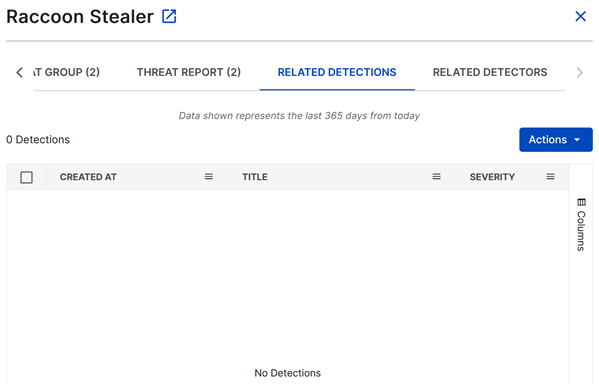
Related Detections: Detection data from your environment. For details, see Detections.
-
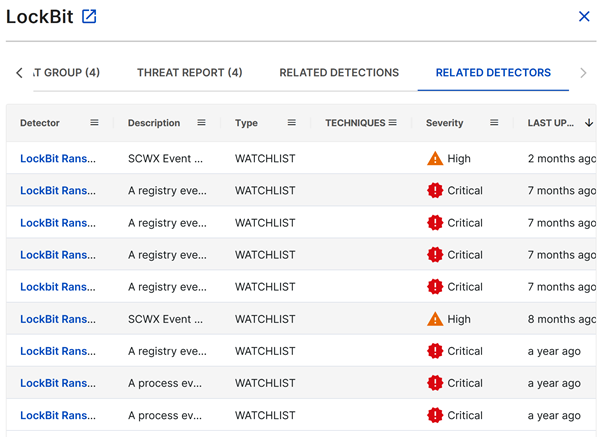
Related Detectors: Sophos XDR detectors that identify this malware. For details, see Detectors.
Threat Report
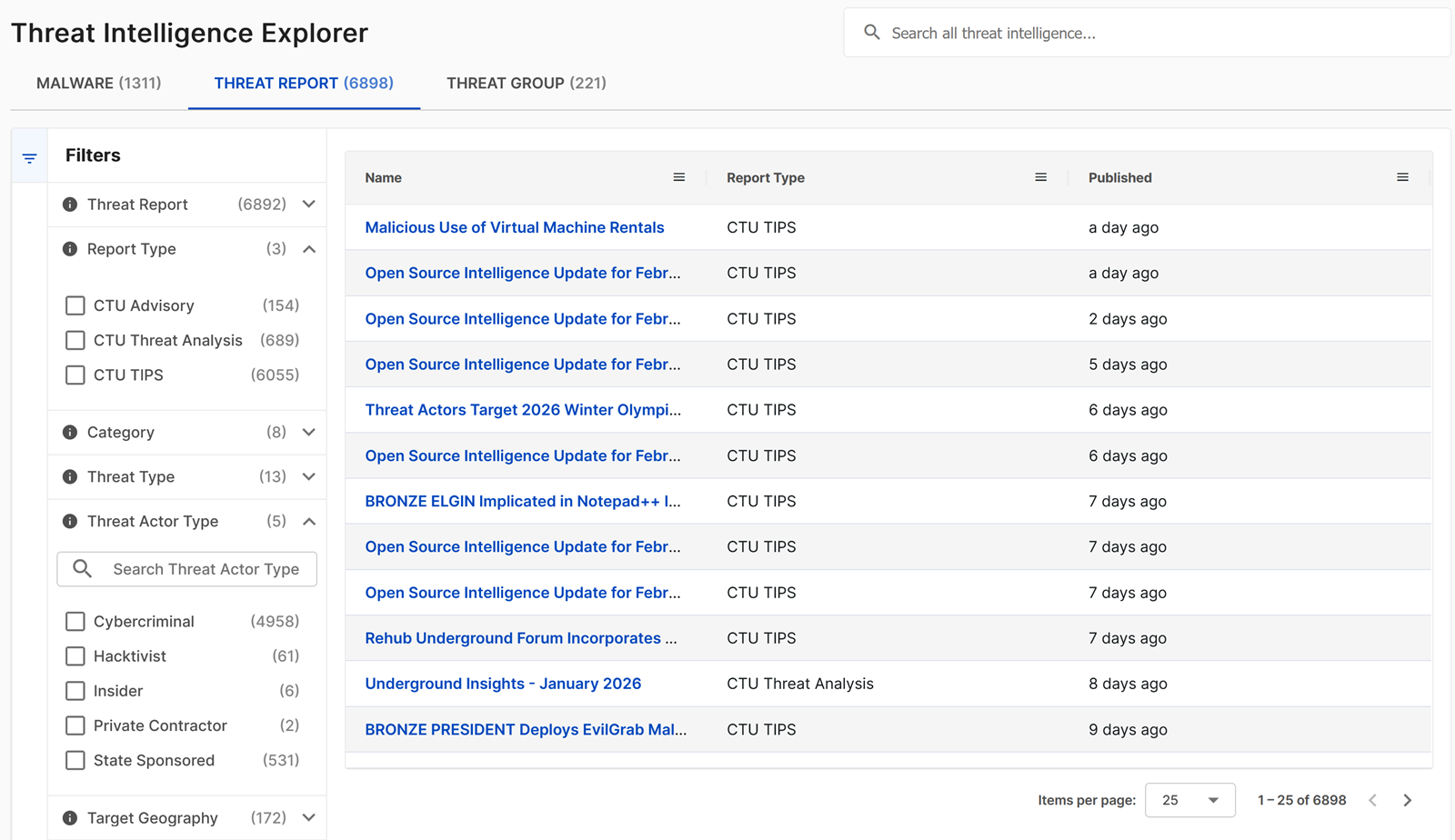
Threat Report shows the complete library of Sophos CTU threat intelligence reports, including daily briefings, in-depth analyses, and threat advisories. For more information, see Threat reports.
Filter threat reports
Use the filters in the following table to find specific reports.
| Filter | Description | Examples |
|---|---|---|
| Threat Report | Sophos CTU report name | "Daily Threat Brief", "Ransomware Analysis" |
| Report Type | General publication category | Advisory, Analysis, Brief |
| Category | Specific publication type | Customer Advisory, Threat Analysis, CTU TIPS |
| Threat Type | Category of threats discussed | Ransomware, APT, Cybercrime |
| Threat Actor Type | Type of threat actors covered | Nation-state, Cybercriminal, Hacktivist |
| Target Geography | Geographic focus of threats | North America, Europe, Global |
| Target Sectors | Industry sectors discussed | Financial, Healthcare, Government |
| Threat Group | Specific threat groups mentioned | GOLD MYSTIC, BRONZE ATLAS |
| Malware | Malware families discussed | Emotet, Ryuk, Cobalt Strike |
| CVE | Vulnerabilities discussed | CVE-2021-34527 |
Note
All regions and sectors may be at risk from opportunistic attacks that lack specific targeting preferences.
Threat report details
Click a threat report name to open a slide-out that may contain the following information, depending on the report. Click the New Tab icon in the slide-out to view the report in a new tab. From there, you can copy the URL to link directly to the threat report.
- Full report text: Complete Sophos CTU analysis.
- Executive summary: Key findings and recommendations.
- Technical details: In-depth technical analysis.
- Indicators of compromise: Associated IOCs and signatures.

Associated intelligence
The following tabs may show additional intelligence associated with the report.
- Related Detections: Detections generated in your environment.
- Related Detectors: Sophos XDR detectors mentioned in the report.
Threat Group
Threat Group shows comprehensive information about known threat actor groups and their tactics, techniques, and procedures (TTPs). For more information, see Threat groups.
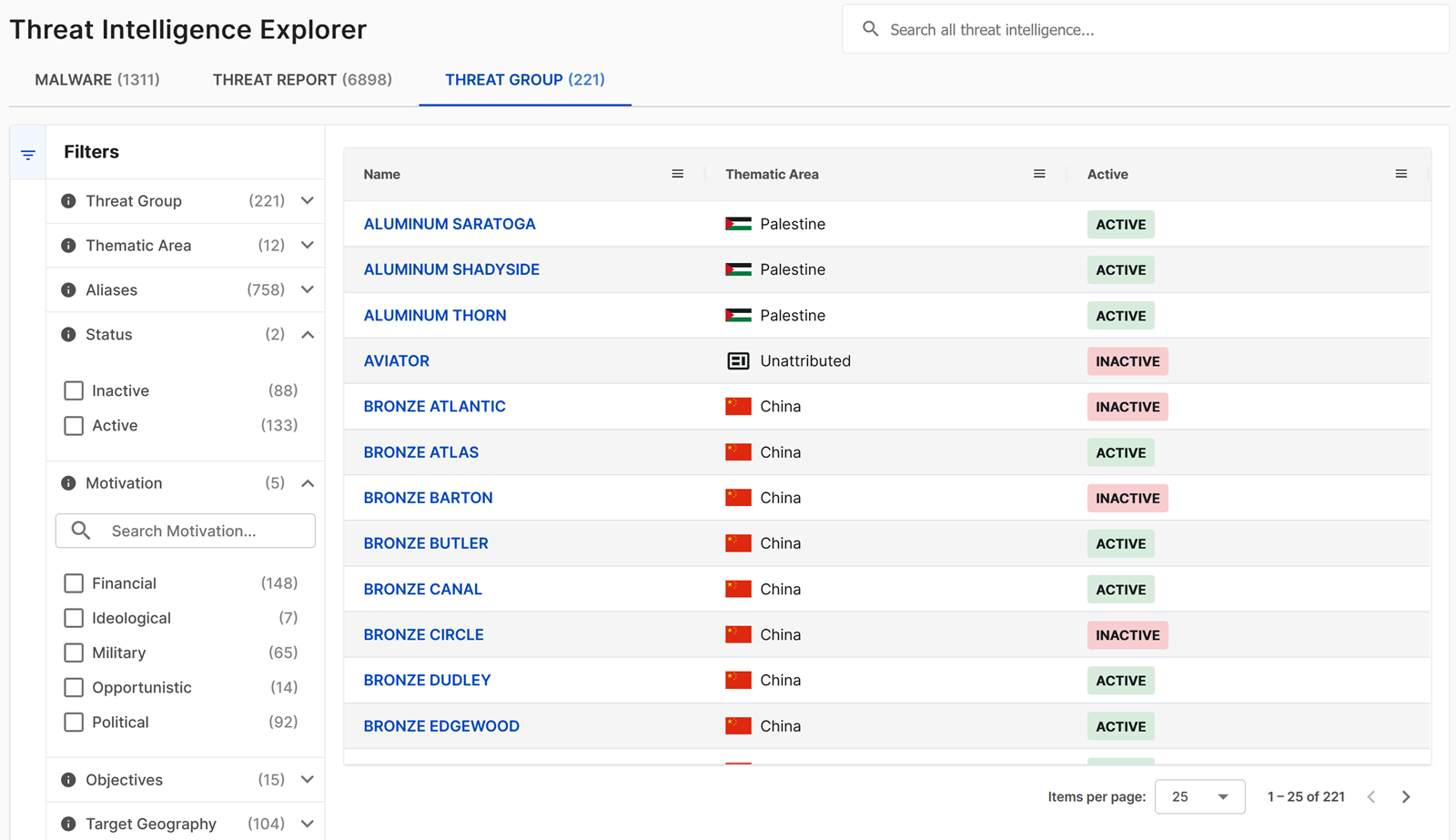
Filter threat group information
Use the filters in the following table to explore threat group information.
| Filter | Description | Examples |
|---|---|---|
| Threat Group | Threat group designation | GOLD MYSTIC, BRONZE ATLAS |
| Thematic Area | Focus area or regional association | Cybercrime, China, Russia |
| Aliases | Alternative threat group names | APT1, Lazarus Group, FIN7 |
| Status | Current activity status | Active, Inactive |
| Motivation | Primary motivations | Financial, Political, Military |
| Objectives | Primary goals | Financial Gain, Espionage, Disruption |
| Target Geography | Geographic targeting patterns | Asia-Pacific, Western Europe |
| Target Sectors | Industry sectors targeted | Technology, Defense, Energy |
| Malware | Associated malware families | Emotet, TrickBot, Cobalt Strike |
| Tools | Tools and techniques used | PowerShell, Mimikatz, PsExec |
Note
All regions and sectors may be at risk from opportunistic threat groups that lack specific targeting preferences.
Threat group details
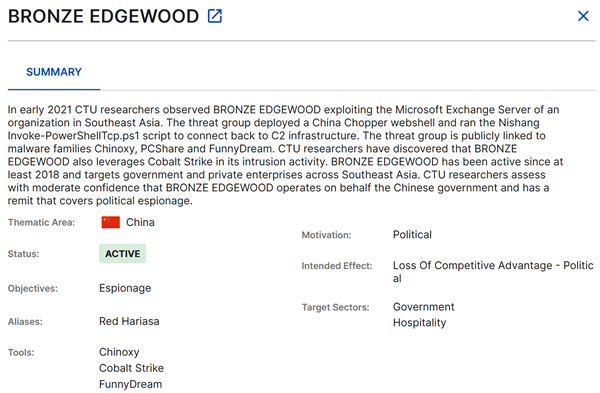
Click a threat group name to open a slide-out that contains the following information about the group. Click the New Tab icon in the slide-out to view the details in a new tab. From there, you can copy the URL to link directly to the threat group details.
- Group description: Background and assessed capabilities.
- Attribution assessment: Geographic or organizational attribution.
- Activity timeline: Notable campaigns and operations.
- Tactics, Techniques, and Procedures: Detailed TTP analysis.
Integration with Sophos XDR
Threat Intelligence Explorer seamlessly integrates with Sophos XDR capabilities in the following ways.
Detection correlation
Threat intelligence automatically enriches detections with relevant context. For details, see Detection enrichment.
Detection enhancement
- Intelligence feeds directly into Sophos XDR detection capabilities.
- Multiple Sophos XDR detectors leverage threat intelligence data.
Case support
- You can use threat intelligence to enhance your investigation of cases.
- You can pivot from detections to related threat intelligence.
Best practices
Effective use of filters
- Start broad, then narrow: Begin with general searches and then apply more specific filters.
- Combine multiple filters: Use multiple criteria for precise results.
Stay current
- Regularly review new malware families and threat group activities.
- Check for new reports and intelligence regularly.
- Monitor threat landscape changes relevant to your industry.
Integration with workflows
- Incorporate threat intelligence into incident response procedures.
- Use threat group information for threat modeling exercises.
- Leverage malware analysis for defensive strategy planning.