Use OTP to register with Sophos Fusion
Note
Sophos Fusion was previously known as Sophos Central.
You can register Sophos Firewall with Central using OTP.
Note
You can only manage firewalls with Sophos Fusion (previously Sophos Central) if they connect to the internet using IPv4 addresses.
Prerequisites
Before you can use OTP to turn on Sophos Fusion management, you must do as follows:
- Set up your Sophos Firewall and claim it in Sophos Fusion. See Set up a new firewall with Sophos Fusion.
- If you're a Sophos Fusion partner, you must also assign Sophos Firewall to a customer on the Sophos Partner Dashboard. See Licensing and Billing.
Register Sophos Firewall in Sophos Fusion
To register Sophos Firewall in Sophos Fusion using OTP, do as follows:
-
Sign in to your Sophos Fusion account.
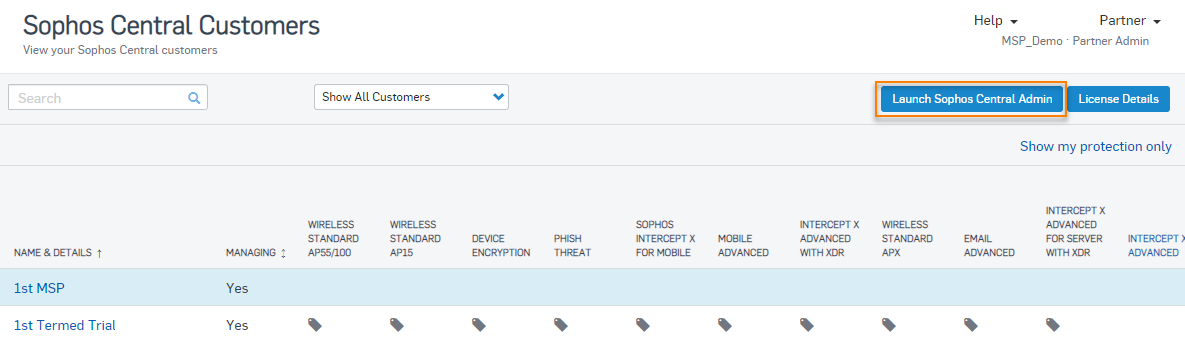
- Optional: If you're a Sophos Fusion partner, sign into the Sophos Partner Dashboard and launch Sophos Fusion admin for the Sophos Firewall customer.
-
Go to My Products > Firewall Management, and click Firewalls.
-
Click Add Firewall.

-
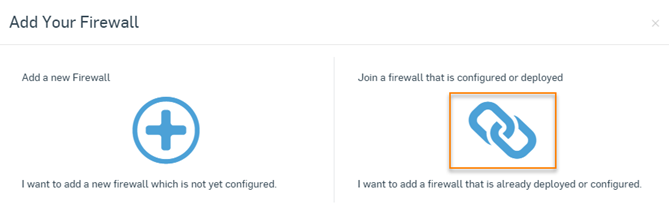
In the pop-up window, select Join a firewall that is configured or deployed.
-
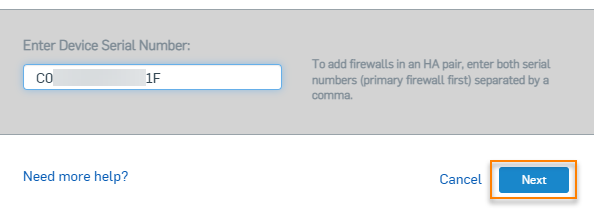
Enter the firewall serial number in Enter Device Serial Number and click Next.
Note
For HA devices, enter both serial numbers separated by a comma.
-
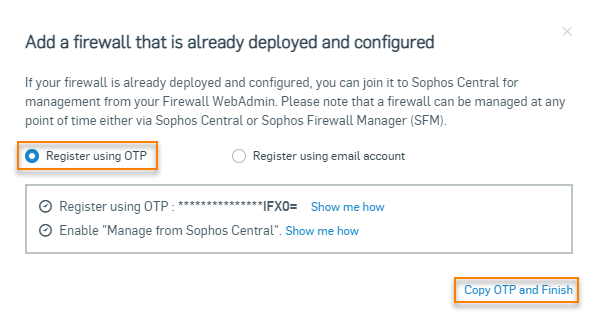
In the next step, make sure Register using OTP is selected and click Copy OTP and Finish.
-
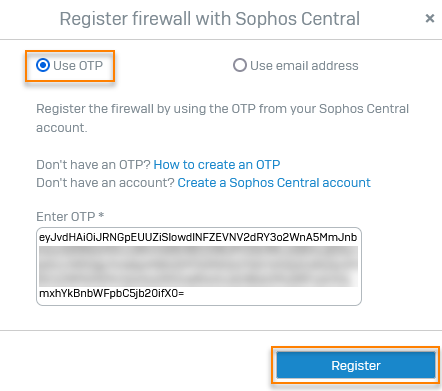
Sign in to Sophos Firewall, go to Sophos Central, and click Register.
- Select Use OTP.
-
Paste the OTP you copied from Sophos Fusion under Enter OTP and click Register.
Note
For new HA pairs, you must enter the OTP only on the primary device.