Post an API request
You can post API requests using web browsers, the Linux command-line interface of your endpoint or the firewall, or applications, such as Postman.
The following examples show how to send API requests using Postman and the Linux command line.
To post an API request through the Postman application, do as follows:
-
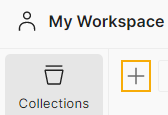
Under Collections, click the plus button to create a new collection.
-
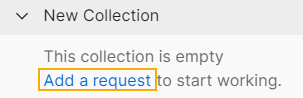
Under the collection, click Add a request.
-
Under New Request, use the following syntax to enter your firewall details:
https://<firewall's IP address>:<firewall's port>/webconsole/APIController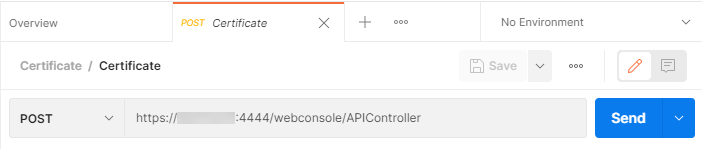
-
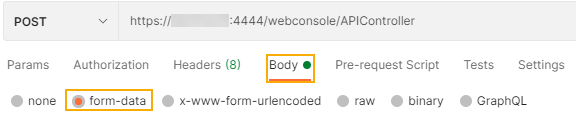
Click Body and select form-data.
-
Under Key, enter
reqxml. -
Under Value, use the syntax in the following example to post the request.
<Request> <Login> <Username><your username></Username> <Password><your password></Password> </Login> <Set operation="add"> <IPHost> <Name>IPaddress</Name> <IPFamily>IPv4</IPFamily> <HostType>IP</HostType> <IPAddress>1.1.1.1</IPAddress> </IPHost> </Set> </Request> -
Click Send.
To post an API request through the command line of your Linux endpoint or the firewall, do as follows:
-
Open a text editor, such as Notepad, and enter the payload you want to post.
Here's an example of a request to get the IP hosts:
<Request> <Login> <Username>Jane</Username> <Password>PQR@!xyz</Password> </Login> <Get> <IPHost> </IPHost> </Get> </Request> -
Save the payload file with a
.xmlextension. - Use the following syntax to post the payload:
curl -k https://<firewall's IP address>:<firewall's port>/webconsole/APIController -F "reqxml=<{payload file.xml}"
Example
curl -k https://172.16.16.16:4444/webconsole/APIController -F "reqxml=<FileXYZ.xml"