Secure storage master key
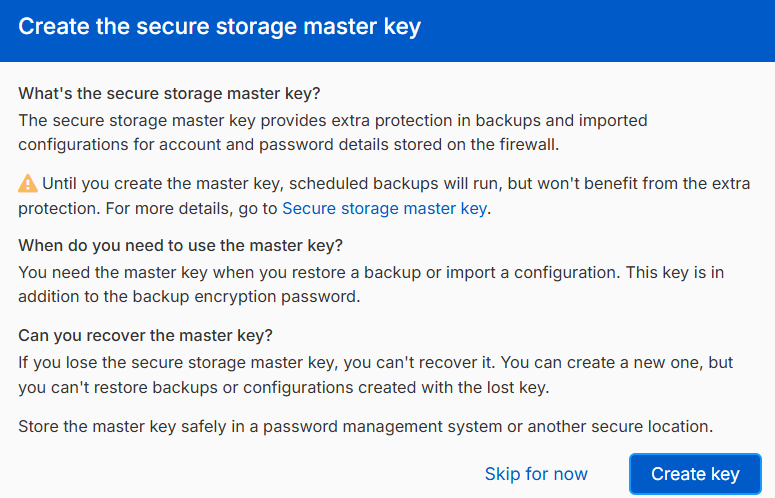
The secure storage master key (SSMK) provides extra protection for the account details stored on Sophos Firewall. The key encrypts sensitive information, such as passwords, secrets, and keys, preventing unauthorized access to this information.
The accounts include user and admin accounts which prevents unauthorized access to various services, including directory services, email servers, FTP servers, and proxies.
Set up the secure storage master key
For new installations, you must create the SSMK in the setup assistant.
Note
If you upgraded a firewall that doesn't have a SSMK to version 20.0, you must create it on the control center.
You can only create the SSMK in the control center if you sign in using the default admin account. See Default admin password settings.
Other administrators can see the alert for creating the SSMK in the control center, but can't create it when they sign in using their own credentials.
Reset the secure storage master key
If you lose the SSMK, you can use the Reset secure storage master key option on the CLI to create a new one. This option only appears if you've already created the SSMK.
Warning
If you lose the SSMK, you can't recover it. Make sure you store it in a password management system or in another secure location.
Backup and restore
You must enter the SSMK when you restore a backup taken after setting it. If you don't enter the SSMK, you can't restore the backup.
You can restore backups taken before setting the SSMK without entering it.
Import export
Currently, sensitive information is encrypted. This includes user passwords, Wi-Fi access point secrets, hotspot vouchers, and SPX users.
You can import configurations that have a SSMK without entering it, but you'll lose sensitive information and the dependent configurations. You'll need to re-enter or recreate the information later.
High availability
The SSMK is synchronized between the two HA devices in both active-active and active-passive modes. It remains on a standalone device and on both devices when you turn off HA on either device. In active-passive mode, you can only set and reset the SSMK through the primary device.
Factory configuration
If you reset the firewall to its factory configuration, it removes the SSMK.