Post an API request
You can post API requests using applications, such as Postman, or the CLI of your endpoint or the firewall.
Note
In SFOS 23.0 and later, you can't post XML API requests using web browsers.
The following examples show how to post API requests using Postman and the CLI.
To post an API request through the Postman application, do as follows:
-
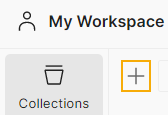
Under Collections, click the plus button to create a new collection.
-
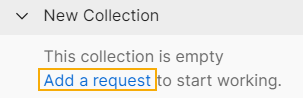
Under the collection, click Add a request.
-
Under New Request, use the following syntax to enter your firewall details:
https://<firewall's IP address or hostname>:<firewall's port>/webconsole/APIController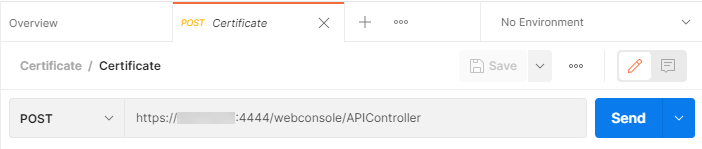
-
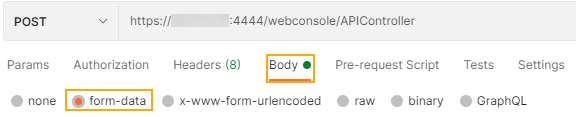
Click Body and select form-data.
-
Under Key, enter
reqxml. -
Under Value, use the syntax in the following example to post the request.
<Request> <Login> <Username><your username></Username> <Password><your password></Password> </Login> <Set operation="add"> <IPHost> <Name>IPaddress</Name> <IPFamily>IPv4</IPFamily> <HostType>IP</HostType> <IPAddress>1.1.1.1</IPAddress> </IPHost> </Set> </Request> -
Click Send.
To post an API request through the command line of your Linux endpoint or the firewall, do as follows:
-
Open a text editor, such as Notepad, and enter the payload you want to post.
Here's an example of a request to add IP hosts:
<Request> <Login> <Username>Jane</Username> <Password>PQR@!xyz</Password> </Login> <Set operation="add"> <IPHost> <Name>IPaddress</Name> <IPFamily>IPv4</IPFamily> <HostType>IP</HostType> <IPAddress>1.1.1.1</IPAddress> </IPHost> </Set> </Request> -
Save the payload file with a
.xmlextension. - Use the following syntax to post the payload:
curl -X POST -k "https://<firewall's IP address or hostname>:<firewall's port>/webconsole/APIController" -F "reqxml=<{payload file.xml}"
Example
curl -X POST -k "https://172.16.16.16:4444/webconsole/APIController" -F "reqxml=<FileXYZ.xml"