Enable Sophos Fusion management of Sophos Firewall
You need to turn on Sophos Fusion management on Sophos Firewall and accept the request in Sophos Fusion.
You'll need the following products and licenses:
- A Sophos Fusion account (a license or a trial).
- A Sophos Firewall with an active paid subscription (other than a base license) or an active support contract.
For more information about Sophos Firewall licenses, see Firewall licenses.
Note
You can only register and manage firewalls with Sophos Fusion that connect to the internet using IPv4 addresses.
Turn on Sophos Fusion management
-
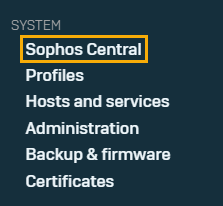
Sign in to Sophos Firewall and go to Sophos Central.
-
Click Register.
Register firewall with Sophos Central appears.
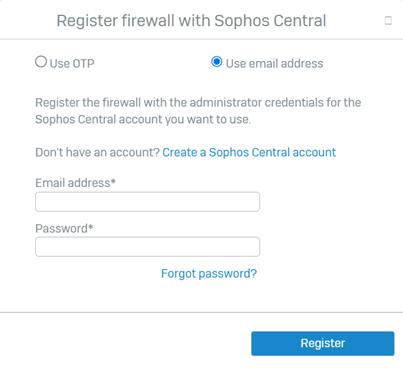
You can register the firewall in the following ways:
-
Use OTP: Select Use OTP, add the OTP, then click Register.
For instructions on how to generate the OTP, see Use OTP to register with Sophos Fusion in the Sophos Firewall help.
-
Use Sophos Fusion credentials: Select Use email address, add the email address and password for your Sophos Fusion administrator account, then click Register.
For instructions on how to create a Sophos Fusion administrator account, see Add administrators.
For more information, see Use the super admin credentials to register with Sophos Fusion.
-
-
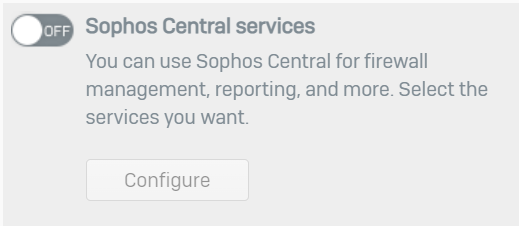
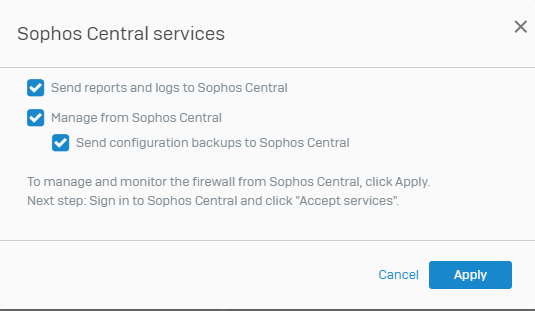
Turn on Sophos Central Services.
-
Select the services that you want.
Approve Sophos Fusion management
- Sign in to the Sophos Fusion Admin account with which you've registered Sophos Firewall.
- Go to My Products > Firewall Management.
-
On the Firewalls page, find your recently registered firewall, click the Approval Pending icon
 , then click accept-services.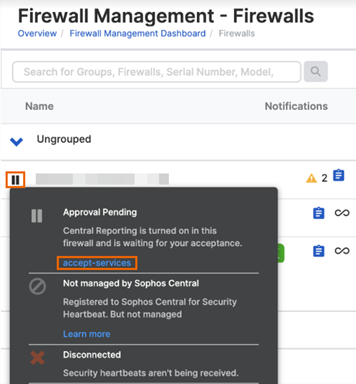
-
On Sophos Firewall, click Sophos Fusion and check whether the status has changed from Waiting for approval from Sophos Fusion to Managed.
The status can take up to two minutes to change.
When the status changes to Managed, your Sophos Firewall is ready to be managed by Sophos Fusion.
-
To access your firewall, click its name on the Firewalls page in Sophos Fusion.
For more information, see Access your firewall's web admin console.
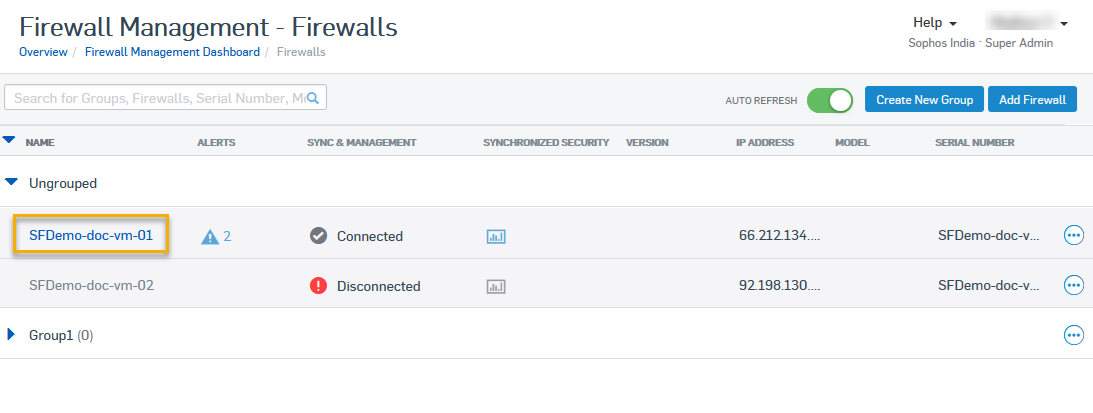
It may take a few seconds for your firewall's web admin console to open.